 夜雨聆风
夜雨聆风


国产开源富文本编辑器 wangEditor,本姓编辑器
01 引言
上一节介绍了轻量级的富文本编辑器,基本上已经可以满足了日常的使用。又发现一款国产的编辑器wangEditor,因为我也姓wang,本姓的富文本编辑器必须了解一下。
02 简介
wangEditor 是国产开源富文本编辑器,专为国内开发者设计。
-
• 官网:https://www.wangeditor.com -
• GitHub:https://github.com/wangeditor-team/wangEditor -
• 特点:中文文档完善、配置简单、持续维护
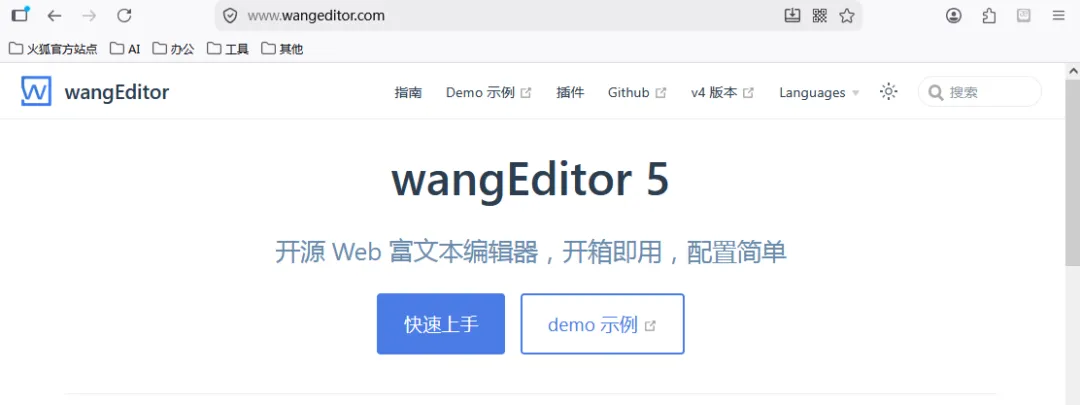
GitHub的star数高达18.3k
03 快速开始
2.1 引入JS和CSS
<link href="https://unpkg.com/@wangeditor/editor@latest/dist/css/style.css" rel="stylesheet"/><style> #editor—wrapper { border: 1px solid #ccc; z-index: 100; /* 按需定义 */ } #toolbar-container { border-bottom: 1px solid #ccc; } #editor-container { height: 500px; }</style><!-- 引入 JS --><script src="https://unpkg.com/@wangeditor/editor@latest/dist/index.js"></script>2.2 Html结构
<div id="editor—wrapper"> <div id="toolbar-container"><!-- 工具栏 --></div> <div id="editor-container"><!-- 编辑器 --></div></div>2.3 初始化
const { createEditor, createToolbar } = window.wangEditor const editorConfig = { placeholder: '<p>请输入内容...</p>', onChange(editor) { const html = editor.getHtml() console.log('editor content', html) // 也可以同步到 <textarea> }, MENU_CONF: { // 配置图片上传 uploadImage: { server: '/api/upload-image', fieldName: 'file', maxFileSize: 5 * 1024 * 1024, onSuccess(file, res) { console.log('上传成功') }, onFailed(file, res) { alert('上传失败') } } } } const editor = createEditor({ selector: '#editor-container', html: '<p><br></p>', config: editorConfig, mode: 'default', // or 'simple' }) const toolbarConfig = {} const toolbar = createToolbar({ editor, selector: '#toolbar-container', config: toolbarConfig, mode: 'default', // or 'simple' });工具栏的模式有两种:
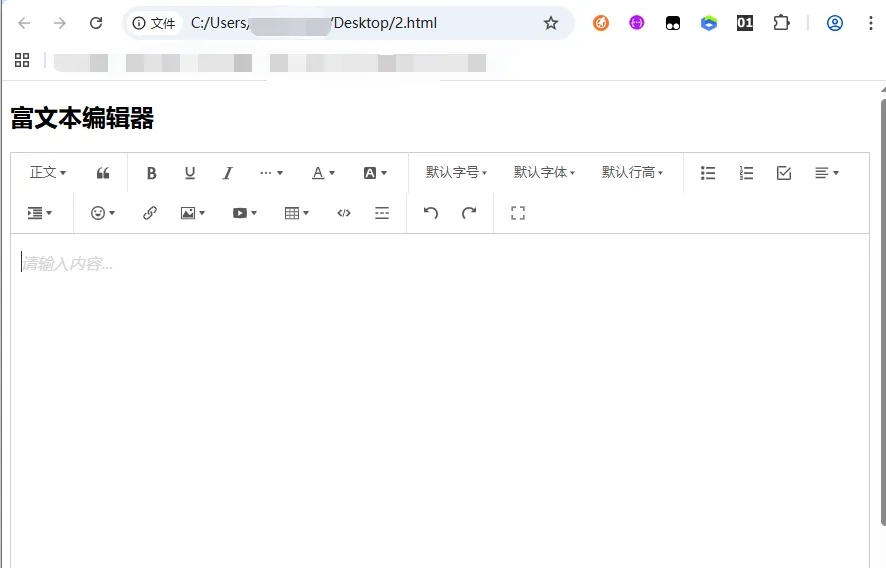
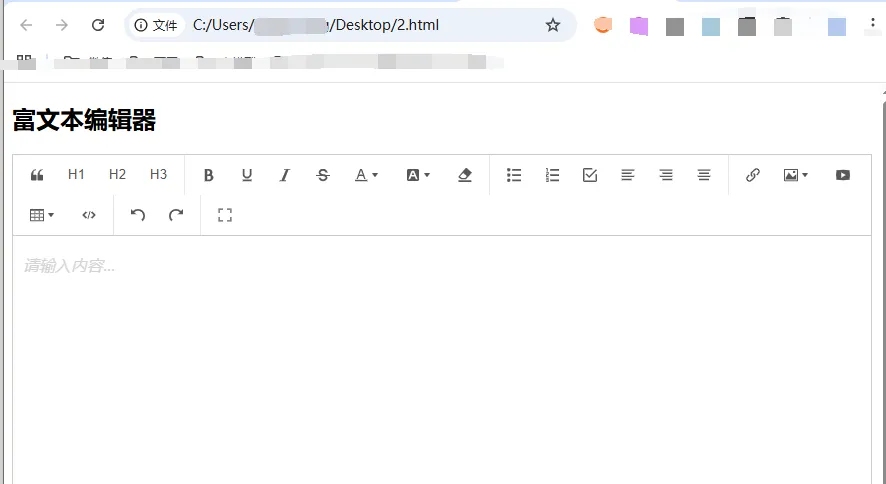
-
• default:默认模式 – 集成了wangEditor所有功能 -
• simple: 简洁模式 – 仅有部分常见功能,但更加简洁易用
2.4 效果
默认模式
简介模式
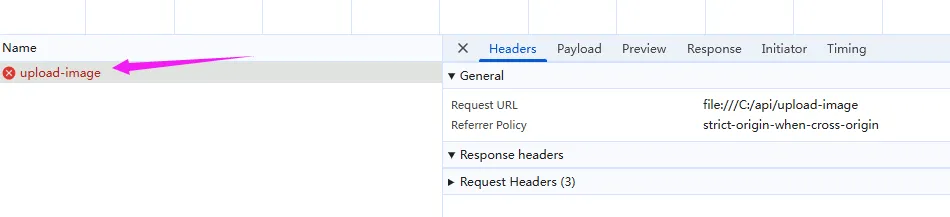
图片上传
请求已发出
04 常用API
4.1 获取/设置内容
// 获取 HTML 内容const html = editor.getHtml()// 获取纯文本const text = editor.getText()// 设置 HTML 内容editor.setHtml('<p>新内容</p>')// 清空内容editor.clear()// 获取 JSON 内容(用于保存)const content = editor.children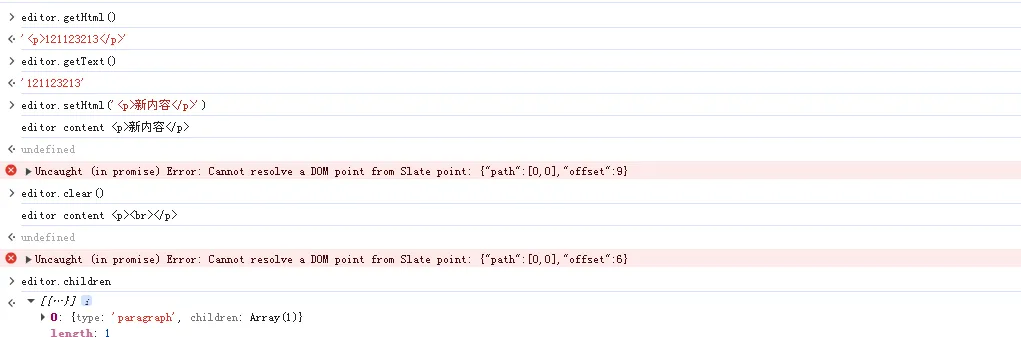
4.2 焦点与禁用
// 获取焦点editor.focus()// 失去焦点editor.blur()// 是否可编辑editor.enable()editor.disable()4.3 内容监听
// 内容变化时触发editor.on('change', () => { console.log('内容变化', editor.getHtml())})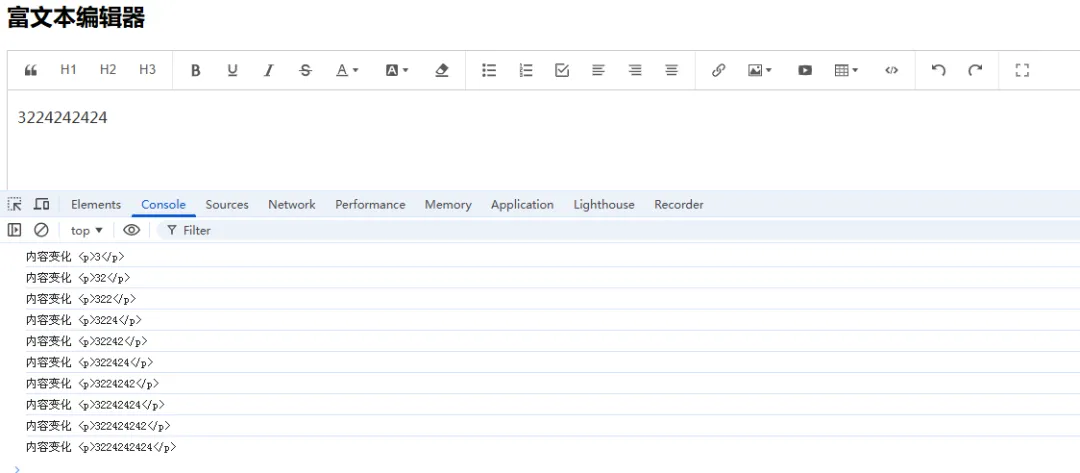
05 常见问题
5.1 图片上传后不显示
-
• 检查返回格式: { errno: 0, data: { url: '图片地址' } } -
• 确认图片地址可访问 -
• 检查静态资源映射是否正确
5.2 工具栏不显示
-
• 确认 CSS 已引入 -
• 检查容器 ID 是否正确
5.3 获取内容为空
-
• 确保编辑器已初始化完成 -
• 使用 editor.getHtml()获取
06 版本说明
|
|
|
|---|---|
|
|
|
|
|
|
END
点击下方名片关注,防止走丢!
↓