ARTICLE · 1007516
MonaLisa插件“烟笼寒水月笼沙”适合截图分享社交媒体或不想他人窥屏
今天分享一个 MonaLisa 插件,当我们想截图分享社交媒体或者阅读的时候不想让他人窥屏,或仅仅想阅读文章主体不想被其他内容干扰时(即沉浸式阅读)可以用上。
不同于市场上广告去除插件,这里只是暂时将不想看到的内容戴上“面纱”,营造“烟笼寒水月笼沙”若隐若现的朦胧美。而当人(鼠标)靠近的时候自动展示背后内容,似有用手撩开面纱之感。
春来无遣闲愁处,玉面纱巾出看花。
—— 宋·刘克庄《小园即事二首》
该诗既有纱的朦胧,又保留了面容的美好,画面淡雅而含蓄。非常适合这个插件。 这也是插件蒙娜丽「纱」命名由来。
Chrome 浏览器自带的 reading mode 有什么问题?其他元素被剔除了,得退出模式才能和这些元素交互,比如侧边栏菜单被隐藏了,想要浏览站内其他页面得先退出。还有一个问题对于程序员来说比较重要,reading mode 会完全自定义自己的样式,也就是抛弃了网站原有样式,好处是大字更清晰阅读不费力,坏处是代码样式被重置了,比如高亮的代码没了取而代之是默认样式。
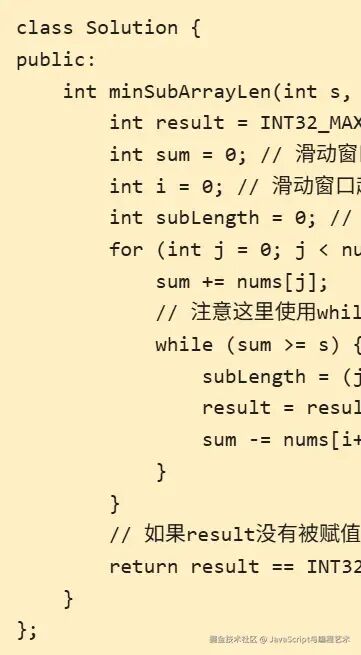 | 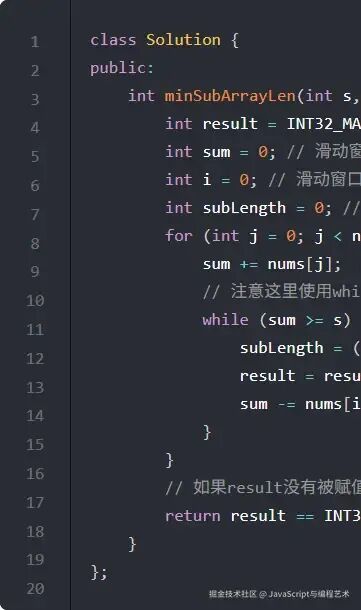 |
reading mode 适合看长篇文字,且没有代码的文章。
但我想要的是一个
只是遮住非主体元素,让功能切换更 handy,同时能保留原有网站的样式、风貌
的插件。
故有此文。
效果
Before

点击右上角开启“面纱”模式。
开启后:

开启后只有主体内容可见,header、sidebar 戴上纱罩,犹如薄雾笼罩。
鼠标尝试进入被遮盖区域,有一个缓缓揭开面纱的动效,移出则有重新戴上的动效。

对应代码:
const frosty = {opacity: 0.35,filter: 'blur(4px)',transition: `opacity .35s ease, filter .35s ease`,}// 1. 初始化$$(selectors).forEach(el => { el.style.transition = frosty.transition })// 2. 按钮切换// 揭开面纱function unveil(el) { el.style.opacity = `revert` el.style.filter = `revert`}// 戴上面纱function wearVeil(el) { el.style.opacity = frosty.opacity el.style.filter = frosty.filter}再次点击右上角按钮会退出 Veil mode,同时有 toast 提示。


遮罩状态存储在本地,这样刷新页面仍然能记住上次状态,而且存在各自网站(hostname 维度)的 localStorage 而非集中存储,让不同网站不互相影响。
小东西一样要做好用户体验。
技术栈
插件容器 Tampermonkey toast 使用类 sonner 的 sourdough-toast No framework Just Vanilla JS. 作为 Native 原教主义者自然能抛弃框架就抛弃!
重点代码或语法介绍:
一、toast 库
挑选和 sonner 类似但是可以直接 CDN 运行的 sourdough-toast。
1.1 导入:
const { boot, toast } = await import('https://esm.sh/sourdough-toast@0.3.0')你没看错原生 JS 早已支持异步导入 CDN 模块(学过 deno 的应该特别熟悉),兼容性 Chrome 63。
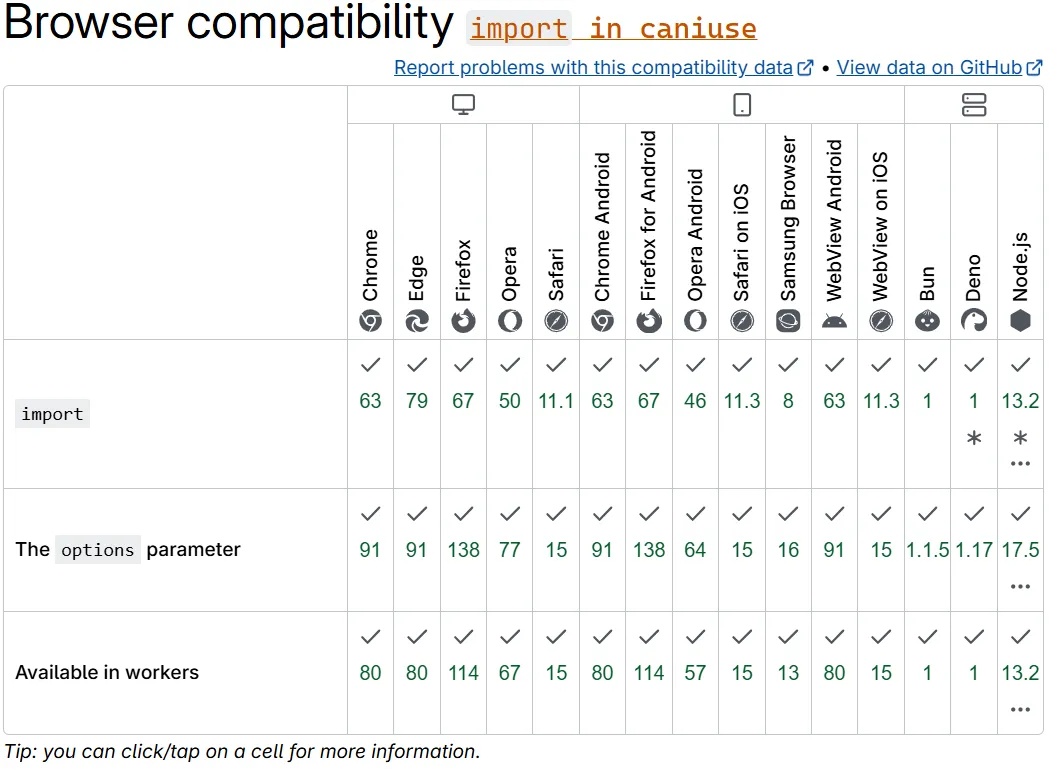
浏览器支持两种 import 如
import foo from 'https://cdn/m/foo'但这里只能用await import(...)。因为 tempermonkey 并非运行在
<script type="module">...</script>而是普通的<script>...</script>内。 故只能选择 function-like dynamicimport():“There is also a function-like dynamicimport(), which does not require scripts oftype="module"” 出自 MDN。
1.2 初始化
function bootSonner() {document.head.insertAdjacentHTML('beforeend',`<link rel="stylesheet" href="https://esm.sh/sourdough-toast@0.3.0/sourdough-toast.css" />`, )const opts = {theme: whichTheme(),viewportOffset: 12,xPosition: 'center',yPosition: 'top',maxToasts: 10,expandedByDefault: false,richColors: true,duration: 1000, }boot(opts)const toastElement = /** @type {HTMLDivElement} */ (document.querySelector('ol[data-sourdough-toaster]') ) toastElement.style.setProperty('--width', 'max-content')}做了三件事:
插入样式 https://esm.sh/sourdough-toast@0.3.0/sourdough-toast.css;通用配置: boot(opts)。比如 toast 出现位置设置在中间顶部xPosition: 'center', yPosition: 'top';设置 CSS 变量让 toast 长度从定长(缺点:长文本会折行)到跟随内容长度 setProperty('--width', 'max-content')而不换行。
1.3 使用 toast
官方文档:
toast("Plain toast");toast.success("It worked");toast.info("FYI");toast.warning("Careful");toast.error("It broke");toast.message({ title: "Saved", description: "Your changes are safe." });const id = toast("Working…", { persist: true });toast.dismiss(id);我们代码内,根据是否开启,唤起不同等级的 toast:
toast[focuseModeOn ? 'success' : 'warning'](feedback)二、onChildChanged 解决异步元素出现时机过晚,无法被遮盖

比如掘金左侧的收藏等 btn group 是通过请求异步加载的。第一次初始化无法获取到这类元素,故需要监听 DOM 元素变化再次 init。
onChildChanged(document.body, {cb: () => { init() },debounceTime: 200,})onChildChanged 底层使用 MutationObserver,但是做了 debounce 和 throttle。
// 监听直接元素和嵌套元素const defaultConfig = {childList: true, // observe direct childrensubtree: true, // and lower descendants too// characterDataOldValue: true // pass old data to callback 无需}性能考虑加入 debounce 和 throttle,非常有必要,因为一般网站 DOM 变动异常频繁:
function onChildChanged( root = '#app', { predicate = () => true, cb, config, debounceTime, throttleTime },) {const { debounce, throttle, $ } = tampermonkeyUtilsconst defaultConfig = {childList: true, // observe direct childrensubtree: true, // and lower descendants too } config ??= defaultConfigconst deCb = debounceTime ? debounce(cb, debounceTime) : throttleTime ? throttle(cb, throttleTime) : cbconst observer = new MutationObserver(mutationRecords => {const mutation = mutationRecords.find(({ target }) => {return predicate(target) })if (mutation) {deCb(mutation.target) } })// observe everything except attributes observer.observe(typeof root === 'string' ? $(root) : root, config)}详细代码见 带 debounce 和 throttle 的 onChildChanged。
三、getter 巧妙解决引用尚未定义的变量问题
为什么代码内要用到 getter?
const config = {get selectors() {return 'header,aside,nav' },site: {'juejin.cn': {get selectors() { return config.selectors + ', .article-suspended-panel, #sidebar-container, .suspension-panel' }, } }}直接属性不行吗?
const config = {selectors: 'header,aside,nav',site: {'juejin.cn': {selectors: config.selectors + ', .article-suspended-panel, #sidebar-container, .suspension-panel', } }}答案是不能,将报错:“Uncaught ReferenceError: config is not defined”、“ReferenceError: Cannot access 'config' before initialization”。
解法是延迟 evaluation,需要用到函数,getter 是特殊的函数,但相比普通函数能写出更优雅的代码。
具体详见下一篇文章《getter 在延迟变量引用的妙用》。
完整代码
https://github.com/legend80s/tampermonkey/blob/master/veil-mode.userscript.js
// ==UserScript==// @name VeilMode🧕// @namespace http://tampermonkey.net/// @version 2.0// @description try to take over the world!// @author legend80s// @match https://programmercarl.com/*// @match https://juejin.cn/*// @icon https://www.google.com/s2/favicons?sz=64&domain=programmercarl.com// @grant GM_info// ==/UserScript==// CHANGELOG// 2.0 支持网站定制化需要遮盖的内容// 1.0 初始化// @ts-check(async function () {'use strict';// Your code here...const { $, $$, ready, time2Readable, onUrlChange, onChildChanged, generateLabel,// @ts-expect-error// eslint-disable-next-line no-undef } = tampermonkeyUtils;// @ts-expect-errorconst label = generateLabel(GM_info);const debugging = true;const log = (...args) => debugging && console.log(label, ...args);const error = (...args) => debugging && console.error(label, ...args);const config = {get selectors() {return 'header,aside,nav' },site: {'juejin.cn': {get selectors() { return config.selectors + ', .article-suspended-panel, #sidebar-container, .suspension-panel' }, } } }const { selectors = config.selectors } = config.site[location.hostname] || configconst namespace = `__tm_` // tm for tampermonkeyfunction genKey(rawKey) { return `${namespace}${rawKey}` }const keyFocusMode = genKey('focuseMode')const focusModeInStorage = localStorage.getItem(keyFocusMode)let focuseModeOn = focusModeInStorage === 'on'const { boot, toast } = await import("https://esm.sh/sourdough-toast@0.3.0")const frosty = {opacity: .35,filter: 'blur(4px)',transition: `opacity .35s ease, filter .35s ease`, }main();function main() {bootSonner()addFocusModeToggler()let start = Date.now()log('init triggered by main', start)init();onChildChanged(document.body, {cb: () => {const end = Date.now()log('init triggered by onChildChanged', end, 'gap:', end - start, 'ms') start = endinit() },debounceTime: 200 }, ) }function whichTheme() {const documentElement = document.documentElementconst isDark = documentElement.dataset.theme === 'dark' || documentElement.style['color-scheme'] === 'dark' || documentElement.className.includes('dark');return isDark ? 'dark' : 'light' }function bootSonner() {document.head.insertAdjacentHTML('beforeEnd', `<link rel="stylesheet" href="https://esm.sh/sourdough-toast@0.3.0/sourdough-toast.css" />`)const opts = {theme: whichTheme(),viewportOffset: 12,// theme: theme === "light" ? "dark" : "light",xPosition: "center",yPosition: "top",maxToasts: 10,expandedByDefault: false,// gap: -12,// closeButton: true,richColors: true,duration: 1000, }const ret = boot(opts)const toastElement = /** @type {HTMLDivElement} */ (document.querySelector("ol[data-sourdough-toaster]")) toastElement.style.setProperty("--width", "max-content") }function modeStatusToText(on) {return '专注模式:' + (on ? '🟢 已开启' : '🔴 已关闭') }function addFocusModeToggler() {const id = genKey('focus_model_toggle')const title = !focusModeInStorage ? '点击进入专注模式' : modeStatusToText(focuseModeOn)const tooglerHtml = `<div id="${id}" class="🐵 focus-mode-toggle"> <button class="" title="${title}"> <svg xmlns="http://www.w3.org/2000/svg" width="24" height="24" viewBox="0 0 24 24" fill="none" stroke="currentColor" stroke-width="2" stroke-linecap="round" stroke-linejoin="round" class="lucide lucide-focus w-5 h-5 text-primary" aria-hidden="true"><circle cx="12" cy="12" r="3"></circle><path d="M3 7V5a2 2 0 0 1 2-2h2"></path><path d="M17 3h2a2 2 0 0 1 2 2v2"></path><path d="M21 17v2a2 2 0 0 1-2 2h-2"></path><path d="M7 21H5a2 2 0 0 1-2-2v-2"></path> </svg> </button> </div>`document.body.insertAdjacentHTML(`afterBegin`, tooglerHtml)const box = $('#' + id)const style1 = {position: `fixed`,right: 0,'z-index': 1000, }Object.assign(box.style, style1)const btn = box.querySelector('button')const style2 = {'background-color': `#1b1b1fad`,color: `ghostwhite`,'backdrop-filter': `blur(1px)`,border: `none`,'padding': `3px 4px 0 4px`,'border-radius': `8px`,cursor: `pointer`, }Object.assign(btn.style, style2)const elements = $$(selectors); box.onclick = () => { focuseModeOn = !focuseModeOnlocalStorage.setItem(keyFocusMode, focuseModeOn ? 'on' : 'off')console.log('focuseModeOn', focuseModeOn)if (focuseModeOn) { elements.forEach(wearVeil) }else { elements.forEach(unveil) }const feedback = modeStatusToText(focuseModeOn) btn.title = feedbacksetTimeout(() => { toast[focuseModeOn ? 'success' : 'warning'](feedback) }) } }function unveil(el) { el.style.opacity = `revert` el.style.filter = `revert` }function wearVeil(el) { el.style.opacity = frosty.opacity el.style.filter = frosty.filter }async function init() {await ready('header');const elements = $$(selectors); elements.forEach((el) => { el.style.transition = frosty.transition focuseModeOn && wearVeil(el) el.addEventListener('mouseleave', () => {if (!focuseModeOn) { return }wearVeil(el) }) el.addEventListener('mouseenter', () => {if (!focuseModeOn) { return }unveil(el) }) }); }})();本系列每一个观点每一个论据都追溯到 1 行源码、1 段官方文档。
— 参考资料 —
[1]
小园即事二首https://gushiju.net/ju/1615860
[2]
sourdough-toasthttps://www.npmjs.com/package/sourdough-toast
[3]
import()https://developer.mozilla.org/en-US/docs/Web/JavaScript/Reference/Operators/import
[4]
带 debounce 和 throttle 的 onChildChangedhttps://github.com/legend80s/tampermonkey/blob/master/utils.js