夜雨聆风
夜雨聆风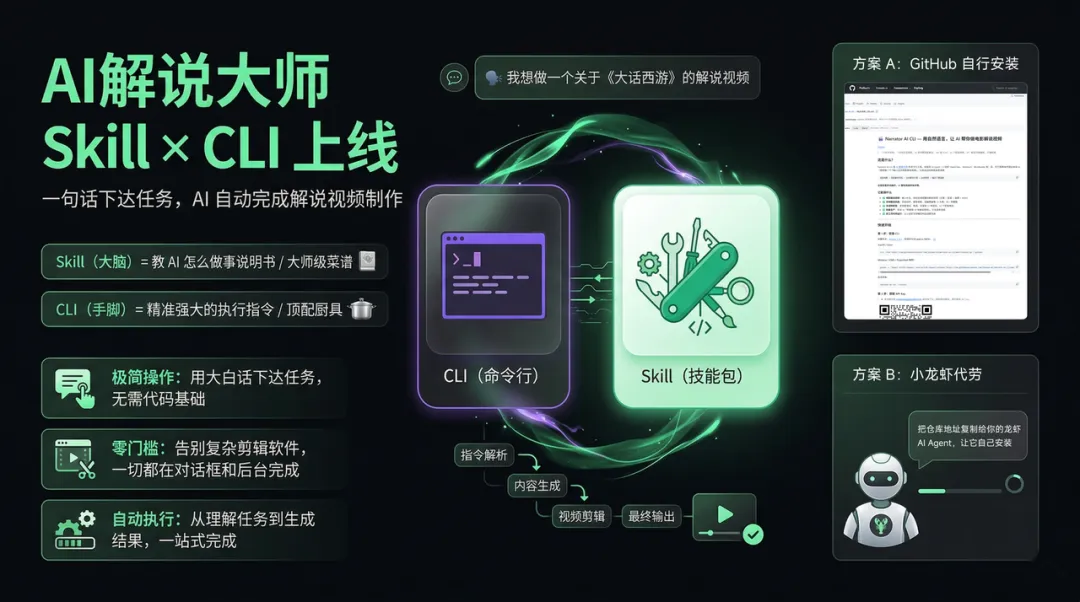
第二步:接入AI解说大师AppKey
开通APPkey请联系👉gezimufeng
第三步:直接对龙虾下指令,坐等出片
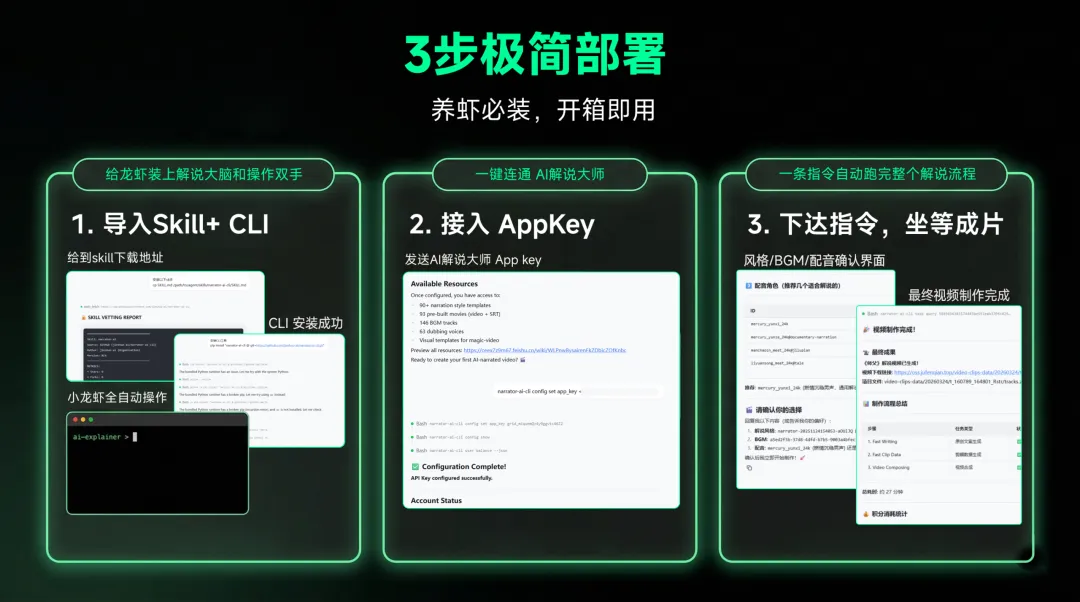
# Windows 用户python --version# macOS 用户python3 --versionxcode-select--installgit --versionpython -c"import urllib.request; exec(urllib.request.urlopen('https://raw.githubusercontent.com/jieshuo-ai/narrator-ai-cli/main/install.py').read())"curl -fsSL https://raw.githubusercontent.com/jieshuo-ai/narrator-ai-cli/main/install.py | python3# 第 1 条:用镜像加速下载代码git clone https://ghfast.top/https://github.com/jieshuo-ai/narrator-ai-cli.git# 第 2 条:进入项目目录cd narrator-ai-cli# 第 3 条:安装 CLI(macOS 用 pip3)pip install -e .narrator-ai-cli --versionnarrator-ai-cli config set app_key 你的API_Keynarrator-ai-cli user balancemkdir -p ~/.openclaw/skills/narrator-ai-cli# 先把 SKILL.md 下载到本地,然后复制进去cp SKILL.md ~/.openclaw/skills/narrator-ai-cli/SKILL.md请帮我安装这个 CLI 命令行工具:https://github.com/jieshuo-ai/narrator-ai-cli请学习这个技能文件:https://github.com/jieshuo-ai/narrator-ai-cli-skill/blob/main/SKILL.md帮我做一个飞驰人生的电影解说视频
Q1:安装过程中网络一直卡住,怎么办?

A:国内访问 GitHub 经常受限。把命令中的 https://github.com 替换为 https://ghfast.top/https://github.com。如果仍然不行,再试 https://mirror.ghproxy.com/https://github.com。两个镜像都不行的话,联系 AI解说大师商务咨询直接要安装包。

Q2:输入命令后提示"不是内部或外部命令"(Windows)或"command not found"(macOS),怎么办?

A:最常见的原因是安装完成后没有关闭终端重新打开。关掉当前窗口,重新打开一个新的终端再输入命令。Windows 用户还要确认安装 Python 时勾选了"Add python.exe to PATH",没勾的话需要重新安装 Python。macOS 用户可以先执行 source ~/.zshrc 刷新环境变量后再试。

Q3:API Key 从哪里获取?

A:文末扫码联系 AI解说大师商务咨询,即可获取你的专属 API Key。拿到后在终端执行 narrator-ai-cli config set app_key 你的API_Key 完成配置。

Q4:AI小龙虾自动选了我不想要的解说风格或配音,怎么控制?

A:指令越具体,AI 执行越精确。比如说"帮我做飞驰人生的解说,解说风格用爆笑喜剧,配音用男声热血风,BGM 用轻快节奏",效果远好于只说"帮我做个解说"。AI解说大师内置 90+ 种解说风格模板和 63 个配音角色,你可以提前用 narrator-ai-cli task narration-styles 和 narrator-ai-cli dubbing list 查看所有可选项。

Q5:提示云盘空间不足,怎么处理?

A:上传自定义素材会占用账户的 3GB 云盘空间。对 AI 助手说"帮我查看云盘空间"可以查看用量,说"帮我删除之前的文件"可以清理。注意先把已生成的视频下载到本地再删除云盘文件。

Q6:macOS 终端前面显示 (base),Python 版本不对怎么办?

A:终端提示符前出现 (base) 说明你之前装过 Anaconda,它会"劫持" python3 命令指向自带的旧版本。先输入 python3 --version 看一下版本,如果是 3.10 以上就可以直接用。如果低于 3.10,需要从官网另装新版 Python,然后用完整路径执行命令,比如 /Library/Frameworks/Python.framework/Versions/3.14/bin/python3(把 3.14 换成你实际安装的版本号)。
📦 CLI 工具仓库:github.com/jieshuo-ai/narrator-ai-cli 🧠 Skill 技能文件仓库:github.com/jieshuo-ai/narrator-ai-cli-skill