curl: (6) Could not resolve host: openclaw.ai
# 1. 检查网络ping openclaw.ai# 2. 使用备用镜像curl -fsSL https://mirror.openclaw.ai/install.sh | bash# 3. 或改用 npm 安装npm install -g openclaw
Error: EACCES: permission denied
# 方法 1:修复 npm 权限(推荐)mkdir ~/.npm-globalnpm config set prefix '~/.npm-global'echo'export PATH=~/.npm-global/bin:$PATH' >> ~/.bashrcsource ~/.bashrc# 方法 2:使用 nvmcurl -o- https://raw.githubusercontent.com/nvm-sh/nvm/v0.39.0/install.sh | bashnvm install nodenpm install -g openclaw
⚠️ 注意:不要直接用 sudo 安装 npm 包!
Error: API request failed: 401 Unauthorized
# 1. 检查 API Keyopenclaw config get model.api_key# 2. 重新设置openclaw config set model.api_key=YOUR_NEW_KEY# 3. 检查账户余额# 登录模型提供商官网 → 账户中心 → 查看余额# 4. 检查网络连接curl -I https://api.openai.com/v1/modelscurl -I https://open.bigmodel.cn/api/paas/v4/models# 5. 切换国内模型(如需要)openclaw config set model.provider=zhipuopenclaw config set model.name=glm-4
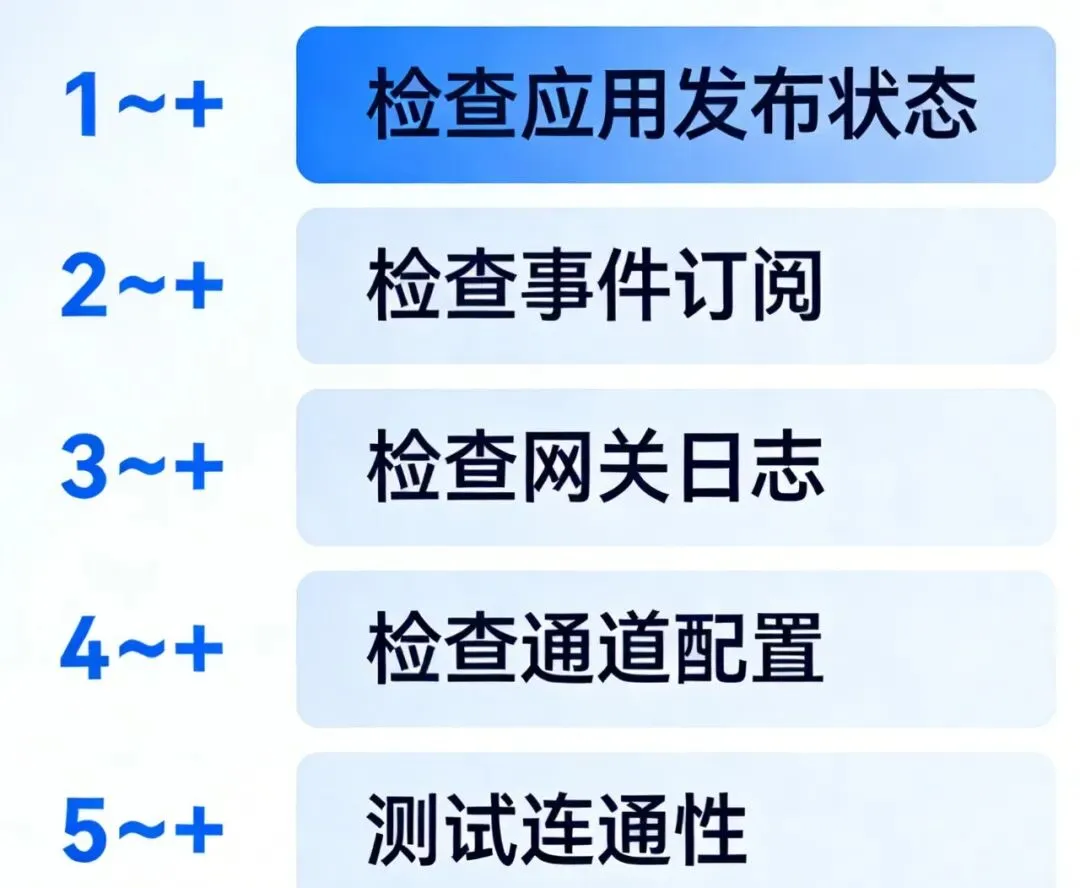
# 1. 检查应用发布状态# 飞书开发者后台 → 版本管理与发布# 确认已发布# 2. 检查事件订阅# 飞书开发者后台 → 事件订阅# 确认已订阅 im.message.receive_v1# 确认 URL 可访问# 3. 检查网关日志openclaw gateway logs -f# 筛选飞书相关openclaw gateway logs | grep feishu# 4. 检查通道配置openclaw channel config feishu# 确认已启用openclaw channel list# 5. 测试连通性openclaw ask "你好"
# 1. 检查技能是否启用openclaw skill list# 确认技能状态为 enabled# 2. 查看技能配置openclaw skill show <skill-name># 3. 测试技能openclaw skill test web-search --query "test"# 4. 检查权限# 编辑配置文件,确认:{"skills": {"web-search": {"enabled": true // 确认是 true } }}# 5. 更新技能openclaw skill update <skill-name>
{"memory": {"search": {"max_results": 10, // 增加结果数量"min_score": 0.3, // 降低阈值"embedding_model": "text-embedding-3-small" } }}
"2026-03-10:完成 OpenClaw 30 天系列 Day 1-2 文章创作,文档链接:https://feishu.cn/docx/xxx,下一步:继续 Day 3-7 内容"
openclaw memory add"用户偏好:简洁直接的沟通风格"
# 每周回顾openclaw memory review --week# 清理过期openclaw memory cleanup --older-than 30d
{"channel_priority": ["feishu", "wechat", "discord"],"deduplication": {"enabled": true,"window_seconds": 5 }}
# 只在特定通道响应"feishu: 创建明天的会议""wechat: 查天气"
{"routing": {"rules": [ {"if": "message contains '会议' OR '日程'","then": "route to feishu" }, {"if": "message contains '天气'","then": "route to wechat" } ] }}
{"model": {"context_limit": 16000, // 降低上下文长度"max_tokens": 2000, // 限制输出长度"temperature": 0.7// 平衡质量和速度 }}
{"memory": {"search": {"max_results": 5, // 减少检索结果"cache": {"enabled": true, // 启用缓存"ttl": 3600 } } }}
{"gateway": {"max_concurrent_sessions": 10,"queue_size": 100 }}
# 清理日志openclaw cleanup logs --older-than 7d# 清理缓存openclaw cleanup cache# 清理临时文件openclaw cleanup temp
# ✅ 定期备份配置cp ~/.openclaw/config.json ~/.openclaw/config.backup.$(date +%Y%m%d)# ✅ 使用环境变量存储敏感信息export OPENCLAW_MODEL_API_KEY="your-key"# ✅ 版本控制配置(不含敏感信息)cd ~/.openclawgit initgit add config.json # 确保 .gitignore 排除了敏感字段
# ✅ 查看资源使用openclaw status# ✅ 查看性能指标openclaw metrics# ✅ 设置告警openclaw alert setup --cpu 80% --memory 90%
本文档为 OpenClaw 30 天入门到精通系列 Day 7 夜雨聆风
夜雨聆风