夜雨聆风
夜雨聆风已关注
关注
重播 分享 赞
安装方法》 平板夹
METHOD OF ERECTION>>
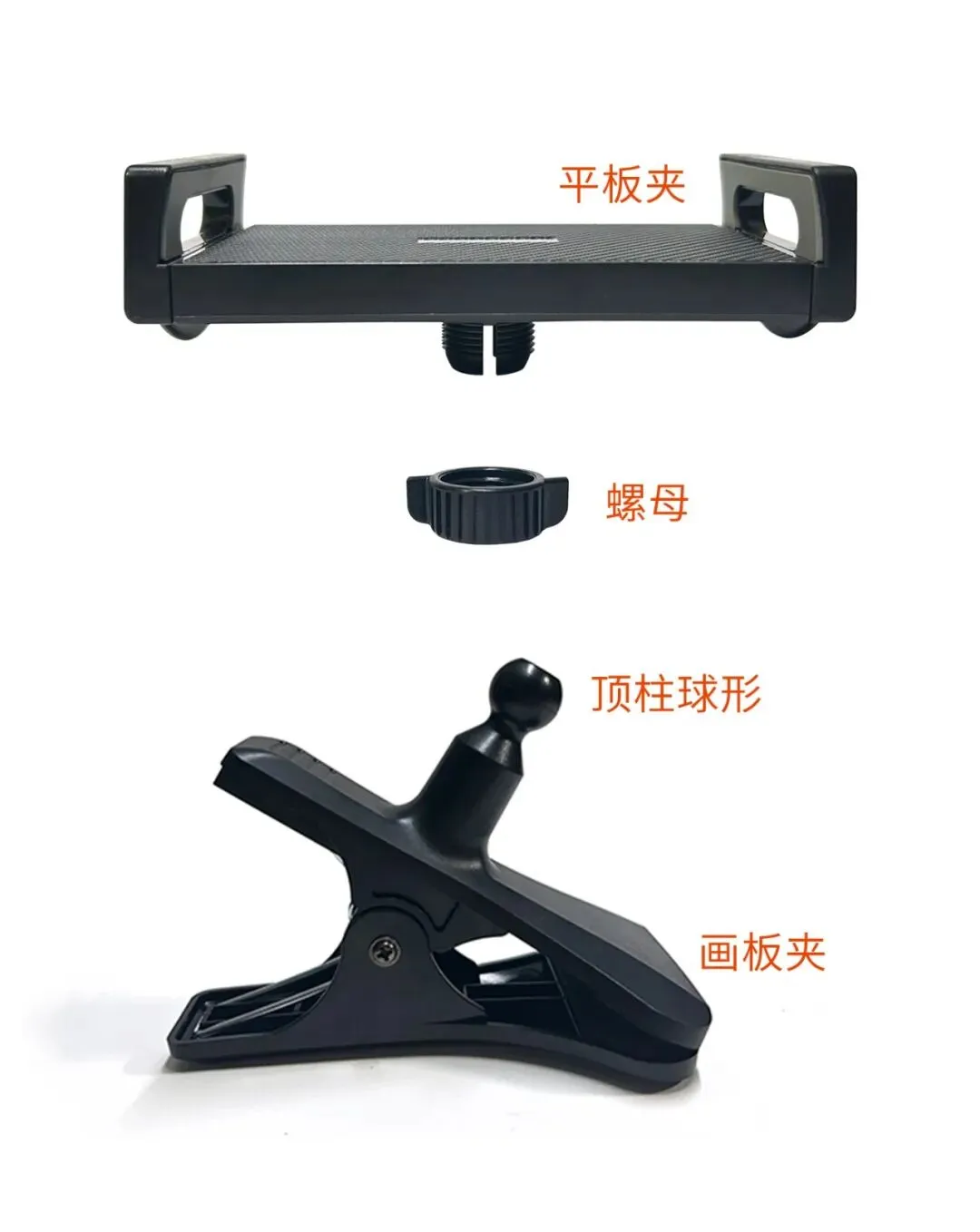
1.取出平板夹和画板夹,
2.将平板夹背部的螺母拧下,
3.取下的螺母,可旋转口向上放入画板夹圆柱中,
4.画板夹顶柱球形,用力顶进圆孔内部,
5.随后拧紧螺母,即安装完成。
1.Take out the plate clamp and drawing plate clamp,
2.Unscrew the pentagonal nut on the back of the plate clamp
3.Remove the nut,and put it into the drawing board clamp cylinder with arotatable opening.
4.The spherical shape of the drawing board clamp is pushed intotheround hole Tips: You need to use more force here.
5.Then tighten the nut,that is,the installation is completed.