夜雨聆风
夜雨聆风








# 查看版本openclaw --version# 查看所有命令(官方帮助)openclaw --help# 打开网页管理面板(可视化操作)openclaw dashboard# 终端交互界面(TUI)openclaw tui
1. 前台运行(调试 / 日常用)
# 前台启动网关(最常用,改配置后直接用)openclaw gateway# 前台启动并显示详细日志openclaw gateway --verbose# 强制启动(杀端口占用进程)openclaw gateway --force# 指定端口启动openclaw gateway --port 18789
# 安装为 macOS 系统服务(安装后才能用 restart)openclaw gateway install# 启动服务openclaw gateway start# 停止服务openclaw gateway stop# 重启服务(改配置后用)openclaw gateway restart# 查看网关状态openclaw gateway status# 深度状态检查openclaw gateway status --deep
# 杀死所有 OpenClaw 进程并重启(你现在必须用这个)pkill -f openclaw && openclaw gateway
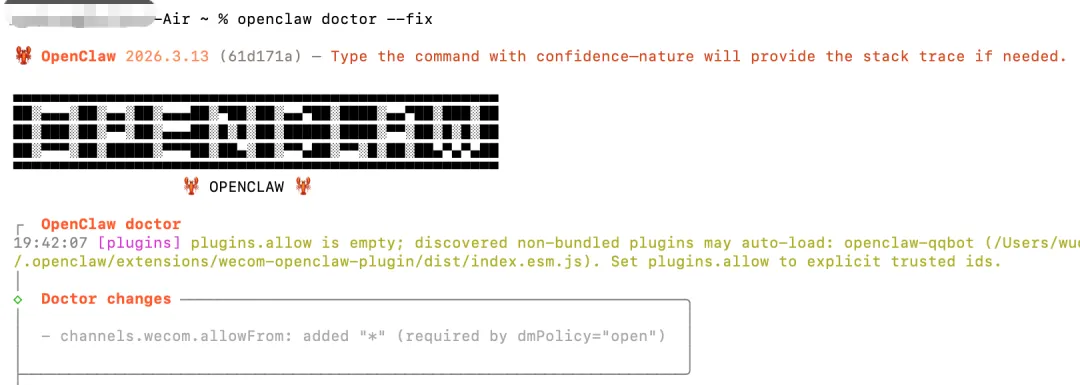
# 全面健康检查openclaw doctor# 检查并自动修复配置(如权限、allowFrom)openclaw doctor --fix# 查看整体运行状态openclaw status# 深度状态检测openclaw status --deep
# 查看最近日志openclaw logs# 实时跟踪日志(tail -f 模式)openclaw logs --follow# 只看错误日志openclaw logs --filter error# 查看最近 50 行openclaw logs --lines 50
# 列出所有已安装插件openclaw plugins list# 查看插件详情openclaw plugins info <插件ID># 启用插件openclaw plugins enable <插件ID># 禁用插件openclaw plugins disable <插件ID># 插件健康检查openclaw plugins doctor
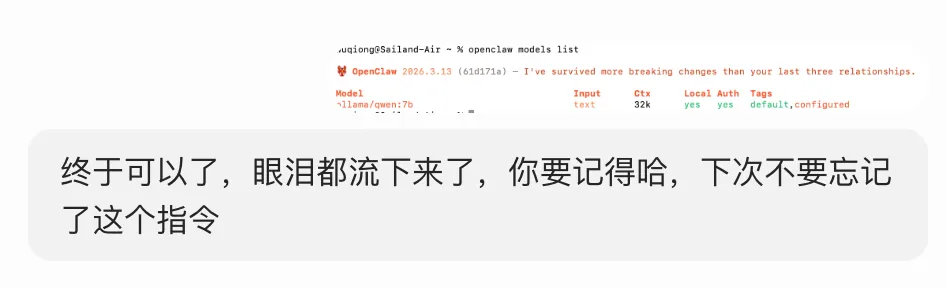
# 列出所有可用模型openclaw models list# 查看模型详情openclaw models info <模型名># 交互式配置模型openclaw configure# 设置默认模型 推荐用set指令openclaw config set agents.defaults.model.primary "qwen2.5:7b"openclaw set model 模型名
# 查看配置项openclaw config get gateway.port# 设置配置项openclaw config set gateway.port 19000# 删除配置项openclaw config unset gateway.auth.password# 重载密钥/配置openclaw secrets reload
# 列出所有会话openclaw sessions list# 清理过期会话openclaw sessions cleanup# 发送消息到指定渠道openclaw message send --channel qq --target "user:xxx" --message "你好"
1. 日常启动 / 重启(你现在用)
# 一键重启(无服务)pkill -f openclaw && openclaw gateway# 启动后打开面板openclaw gateway && openclaw dashboard
# 1. 修复配置openclaw doctor --fix# 2. 重启pkill -f openclaw && openclaw gateway# 3. 实时看日志openclaw logs --follow
openclaw --help🦞 OpenClaw 2026.3.13 (61d171a) — We ship features faster than Apple ships calculator updates.Usage: openclaw [options] [command]Options:--dev Dev profile: isolate state under ~/.openclaw-dev, default gateway port 19001, and shift derived ports (browser/canvas)-h, --help Display help for command--log-level <level> Global log level override for file + console (silent|fatal|error|warn|info|debug|trace)--no-color Disable ANSI colors--profile <name> Use a named profile (isolates OPENCLAW_STATE_DIR/OPENCLAW_CONFIG_PATH under ~/.openclaw-<name>)-V, --version output the version numberCommands:Hint: commands suffixed with * have subcommands. Run <command> --help for details.acp * Agent Control Protocol toolsagent Run one agent turn via the Gatewayagents * Manage isolated agents (workspaces, auth, routing)approvals * Manage exec approvals (gateway or node host)backup * Create and verify local backup archives for OpenClaw statebrowser * Manage OpenClaw's dedicated browser (Chrome/Chromium)channels * Manage connected chat channels (Telegram, Discord, etc.)clawbot * Legacy clawbot command aliasescompletion Generate shell completion scriptconfig * Non-interactive config helpers (get/set/unset/file/validate). Default: starts setup wizard.configure Interactive setup wizard for credentials, channels, gateway, and agent defaultscron * Manage cron jobs via the Gateway schedulerdaemon * Gateway service (legacy alias)dashboard Open the Control UI with your current tokendevices * Device pairing + token managementdirectory * Lookup contact and group IDs (self, peers, groups) for supported chat channelsdns * DNS helpers for wide-area discovery (Tailscale + CoreDNS)docs Search the live OpenClaw docsdoctor Health checks + quick fixes for the gateway and channelsgateway * Run, inspect, and query the WebSocket Gatewayhealth Fetch health from the running gatewayhelp Display help for commandhooks * Manage internal agent hookslogs Tail gateway file logs via RPCmemory * Search and reindex memory filesmessage * Send, read, and manage messagesmodels * Discover, scan, and configure modelsnode * Run and manage the headless node host servicenodes * Manage gateway-owned node pairing and node commandsonboard Interactive onboarding wizard for gateway, workspace, and skillspairing * Secure DM pairing (approve inbound requests)plugins * Manage OpenClaw plugins and extensionsqr Generate iOS pairing QR/setup codereset Reset local config/state (keeps the CLI installed)sandbox * Manage sandbox containers for agent isolationsecrets * Secrets runtime reload controlssecurity * Security tools and local config auditssessions * List stored conversation sessionssetup Initialize local config and agent workspaceskills * List and inspect available skillsstatus Show channel health and recent session recipientssystem * System events, heartbeat, and presencetui Open a terminal UI connected to the Gatewayuninstall Uninstall the gateway service + local data (CLI remains)update * Update OpenClaw and inspect update channel statuswebhooks * Webhook helpers and integrationsExamples:openclaw models --helpShow detailed help for the models command.openclaw channels login --verboseLink personal WhatsApp Web and show QR + connection logs.openclaw message send --target +15555550123 --message "Hi" --jsonSend via your web session and print JSON result.openclaw gateway --port 18789Run the WebSocket Gateway locally.openclaw --dev gatewayRun a dev Gateway (isolated state/config) on ws://127.0.0.1:19001.openclaw gateway --forceKill anything bound to the default gateway port, then start it.openclaw gateway ...Gateway control via WebSocket.openclaw agent --to +15555550123 --message "Run summary" --deliverTalk directly to the agent using the Gateway; optionally send the WhatsApp reply.openclaw message send --channel telegram --target @mychat --message "Hi"Send via your Telegram bot.Docs: docs.openclaw.ai/cli
openclaw models --help🦞 OpenClaw 2026.3.13 (61d171a) — Your terminal just grew claws—type something and let the bot pinch the busywork.Usage: openclaw models [options] [command]Model discovery, scanning, and configurationOptions:--agent <id> Agent id to inspect (overrides OPENCLAW_AGENT_DIR/PI_CODING_AGENT_DIR)-h, --help Display help for command--status-json Output JSON (alias for `models status --json`) (default: false)--status-plain Plain output (alias for `models status --plain`) (default: false)Commands:aliases Manage model aliasesauth Manage model auth profilesfallbacks Manage model fallback listimage-fallbacks Manage image model fallback listlist List models (configured by default)scan Scan OpenRouter free models for tools + imagesset Set the default modelset-image Set the image modelstatus Show configured model stateDocs: docs.openclaw.ai/cli/models
信息来源:信息来源于网络,如有侵权请联系删除