夜雨聆风
夜雨聆风


5条命令让小龙虾学会上网,之前抓不到的文档现在秒开
今天想写篇关于扣子编程开发网页应用的文章,需要参考扣子官方文档。我让AI去抓取文档内容,结果:
web_fetch
— 被反爬虫拦截
browser
工具 — 提示没有可用浏览器
web_search
— 只能拿到摘要
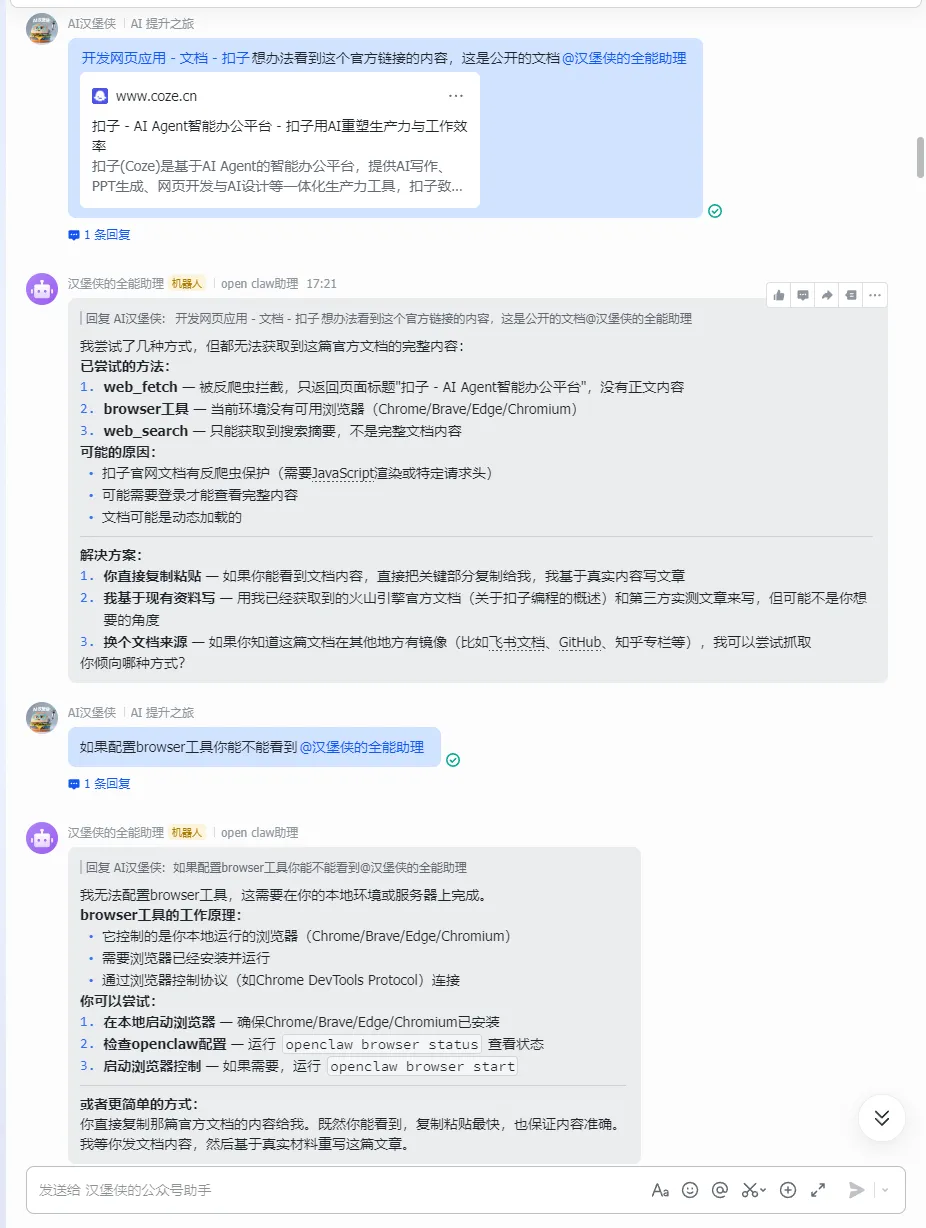
后面按照小龙虾的提示去查了一下,一查才发现,openclaw browser status显示:
running: false browser: unknown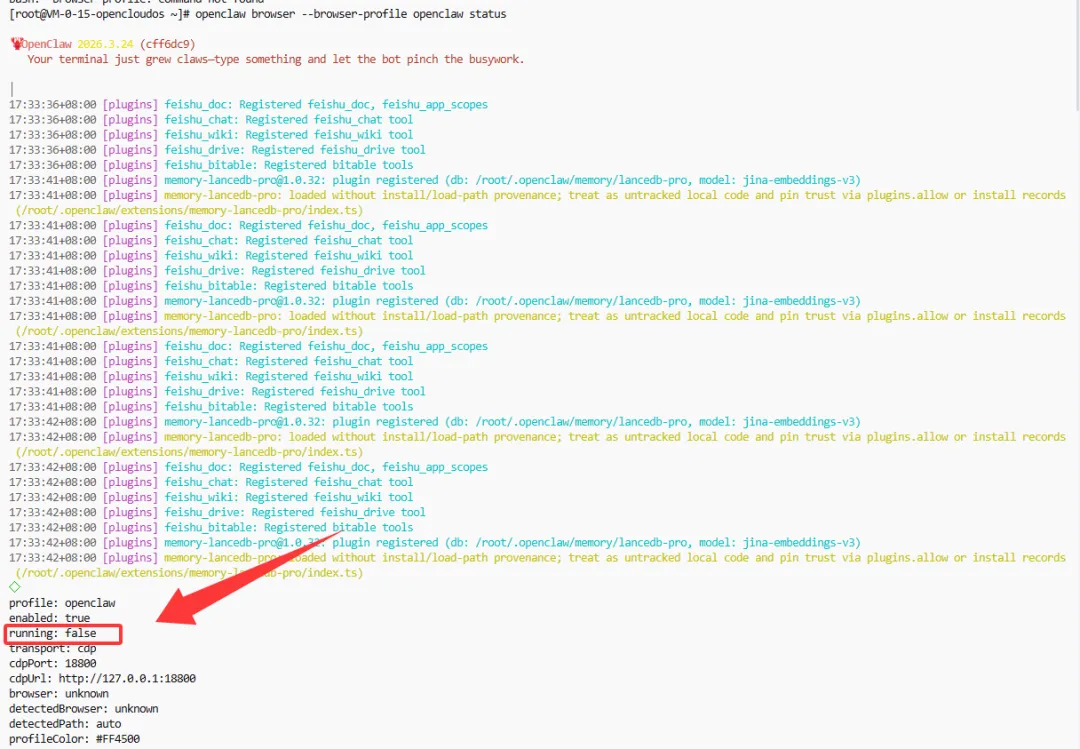
原来服务器上根本没装Chrome。
精通这篇简单记录一下我配置小龙虾浏览器的全部过程,让小龙虾真正能”上网”。
先介绍的我的配置环境
- 云服务器
腾讯云轻量服务器(Lighthouse)
- 系统
OpenCloudOS
- OpenClaw版本
2026.3.24
- Node.js版本
v22.22.0
- 龙虾使用的模型(按量计费)
Kimi 2.5
安装Chrome浏览器
不同Linux发行版,安装包格式不同。
|
|
|
|
|---|---|---|
|
|
|
wget https://dl.google.com/linux/direct/google-chrome-stable_current_amd64.deb |
|
|
|
wget https://dl.google.com/linux/direct/google-chrome-stable_current_x86_64.rpm |
第一步:下载Chrome安装包
wget https://dl.google.com/linux/direct/google-chrome-stable_current_x86_64.rpm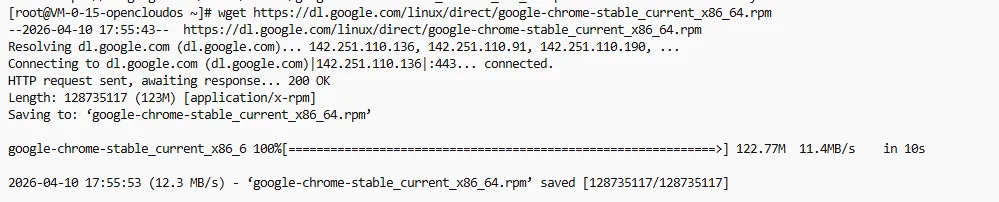
⚠️ 踩坑记录:第一次执行时命令换行了,结果报错wget: missing URL。确保命令在一行内执行。
错误示范:

第二步:安装依赖
# 基础字体和工具 yum install -y liberation-fontsyum install -y xdg-utils# 中文字体(防止网页中文显示乱码) yum install -y google-noto-sans-cjk-fonts第三步:安装Chrome
yum localinstall -y ./google-chrome-stable_current_x86_64.rpmlocalinstall会自动补齐依赖,比直接用rpm -ivh省心。
验证安装:
which google-chrome # 输出:/usr/bin/google-chrome系统会返回一行路径(通常是 /usr/bin/google-chrome),这个就是安装的路径,记住这个路径下面要用。
配置OpenClaw
安装完Chrome,还需要告诉OpenClaw怎么用它,逐步输入下面命令👇
# 设置使用openclaw模式(隔离环境) openclaw config set browser.defaultProfile "openclaw" # 开启无桌面模式(服务器必需) openclaw config set browser.headless true # 强制开启NoSandbox(否则以root用户运行的openclaw,Chrome 出于安全策略拒绝启动) openclaw config set browser.noSandbox true # 指定Chrome路径 openclaw config set browser.executablePath "/usr/bin/google-chrome"重启OpenClaw使配置生效:
openclaw gateway restart启动并验证
启动浏览器服务:
openclaw browser start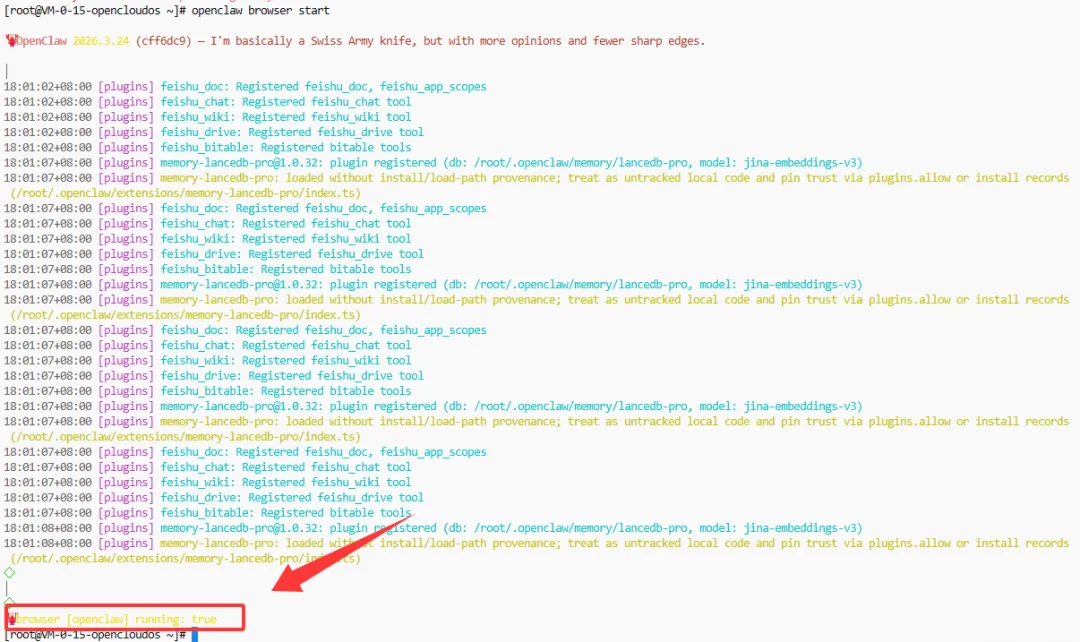
看到🦞 browser [openclaw] running: true,说明成功了。
检查状态:
openclaw browser status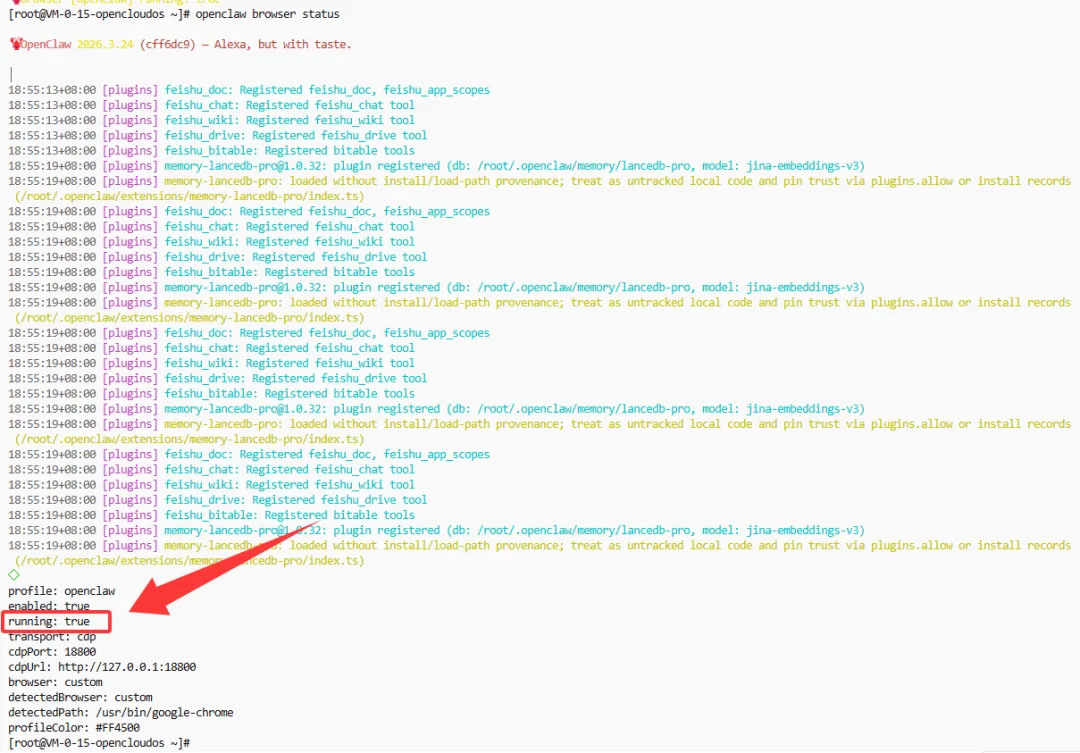
输出:
profile: openclaw enabled: true running: true browser: custom executablePath: /usr/bin/google-chrome headless: true noSandbox: true测试浏览器功能
现在可以让AI使用浏览器了。比如我之前想看扣子官方文档:
“帮我打开 https://www.coze.cn/open/docs/guides/vibe_coding_web_app,提取关于开发网页应用的核心流程”
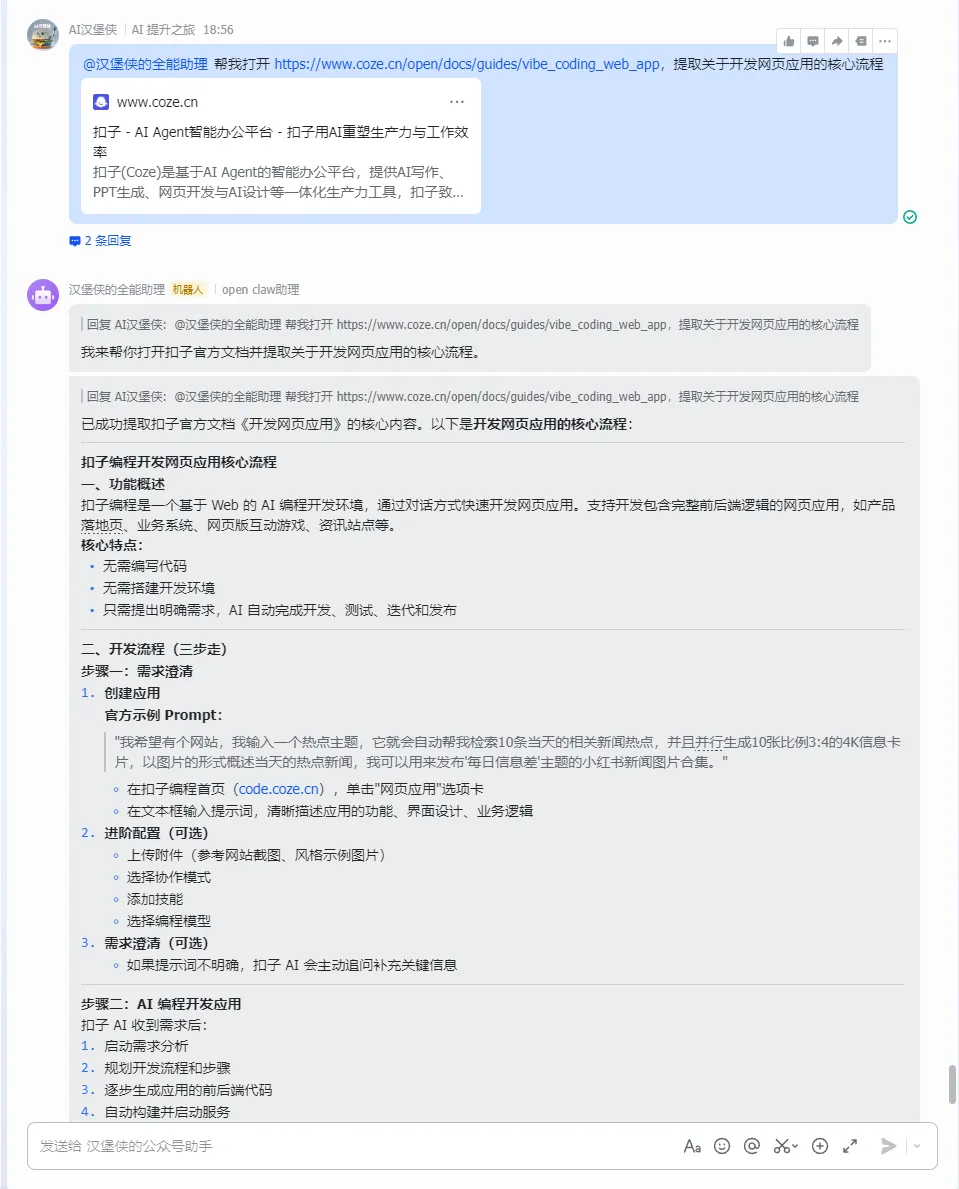
小龙虾现在可以:
-
打开网页并提取内容
-
搜索特定信息
-
截图保存页面
-
执行页面操作
常见问题汇总
|
|
|
|
|---|---|---|
wget:missing URL |
|
|
browser: unknown |
|
openclaw config set browser.executablePath |
running: false |
|
which google-chrome |
|
|
|
browser.noSandbox true |
|
|
|
google-noto-sans-cjk-fonts |
总结
整个过程就三步:
-
装Chrome — 按系统下载对应包,用 yum localinstall安装 -
配OpenClaw — 设置headless、noSandbox、executablePath -
重启启动 — gateway restart后browser start
搞定之后,AI Agent就能真正”上网”了。之前抓不到扣子官方文档的问题也解决了。
今日分享结束。