 夜雨聆风
夜雨聆风你的 OpenClaw 突然不响应了。消息发出去了,但石沉大海。Dashboard 打不开,或者 Gateway 启动后秒退。别慌——这篇文章给你一套完整的排查方法论。
一、60秒诊断命令
遇到问题,先跑这组命令:
openclaw status
openclaw gateway status
openclaw doctor
openclaw channels status --probe
openclaw logs --follow
健康状态的标志:
Runtime: running+RPC probe: okdoctor无阻塞性错误- 频道显示
connected或ready
二、日志分析:找到问题根源
2.1 消息无响应
日志关键词:
openclaw logs --follow | grep -E "(drop|blocked|pairing)"常见模式:
drop guild message (mention required)→ 群消息被提及规则过滤pairing request→ 发送者未通过配对审批blocked / allowlist→ 被策略拦截
修复命令:
# 查看待审批的配对请求
openclaw pairing list --channel whatsapp

# 批准配对
openclaw pairing approve <requestId>
2.2 Gateway 无法启动
日志关键词:
Gateway start blocked: set gateway.mode=localrefusing to bind gateway ... without authEADDRINUSE/another gateway instance is already listening
修复命令:
# 设置本地模式
openclaw config set gateway.mode "local"

# 配置认证(非本地绑定时必须)
openclaw config set gateway.auth.token "your-secret-token"

# 检查端口占用
lsof -i :18789
2.3 Dashboard 连接失败
日志关键词:
device identity requiredAUTH_TOKEN_MISMATCHgateway connect failed
决策表:
| 错误码 | 含义 | 修复方式 |
|---|---|---|
AUTH_TOKEN_MISSING |
未发送认证令牌 | 在 Control UI 设置中填入令牌 |
AUTH_TOKEN_MISMATCH |
令牌不匹配 | 运行 openclaw config get gateway.auth.token |
PAIRING_REQUIRED |
设备未授权 | openclaw devices approve <requestId> |
三、Doctor:自动修复工具
openclaw doctor 是 OpenClaw 的瑞士军刀:
# 交互式检查
openclaw doctor

# 自动修复(无提示)
openclaw doctor --repair

# 深度扫描
openclaw doctor --deep
Doctor 会自动处理:
- 配置格式迁移(旧版 → 新版)
- 状态文件路径迁移
- OAuth 令牌刷新
- 沙箱镜像修复
- 服务配置审计

四、性能调优实战
4.1 模型调优
# 查看当前模型配置
openclaw config get agents.defaults.models

# 配置 Fallback 链(避免单点故障)
openclaw config set agents.defaults.model.fallbacks '["claude-sonnet-4", "gpt-4o"]'
4.2 频道连接优化
# 检查频道状态
openclaw channels status --probe

# 重新连接异常频道
openclaw channels restart --channel telegram
4.3 资源监控
# 查看会话状态
openclaw sessions list --limit 20

# 清理过期会话
openclaw sessions prune --older-than 7d
五、升级后故障速查
升级后出现问题?检查这些常见原因:
1. URL/认证行为变更
openclaw config get gateway.mode
openclaw config get gateway.remote.url
2. 绑定和认证更严格
openclaw config get gateway.bind
openclaw config get gateway.auth.token
3. 设备身份状态变化
openclaw devices list
openclaw pairing list
一键修复服务配置:
openclaw gateway install --force
openclaw gateway restart
六、预防性维护建议
1. 定期运行 Doctor
# 添加到 crontab
0 3 * * * openclaw doctor --non-interactive >> /var/log/openclaw-doctor.log 2>&1
2. 日志轮转
# 配置 logrotate
/var/log/openclaw/*.log {
    daily
    rotate 7
    compress
}
3. 配置备份
cp ~/.openclaw/openclaw.json ~/.openclaw/openclaw.json.bak结语
OpenClaw 的故障排查遵循一个简单原则:先跑命令梯,再看错误码。doctor 能解决 80% 的问题,日志分析定位剩下的 20%。掌握这套方法,你的 OpenClaw 将稳定如磐石。
参考资料:
- OpenClaw 官方文档 - Troubleshooting: https://docs.openclaw.ai/gateway/troubleshooting
- OpenClaw 官方文档 - Doctor 工具: https://docs.openclaw.ai/gateway/doctor
- OpenClaw GitHub: https://github.com/openclaw/openclaw
- OpenClaw 社区: https://discord.com/invite/clawd
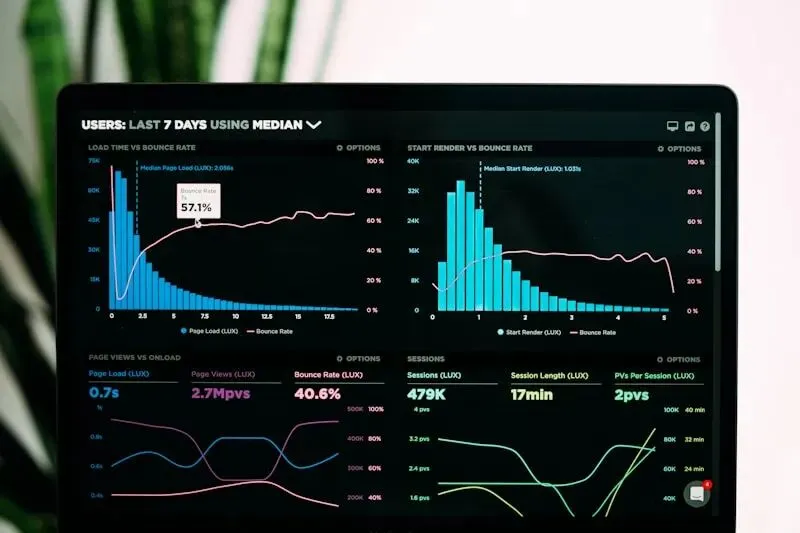
配图来源:Unsplash (数据分析/代码调试/系统监控)

