 夜雨聆风
夜雨聆风打开飞书开放平台,https://open.feishu.cn
点击右上角的开发者后台,扫码登录,点击创建企业自建应用,输入应用名称与描述并创建。

创建企业自建应用,随便写个名字。
默认该应用仅可在“飞书个人版”内部使用。
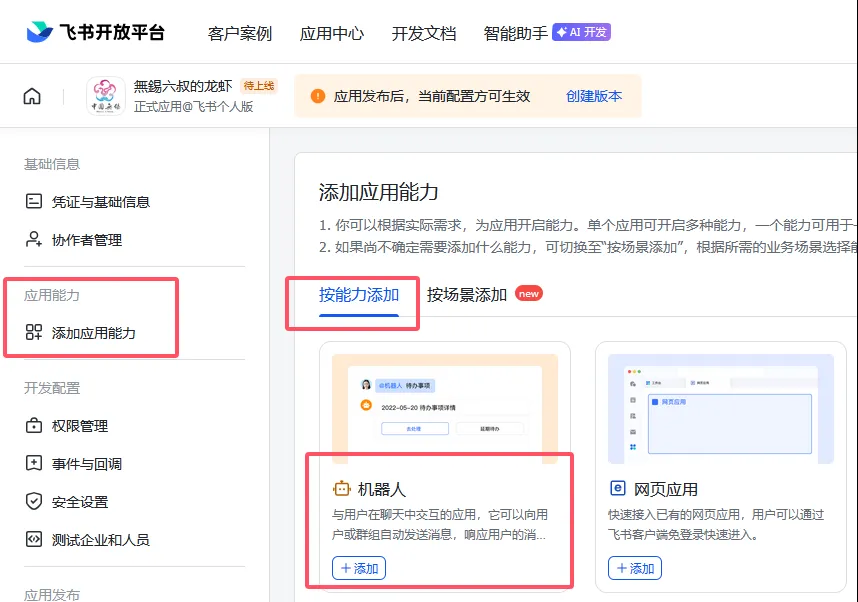
左侧菜单选择“添加应用能力”,然后右侧选择添加“机器人”。
注意看“能力介绍”,按要求选择

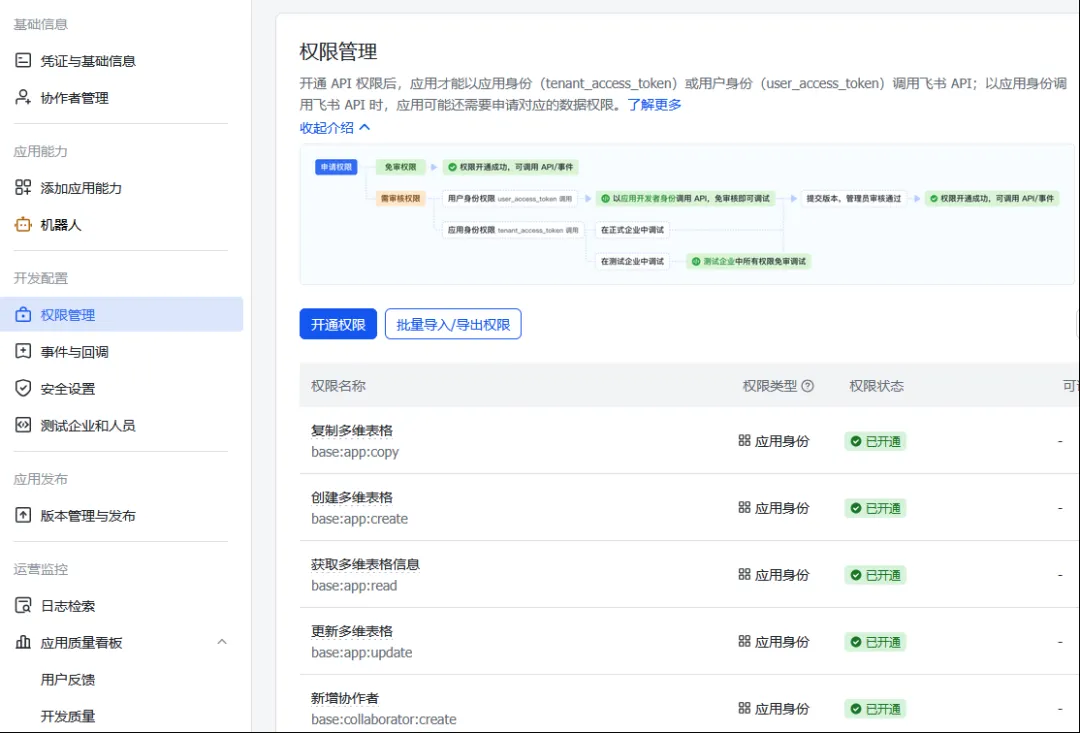
在权限管理中开通权限或批量导入权限。按需开通事件订阅、通讯录、消息与群组、云文档及多维表格等权限。
{ "scopes": { "tenant": [ "contact:contact.base:readonly", "docx:document:readonly", "im:chat:read", "im:chat:update", "im:message.group_at_msg:readonly", "im:message.p2p_msg:readonly", "im:message.pins:read", "im:message.pins:write_only", "im:message.reactions:read", "im:message.reactions:write_only", "im:message:readonly", "im:message:recall", "im:message:send_as_bot", "im:message:send_multi_users", "im:message:send_sys_msg", "im:message:update", "im:resource", "application:application:self_manage", "cardkit:card:write", "cardkit:card:read", "contact:user.basic_profile:readonly" ], "user": [ "contact:user.employee_id:readonly", "offline_access","base:app:copy", "base:field:create", "base:field:delete", "base:field:read", "base:field:update", "base:record:create", "base:record:delete", "base:record:retrieve", "base:record:update", "base:table:create", "base:table:delete", "base:table:read", "base:table:update", "base:view:read", "base:view:write_only", "base:app:create", "base:app:update", "base:app:read", "sheets:spreadsheet.meta:read", "sheets:spreadsheet:read", "sheets:spreadsheet:create", "sheets:spreadsheet:write_only", "docs:document:export", "docs:document.media:upload", "board:whiteboard:node:create", "board:whiteboard:node:read", "calendar:calendar:read", "calendar:calendar.event:create", "calendar:calendar.event:delete", "calendar:calendar.event:read", "calendar:calendar.event:reply", "calendar:calendar.event:update", "calendar:calendar.free_busy:read", "contact:contact.base:readonly", "contact:user.base:readonly", "contact:user:search", "docs:document.comment:create", "docs:document.comment:read", "docs:document.comment:update", "docs:document.media:download", "docs:document:copy", "docx:document:create", "docx:document:readonly", "docx:document:write_only", "drive:drive.metadata:readonly", "drive:file:download", "drive:file:upload", "im:chat.members:read", "im:chat:read", "im:message", "im:message.group_msg:get_as_user", "im:message.p2p_msg:get_as_user", "im:message:readonly", "search:docs:read", "search:message", "space:document:delete", "space:document:move", "space:document:retrieve", "task:comment:read", "task:comment:write", "task:task:read", "task:task:write", "task:task:writeonly", "task:tasklist:read", "task:tasklist:write", "wiki:node:copy", "wiki:node:create", "wiki:node:move", "wiki:node:read", "wiki:node:retrieve", "wiki:space:read", "wiki:space:retrieve", "wiki:space:write_only", "contact:user.basic_profile:readonly" ] } } |
点击“创建版本”,将应用发布。


点击“凭证与基础信息”,暂时保存应用凭证中的 App Secret 与 App ID ,备用。
App ID:cli_a94936c2******
App Secret:FQDyVcildwXXO5Zm7BG******(注意不要泄露)
打开openclaw所在的WSL环境:
输入命令:openclaw onboard --flow quickstart
其中,
I understand this is personal-by-default and shared/multi-user use requires lock-down. Continue?
│● yes
Config handling
│● Use existing values
Model/auth provider
● Skip for now
Filter models by provider
●qwen-portal (2 models)
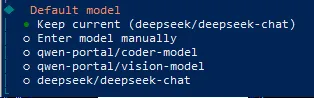
Default model
● Keep current (deepseek/deepseek-chat)
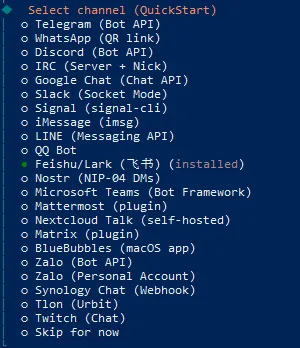
Select channel (QuickStart)
● Feishu/Lark (飞书) (installed)
How do you want to provide this App Secret?
│ ● Enter App Secret (Stores the credential directly in OpenClaw config)
输入前面申请到的两个数值
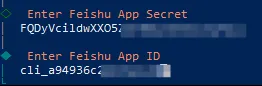
连接测试

连接模式,选默认
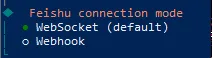
飞书主机,继续选默认

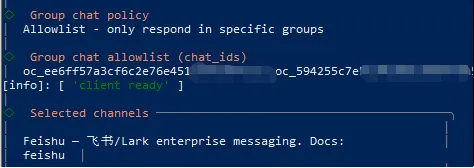
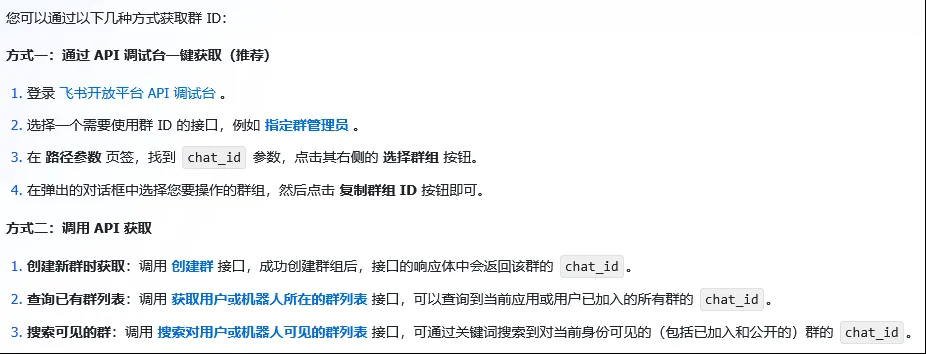
选择方式一试试:
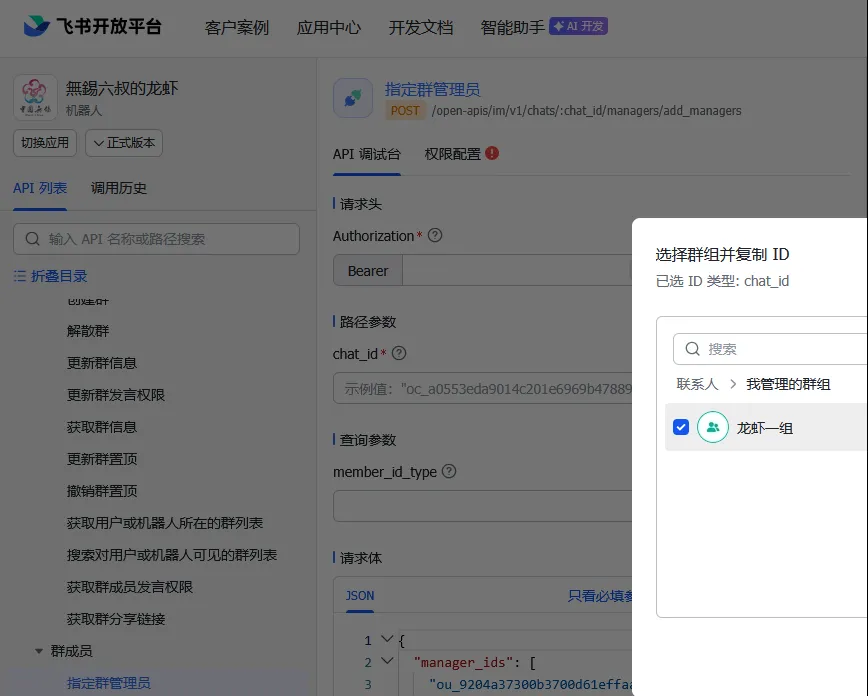
打开 https://open.feishu.cn/api-explorer
按图示的方式一操作

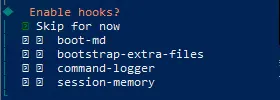
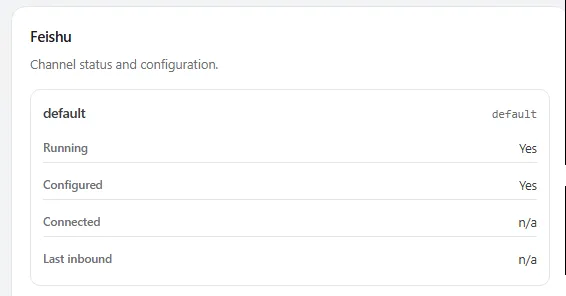
打开openclaw的网页面板,在“控制/频道”(Channels)一栏,可以看到除了之前的“QQ Bot”外,又多了一项“Feishu”,只是Connected和Last inbound均为“n/a”。
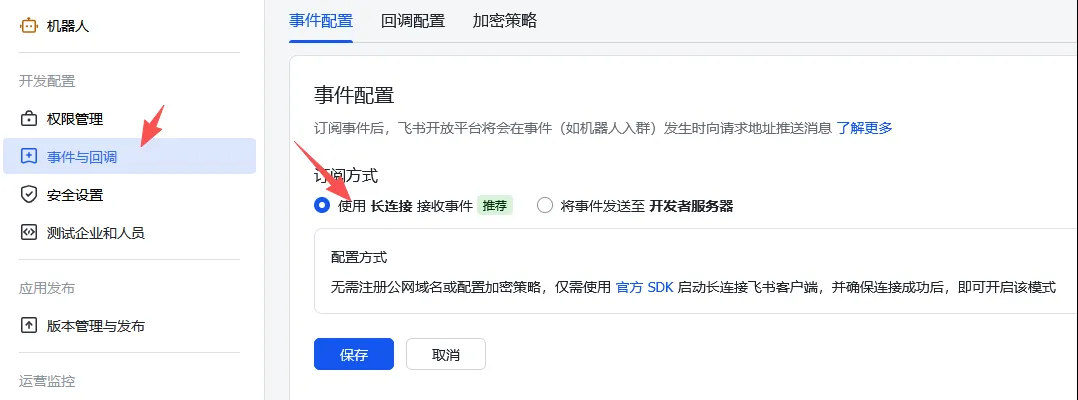
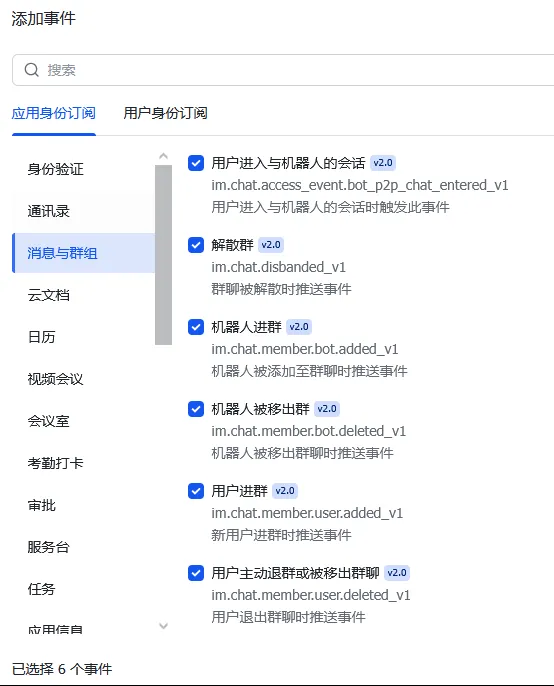
回到飞书开放平台,点击左侧事件与回调,在事件配置的订阅方式中选择使用长连接接收事件。
在下方添加事件,选择消息与群组,全部选上
发送测试消息
在飞书中找到您创建的机器人,发送一条消息。
配对授权
默认情况下,机器人会回复一个配对码。您需要批准此代码(此时已经可以在 WebUI 中直接和机器人对话,让它帮忙完成这步):
openclaw pairing approve feishu <配对码>
然而,在机器人聊天窗口输入任何信息都没有得到回复,也就是没有办法获得上述授权码。在网上转了许多圈,试过许多操作,最后,查到以下操作建议:
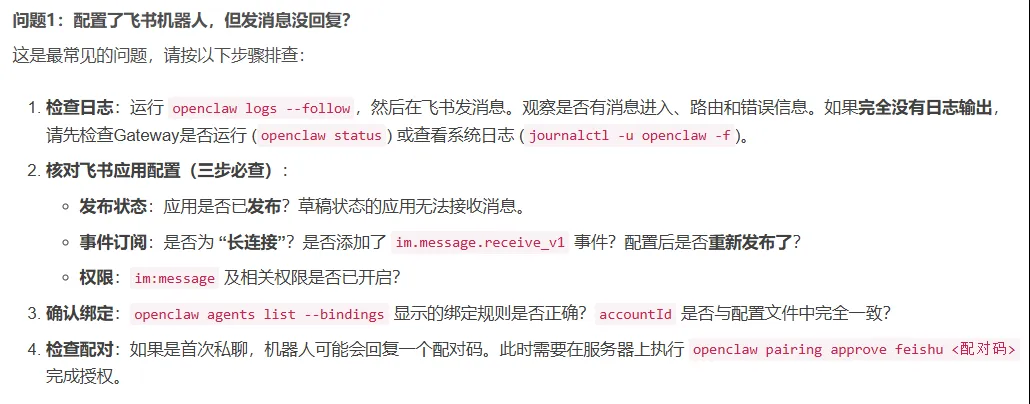
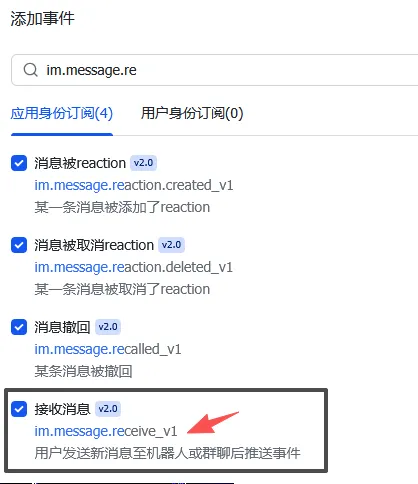
添加事件:im.message.receive_v1
重新发布后,再次在机器人聊天窗口发送消息,终于有回复了
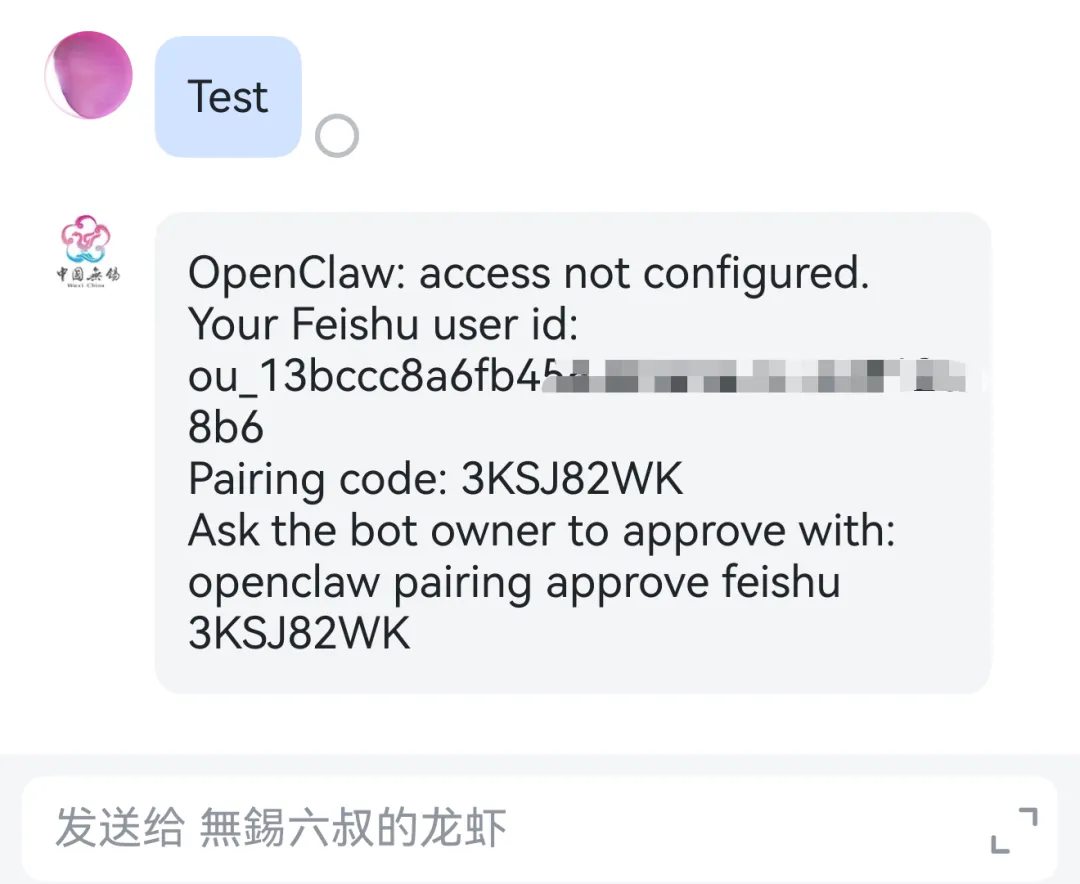
在openclaw批准此代码

继续测试
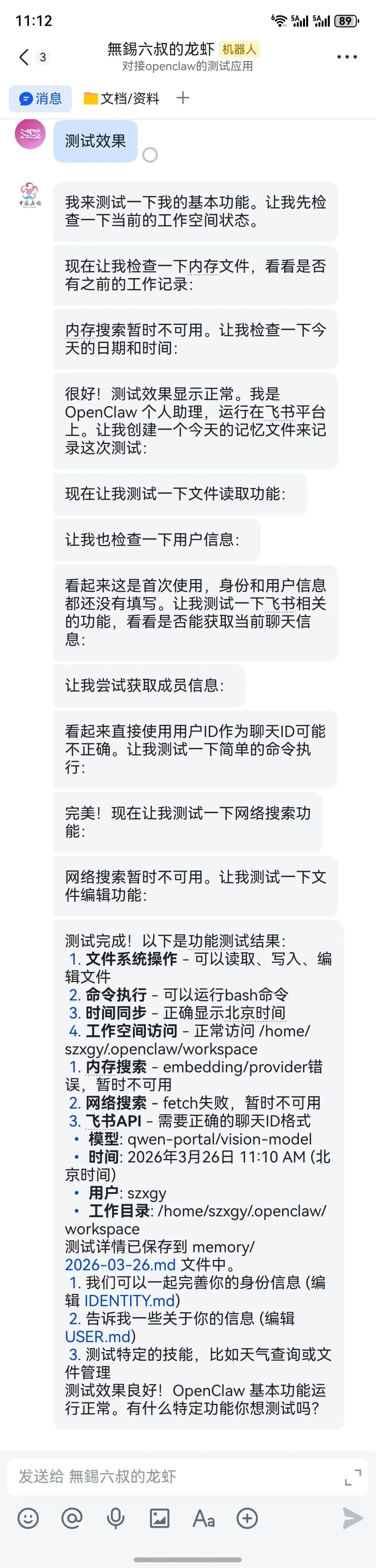
由此,飞书对接基本成功,只是还有不少不尽如人意的地方。

走过的弯路
在网上教程中,有的说需要先安装飞书插件。在上述无法获得授权码的处理过程中,无奈之下尝试了这个飞书插件的安装。安装是简单的,但是,于事无补。相反,一个系统里存在着两个飞书插件,还可能产生冲突。幸好安装完成后,其中一个是disable的。
安装飞书插件
npx -y @larksuite/openclaw-lark-tools install

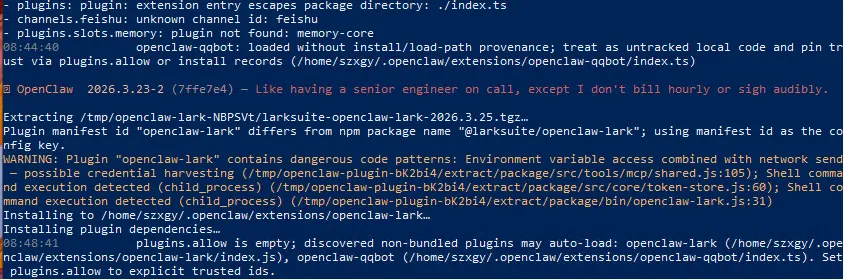
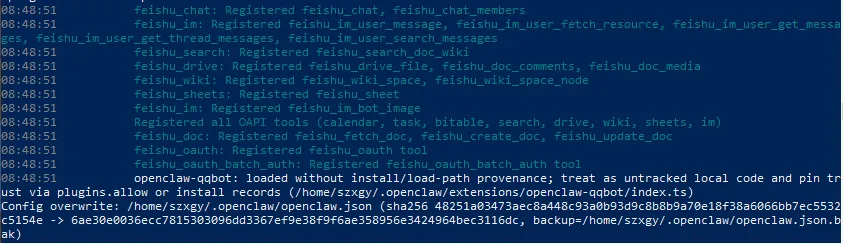

以上是安装过程中的一些日志,从中可以看出openclaw.json中的一些疑似问题,但该插件应该安装完成了。
可以用以下命令来查看系统插件的安装使用情况:
openclaw plugins list
@openclaw/ │ feishu │ openclaw │ disabled │ stock:feishu/index.js │ 2026.3.23 │ │ feishu │ │ │ │ OpenClaw Feishu/Lark channel plugin (community Feishu │ openclaw │ openclaw │ loaded │ global:openclaw-lark/index.js │ 2026.3.25 │ │ │ -lark │ │ │ Lark/Feishu channel plugin with im/doc/wiki/drive/task/ |
可以使用命令来启用或禁用某个plugins
openclaw plugins enable(或disable) <ID>
如:
openclaw plugins disable feishu
openclaw plugins enable openclaw-lark
顺便说一下,这两个飞书插件在openclaw的网页面板里显示的内容不一样,不清楚功能有多少区别。
feishu应该是内置的,页面是英文的,且仅4项(下面第一个图)
openclaw-lark应该是上面安装产生的,页面是中文的,一共有8项(下面第二、三图)
但是,经过上述两条命令后(即启用另外安装的插件后),经过和机器人的对话,可以发现功能明显增加,且一些功能需要额外授权。
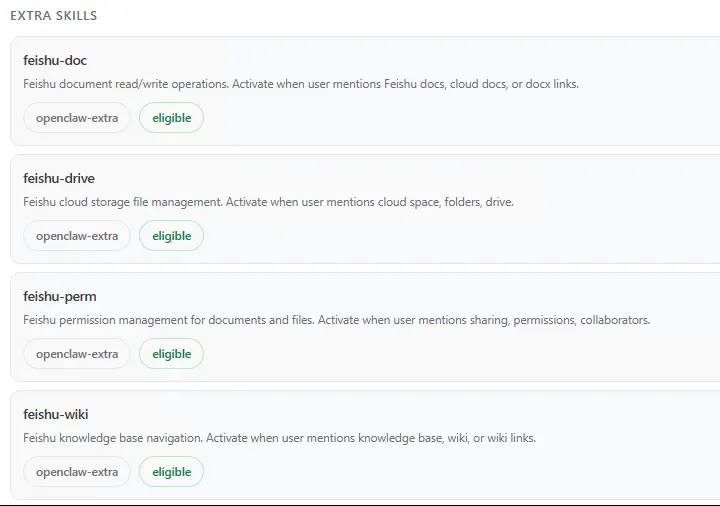
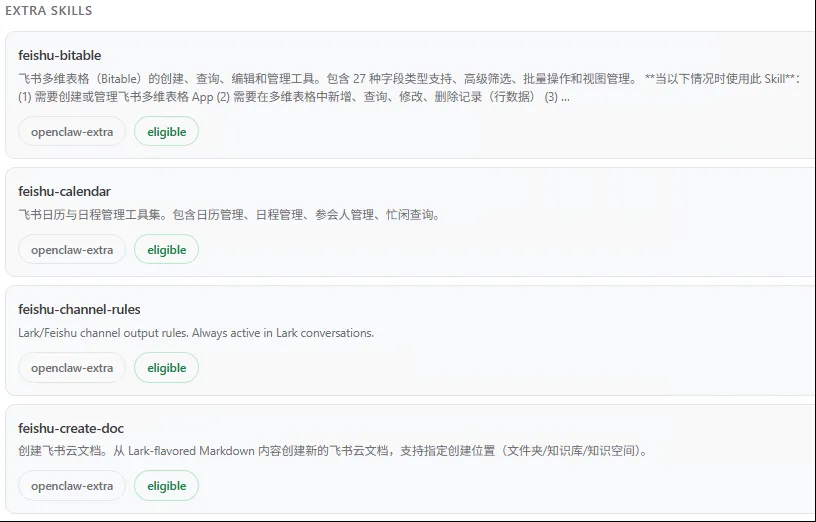
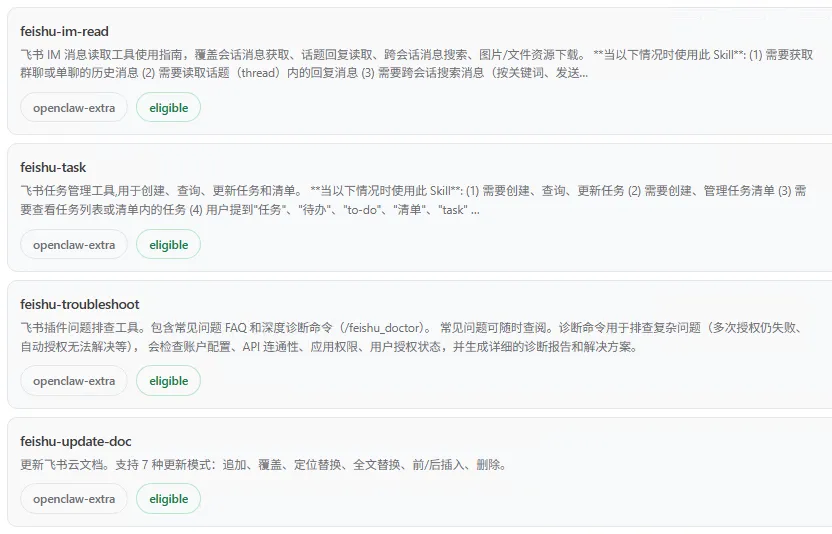
所以,我的理解,从功能的多少来讲,建议还是安装另外的飞书插件,而把内置的禁用。
