 夜雨聆风
夜雨聆风


OpenClaw大模型配置及切换
OpenClaw大模型配置及切换
之前我们写过 OpenClaw 配置智谱 GLM 的教程,但当你尝试使用openclaw config添加其他大模型时,可能会遇到下面的报错:
XXX API key plugin is disabled (blocked by allowlist)
这个报错在新版本中很常见,不是配置错了,而是新版本对 plugin 的要求更严格,需要手动将 provider 加入白名单才能用。
下面就来介绍详细的操作步骤。
一、操作前先备份
修改配置文件前,强烈建议先备份,出问题可以随时回滚:
cd /root/.openclaw/cp openclaw.json{,.bak}二、配置步骤
Step 1:查看当前 plugins 配置
先确认现有的 plugins 和 allow 列表:
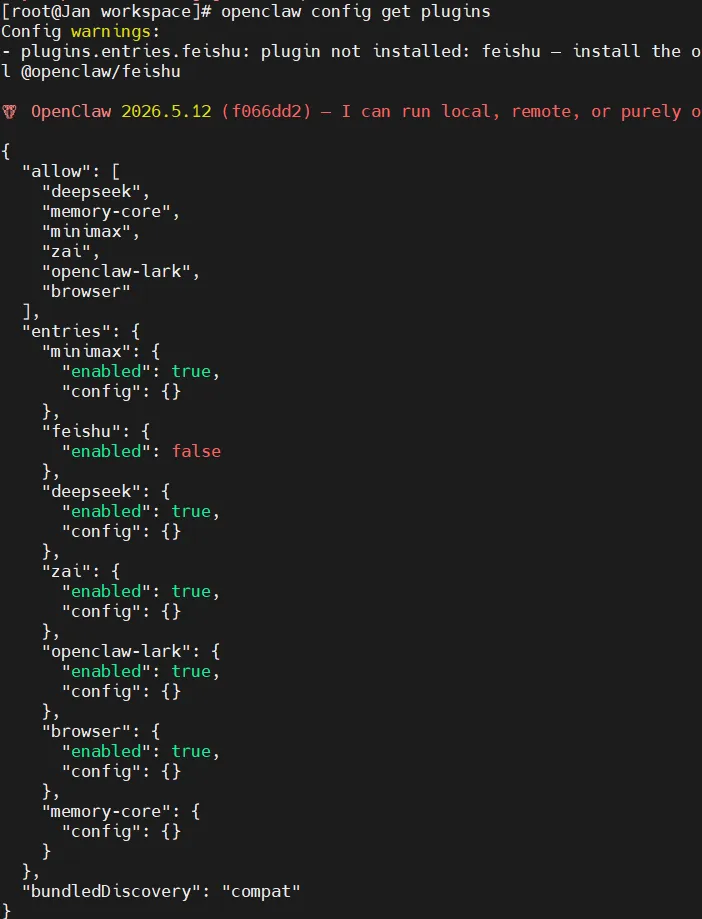
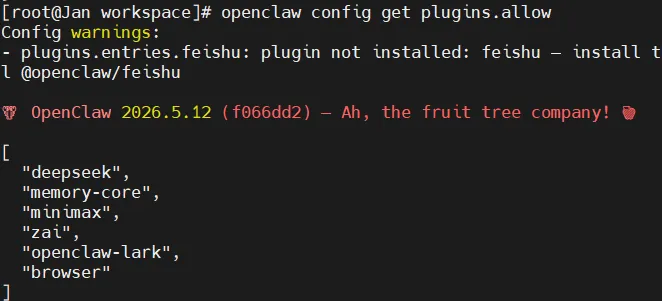
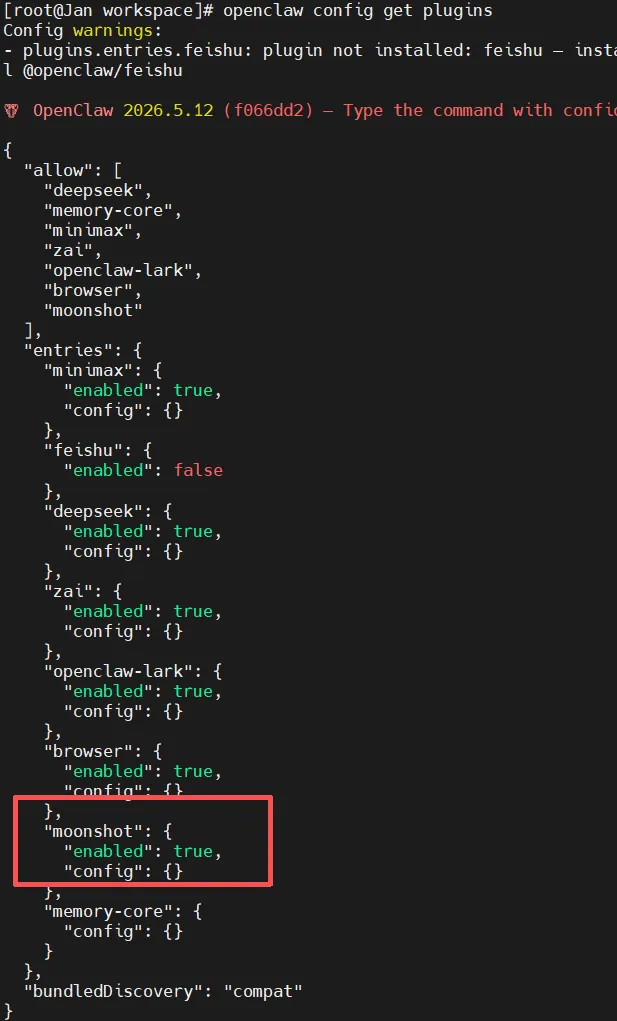
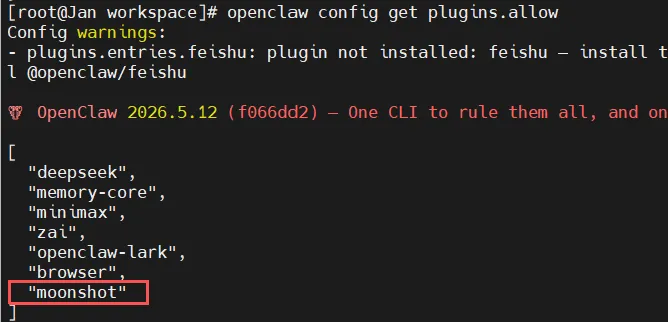
# 查看 plugins 完整配置openclaw config get plugins# 只看 allow 列表(已启用的 plugin ID)openclaw config get plugins.allow(图1:config get plugins 截图)
(图2:config get plugins.allow截图)
Step 2:在 plugins 中添加新 Provider
下面以接入 Moonshot为例,需要做两件事:
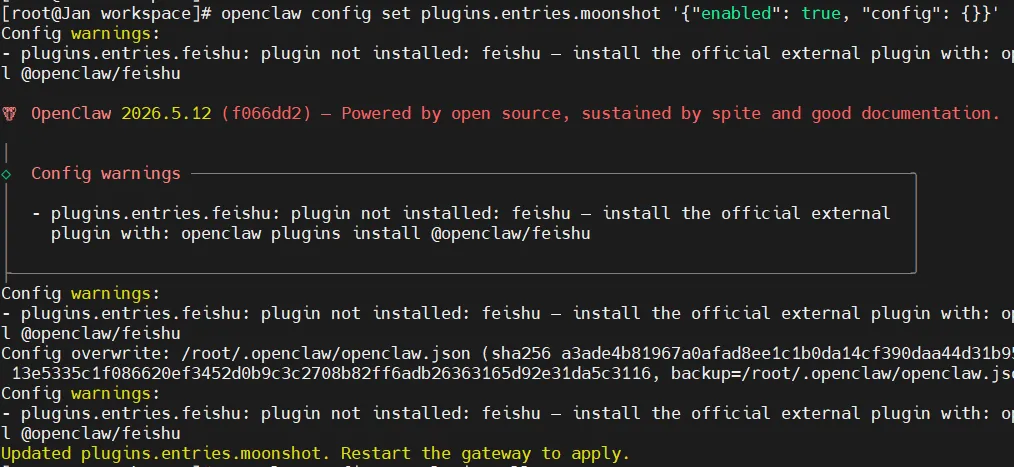
① 在 entries 中注册 provider
openclaw config set plugins.entries.moonshot '{"enabled": true, "config": {}}'② 在 allow 列表中放行
⚠️
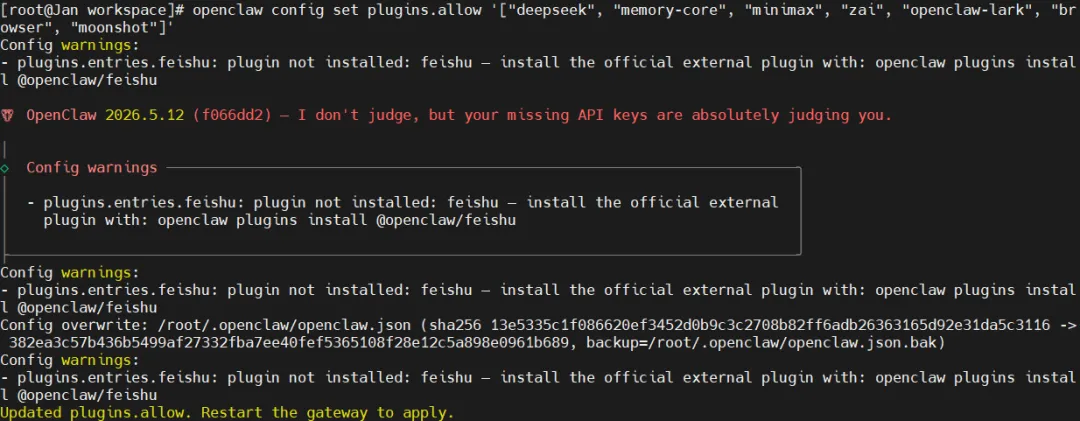
config set是整体替换,不会自动合并。所以写新值时,必须包含已经启用的条目,否则会被冲掉。
openclaw config set plugins.allow '["deepseek", "memory-core", "minimax", "zai", "openclaw-lark", "browser", "moonshot"]'说明:plugins.allow 存放所有启用的 plugin,entries 中的 enabled 必须设为 true 才生效。
(图3-4:plugins entries 和 allow 配置截图)
Step 3:重启 Gateway 使配置生效
openclaw gateway restart重启完成后,再次确认moonshot已添加:
openclaw config get pluginsopenclaw config get plugins.allow(图4:重启完成后 config get plugins.allow 确认截图)
Step 4:配置 API Key
方式 A:交互式配置(推荐新手)
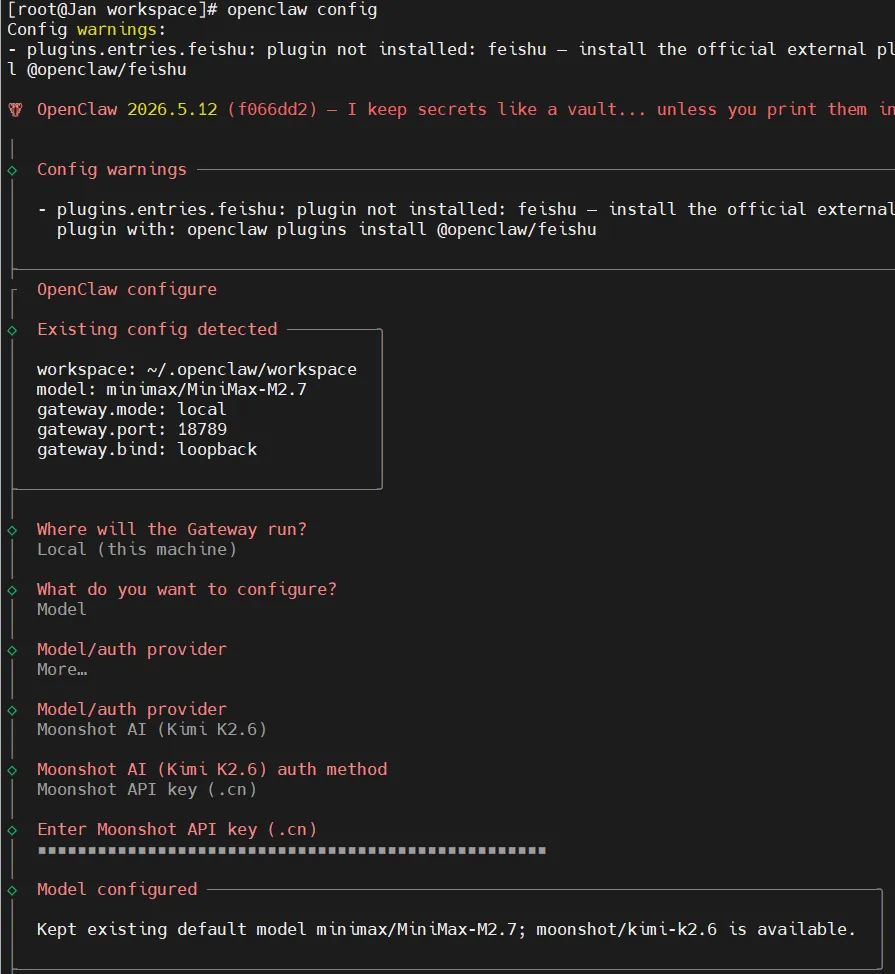
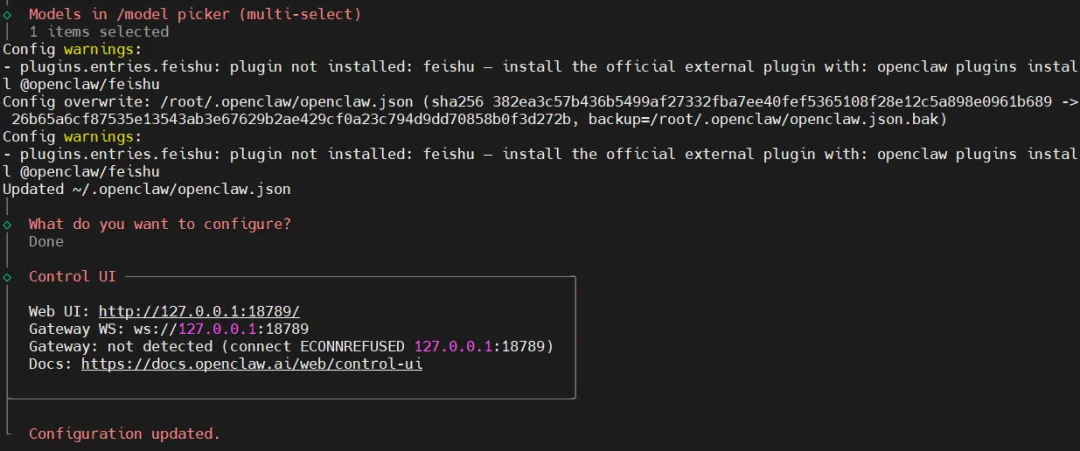
openclaw configure按提示选择:Model → Model/auth provider → Moonshot AI (Kimi K2.6) → CN → 输入 API Key
(图5:openclaw configure 配置截图)
方式 B:直接命令配置
# 先查看当前 auth 配置openclaw config get auth# 添加 auth profileopenclaw config set auth.profiles.moonshot:default '{ "provider": "moonshot", "mode": "api_key", "apiKey": "<your-api-key>"}'注意:
auth中的 provider 名称(如moonshot)需要与 Step 2 中plugins.entries下的 key 保持一致。
Step 5:验证接入是否成功
查看已接入的模型列表:
openclaw models list如果看到 moonshot/kimi-k2.6 等相关模型,说明接入成功。
(图6:openclaw models list 截图)
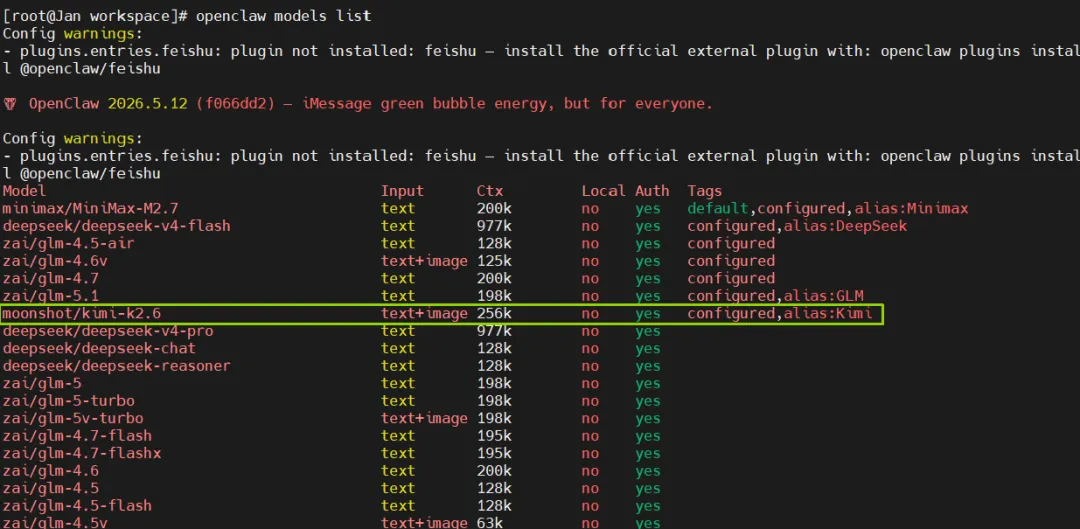
Step 6:切换使用新模型
openclaw models set moonshot/kimi-k2.6也可以切回其他已接入的模型:
openclaw models set deepseek/deepseek-v4-flash(图7:切换模型成功截图)
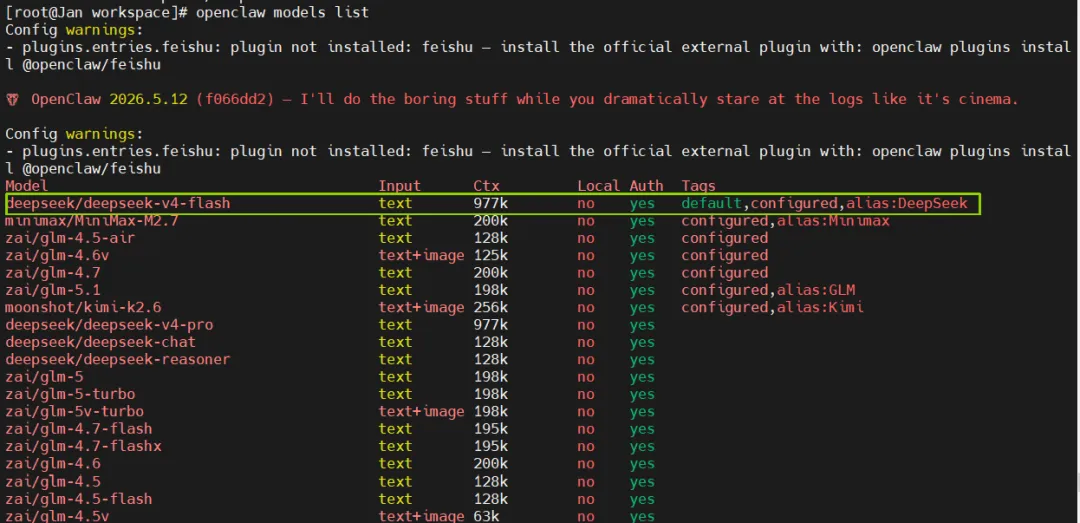
三、常见报错速查
|
|
|
|
|---|---|---|
API key plugin is disabled (blocked by allowlist) |
plugins.allow |
|
plugin not installed |
|
|
|
|
|
|
|
|
|
|
四、总结
核心就三步:
- 注册
: plugins.entries.<provider>添加 entry - 放行
: plugins.allow数组加入 provider ID - 认证
:配置 API Key( auth.profiles)
如果接入其他provider(如 DeepSeek、Qwen、阿里百炼),步骤完全相同,只需替换 provider 名称和 API Key即可。