夜雨聆风
夜雨聆风


在 Word 中实现类似 LaTeX \citep (Author, Year) 的交叉引用
在 Word 中实现类似 LaTeX \citep (Author, Year) 的交叉引用
How to Create LaTeX-style \citep (Author, Year) Cross References in Word
在 Microsoft Word 中,其实可以通过 书签(Bookmark)+ 超链接(Link) 实现类似 LaTeX \citep 的引用效果(Author, Year 且可点击跳转)。
In Microsoft Word, you can mimic LaTeX-style \citep citations (Author, Year with clickable links) using Bookmarks + Hyperlinks.
📌 Step 1:为参考文献添加书签
📌 Step 1: Add a Bookmark to Your Reference
-
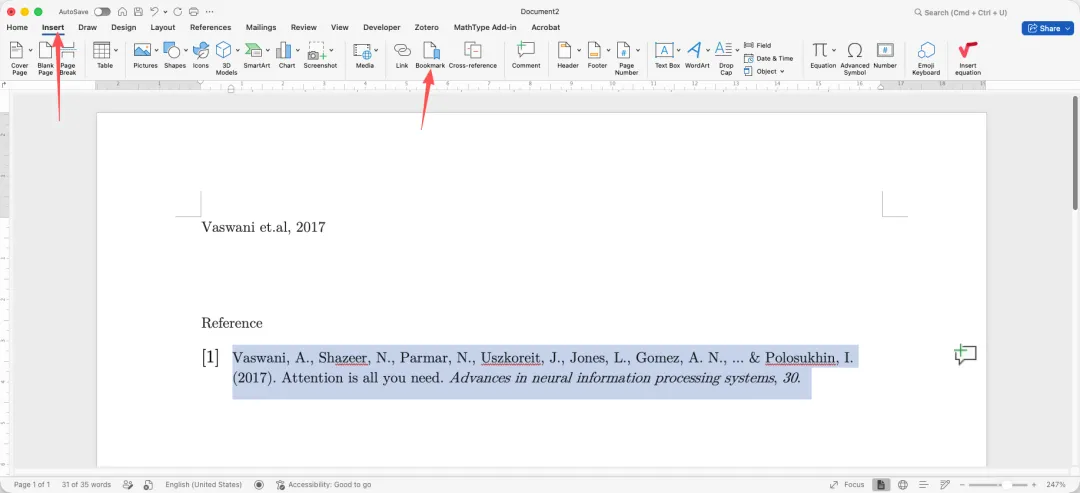
选中参考文献中你想被引用的部分(通常是 Author, Year)
-
点击:Insert → Bookmark
-
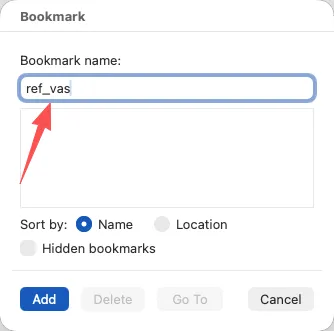
输入一个名称(如
Vaswani et.al, 2017),点击 Add -
Select the part of the reference you want to cite (usually Author, Year)
-
Go to: Insert → Bookmark
-
Enter a name (e.g.,
Vaswani et.al, 2017), then click Add
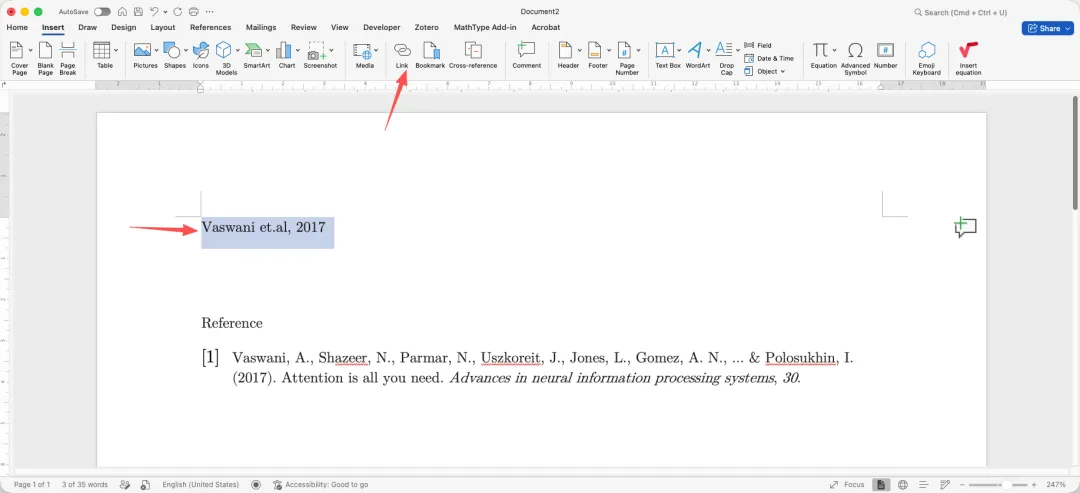
📌 Step 2:在正文中写 Author, Year
📌 Step 2: Type Author-Year in the Main Text
在正文中手动输入类似:
Vaswani et.al, 2017Manually type something like:
Vaswani et.al, 2017📌 Step 3:添加超链接(Cross Reference)
📌 Step 3: Add a Hyperlink (Cross Reference)
-
选中刚刚输入的
Vaswani et.al, 2017 -
右键点击 → Link(或 Ctrl + K)
-
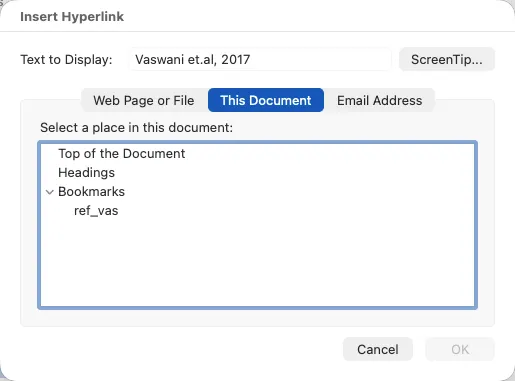
选择 Place in This Document
-
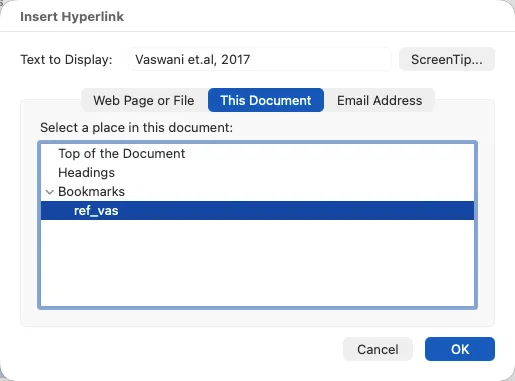
选择刚才创建的 Bookmark
-
点击 OK
-
Select the text
Vaswani et.al, 2017 -
Right-click → Link (or Ctrl + K)
-
Choose Place in This Document
-
Select the Bookmark you created
-
Click OK
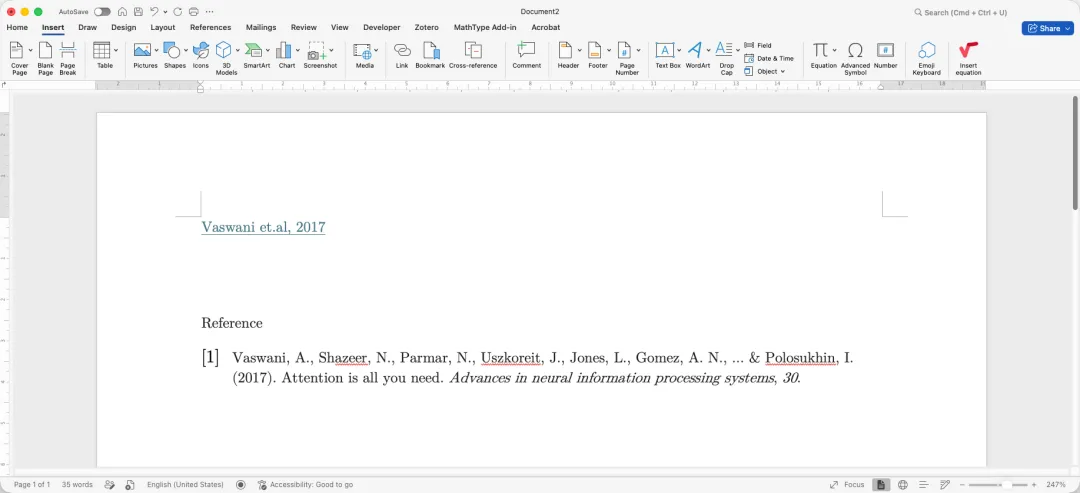
✅ 最终效果
✅ Final Result
-
文中显示:
Vaswani et.al, 2017 -
点击后:跳转到参考文献位置
-
In-text:
Vaswani et.al, 2017 -
Clickable: jumps to the reference section