 夜雨聆风
夜雨聆风参考文档:https://docs.openclaw.ai/install
第1步:命令行安装
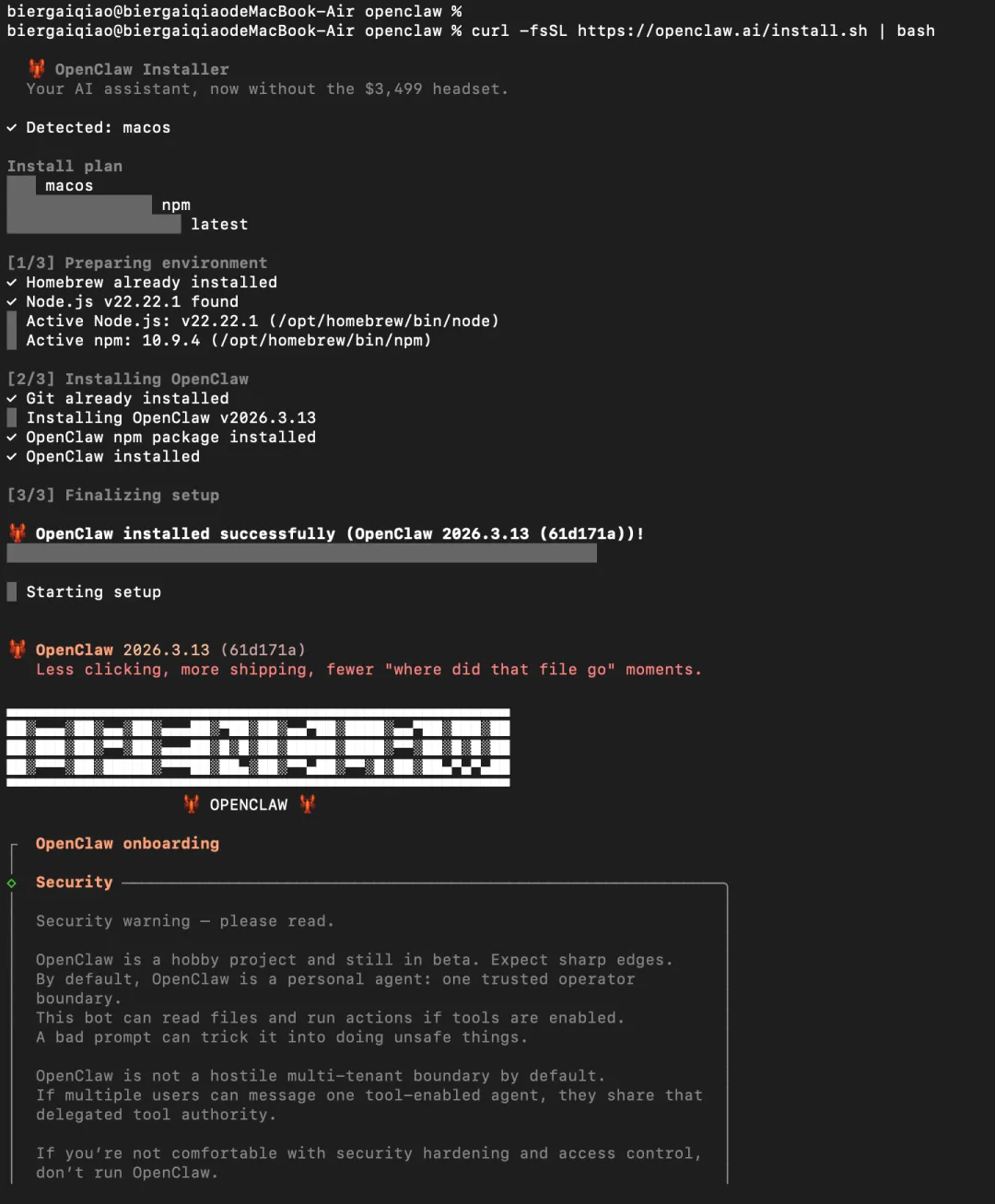
1.1 输入命令
在终端执行:
curl -fsSL https://openclaw.ai/install.sh | bash官方文档说明这是 macOS/Linux 的推荐安装方式;加 --no-onboard 可以先只安装,暂时不跑引导。
1.2 是否同意隐私安全政策:
选择yes
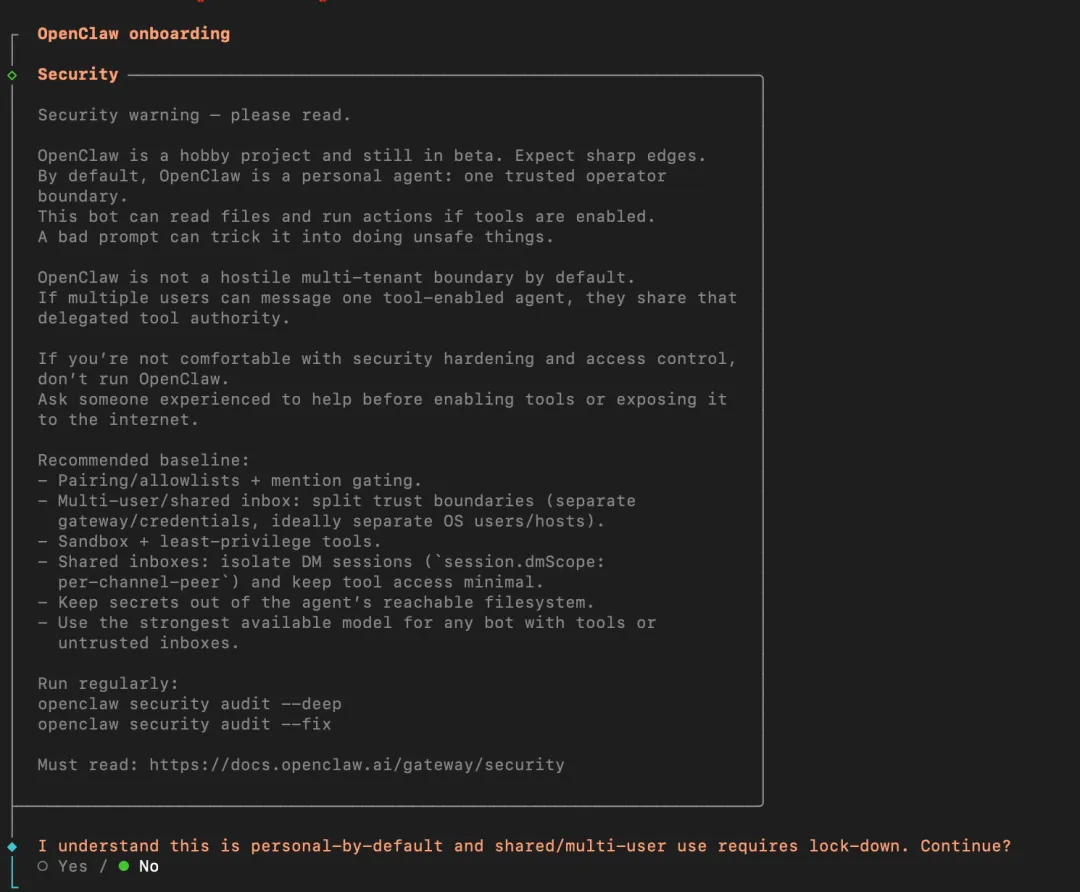
Security warning — please read. ││ ││ OpenClaw is a hobby project and still in beta. Expect sharp edges. ││ By default, OpenClaw is a personal agent: one trusted operator ││ boundary. ││ This bot can read files and run actions if tools are enabled. ││ A bad prompt can trick it into doing unsafe things. ││ ││ OpenClaw is not a hostile multi-tenant boundary by default. ││ If multiple users can message one tool-enabled agent, they share that ││ delegated tool authority. ││ ││ If you’re not comfortable with security hardening and access control, ││ don’t run OpenClaw. ││ Ask someone experienced to help before enabling tools or exposing it ││ to the internet. ││ ││ Recommended baseline: ││ - Pairing/allowlists + mention gating. ││ - Multi-user/shared inbox: split trust boundaries (separate ││ gateway/credentials, ideally separate OS users/hosts). ││ - Sandbox + least-privilege tools. ││ - Shared inboxes: isolate DM sessions (`session.dmScope: ││ per-channel-peer`) and keep tool access minimal. ││ - Keep secrets out of the agent’s reachable filesystem. ││ - Use the strongest available model for any bot with tools or ││ untrusted inboxes. ││ ││ Run regularly: ││ openclaw security audit --deep ││ openclaw security audit --fix ││ ││ Must read: https://docs.openclaw.ai/gateway/security 1.3 启动模式
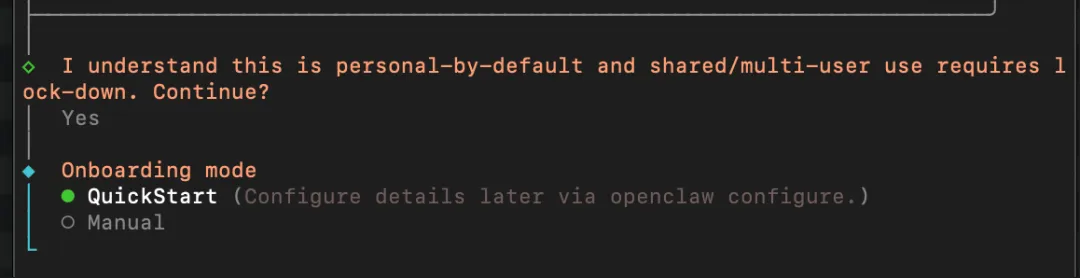
选择quickstart快速启动
第2步:模型始化配置
2.1 选择模型(OpenAI)
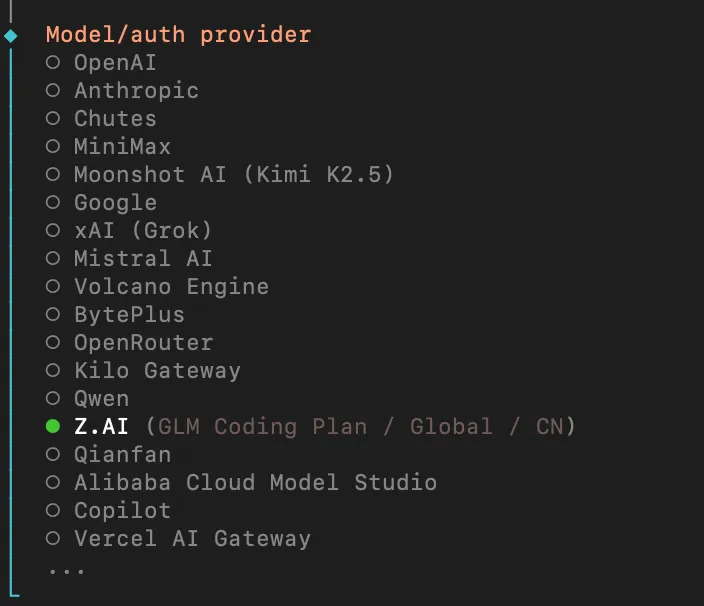
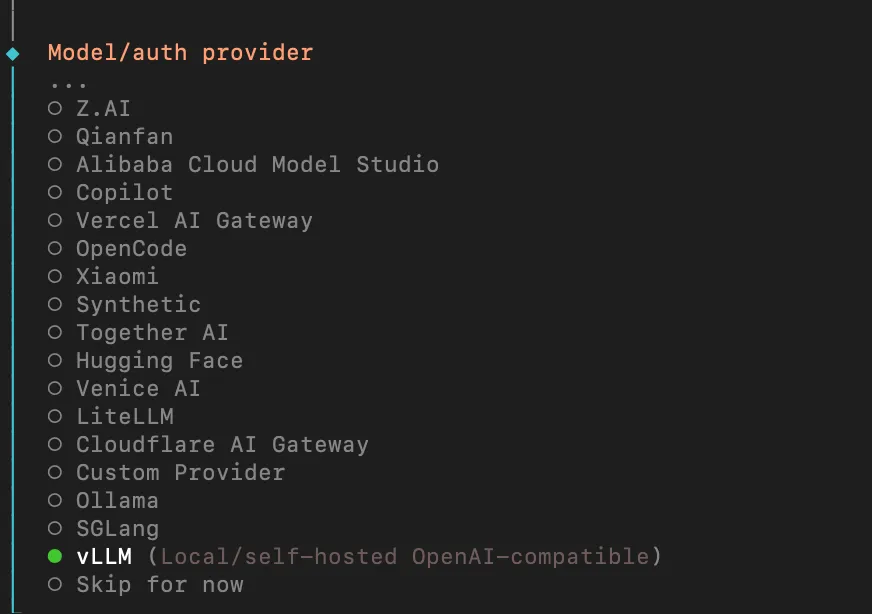
选择对于产品模型,如OpenAI、MiniMax、Qwen、Copilot等。(以OpenAI为例子)
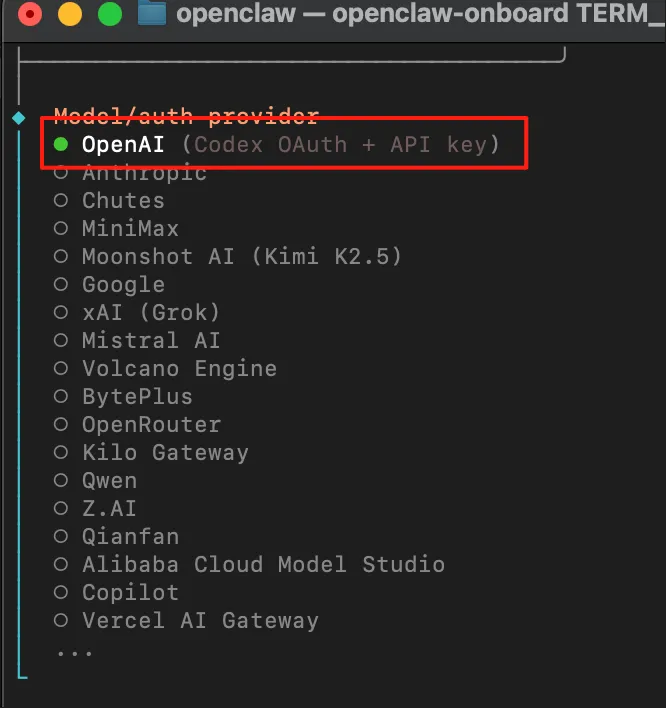
选择具有api的模型,我选择openAI
2.2 选择模型对应的api-key
输入api-key:
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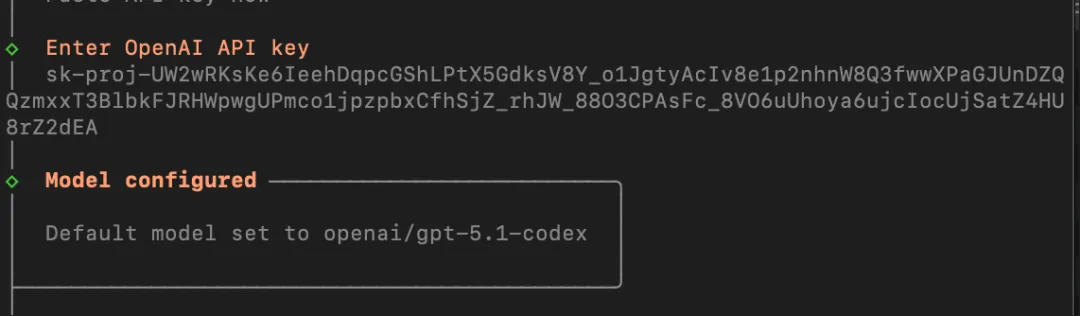
2.3 模型选择策略
综合考虑定价和功能,基于大部分日常任务可以用简单中等模型完成,考虑性价比,可选择mini/nano版本。
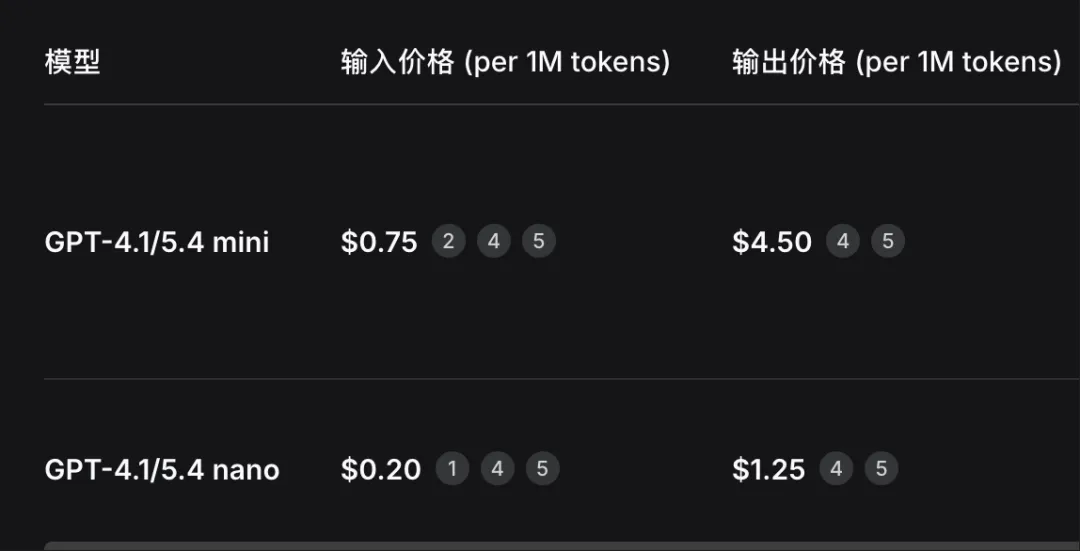
Prices per 1M tokens.
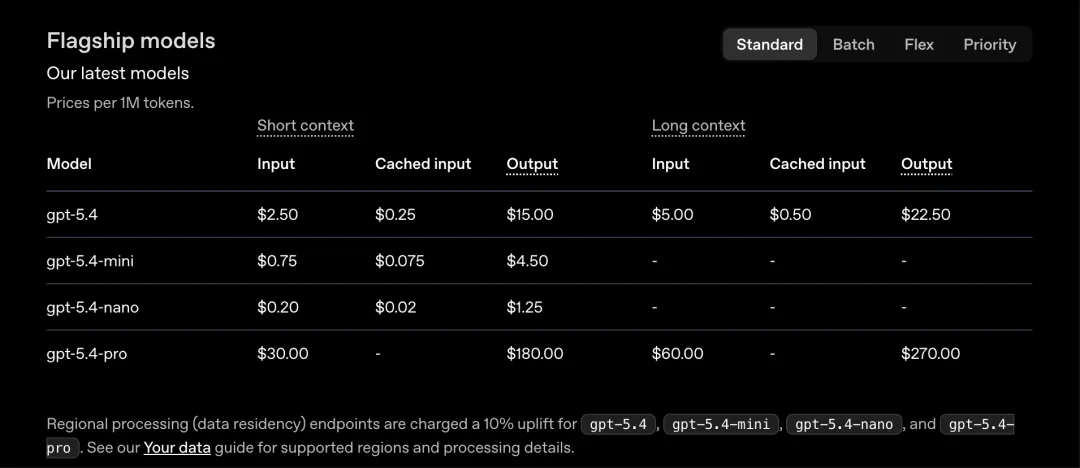
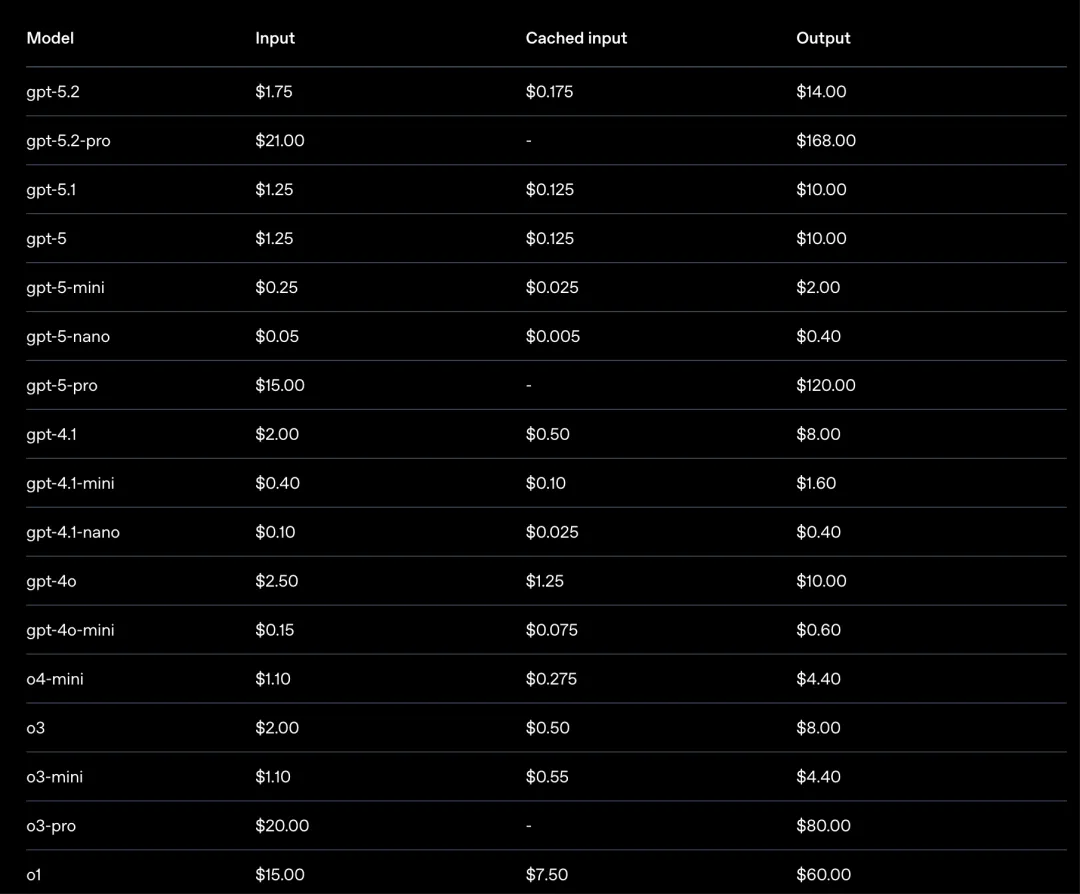
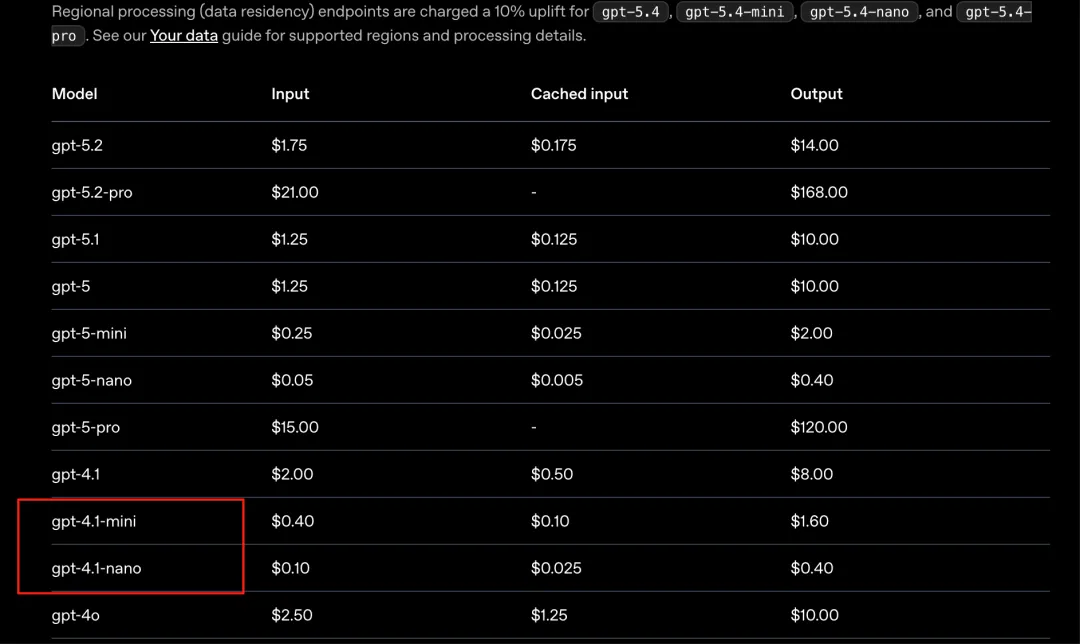
定价链接:https://developers.openai.com/api/docs/pricing?latest-pricing=standard
第3步:应用程序初始化
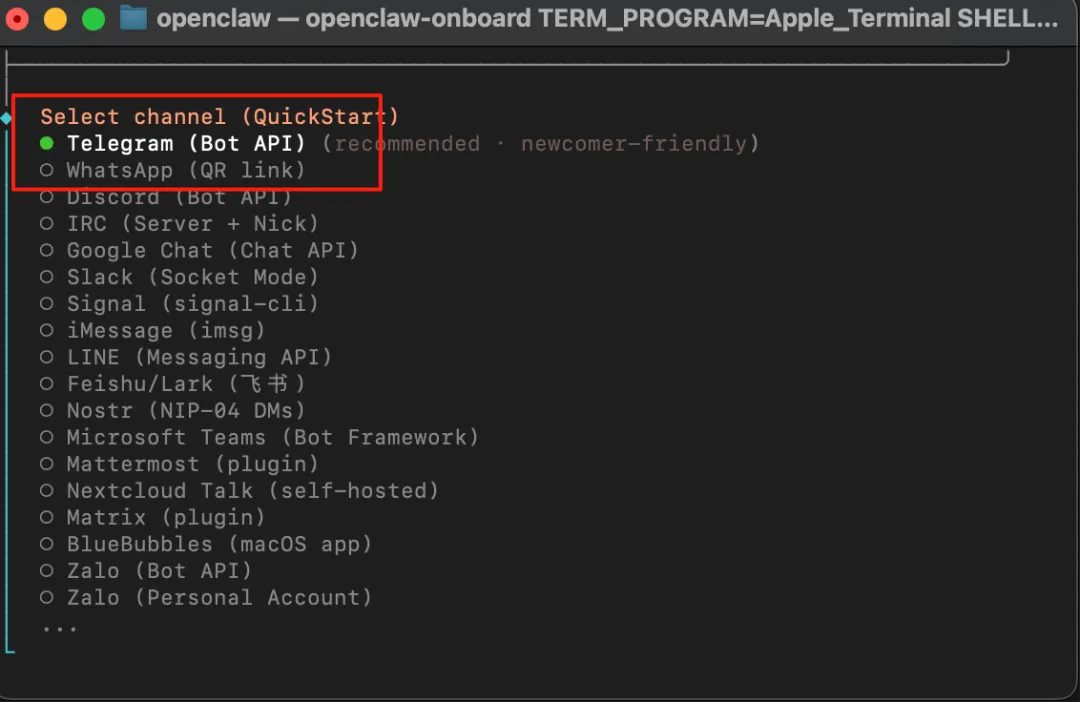
3.1 选择需要的平台应用程序
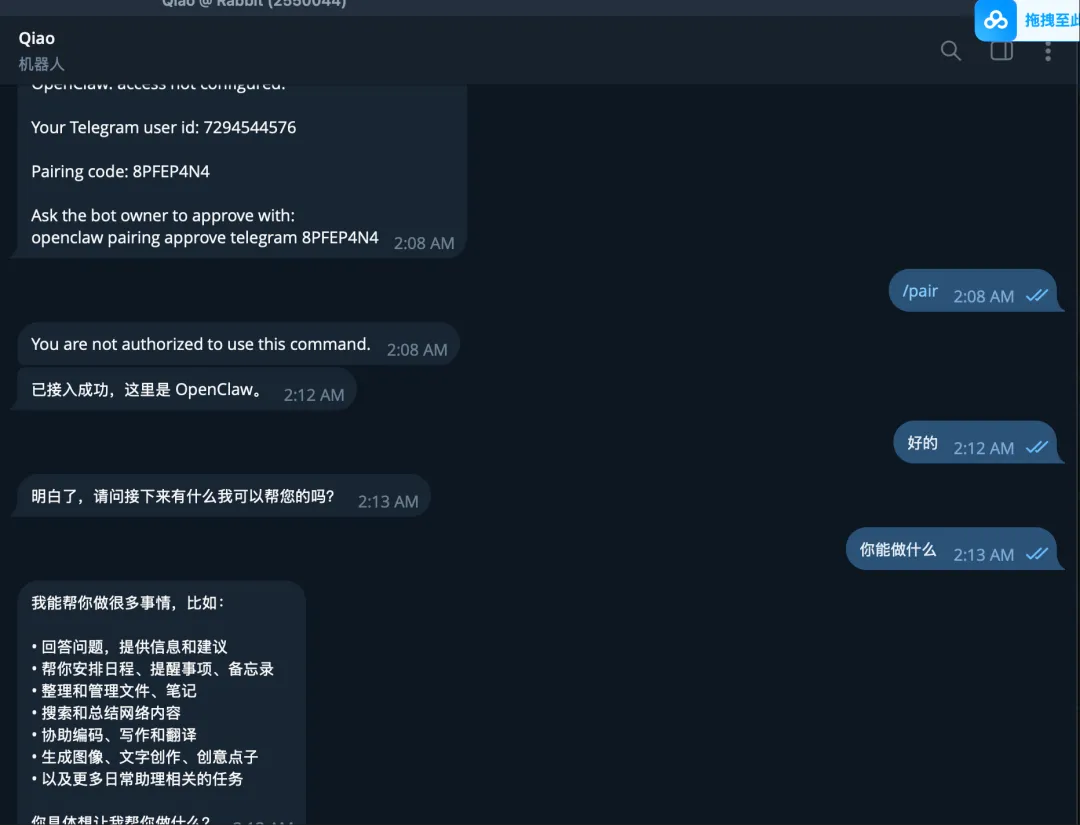
选择对应的接入平台,如飞书、谷歌、微软等(以telegram为例子)
3.2 获取平台的api
获取对应的telegram的bot api:
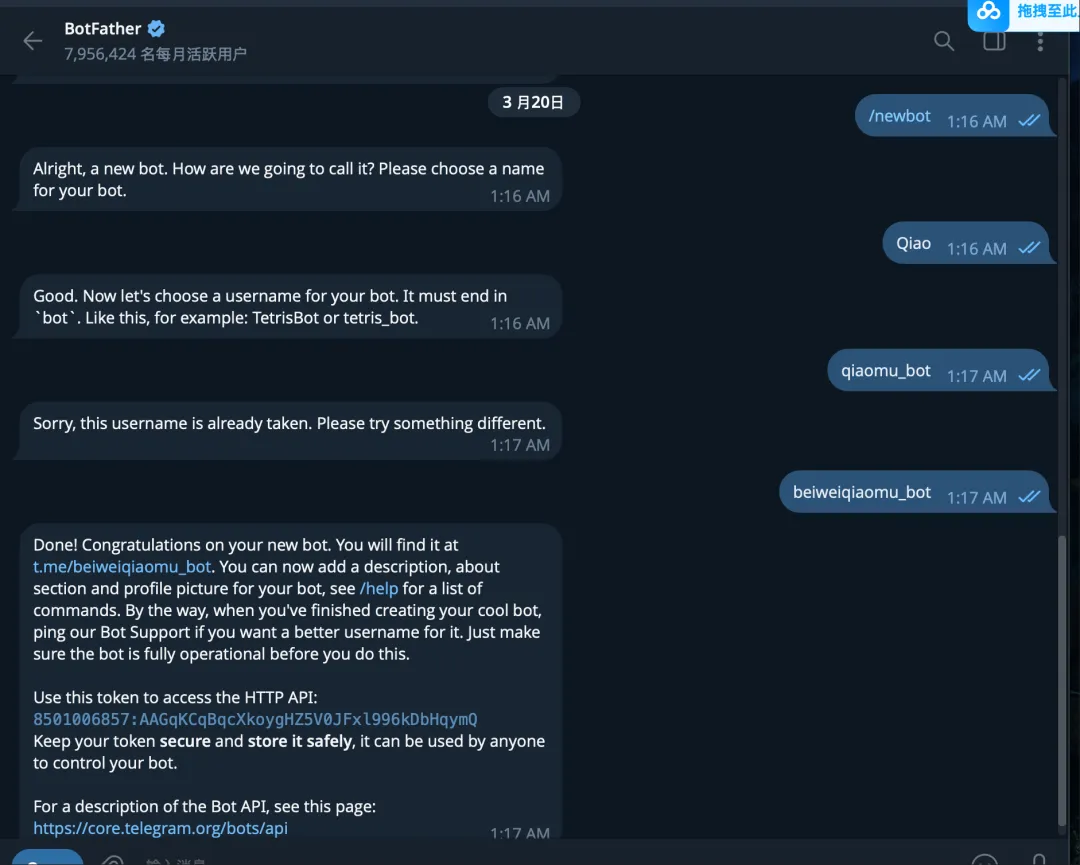
api如下:
8501006857:AAGqKCqBqcXkoygHZ5V0JFxl996kDbHqymQDone! Congratulations on your new bot. You will find it at t.me/beiweiqiaomu_bot. You can now add a description, about section and profile picture for your bot, see /help for a list of commands. By the way, when you've finished creating your cool bot, ping our Bot Support if you want a better username for it. Just make sure the bot is fully operational before you do this.Use this token to access the HTTP API:8501006857:AAGqKCqBqcXkoygHZ5V0JFxl996kDbHqymQKeep your token secure and store it safely, it can be used by anyone to control your bot.For a description of the Bot API, see this page: https://core.telegram.org/bots/api第4步:配置skills
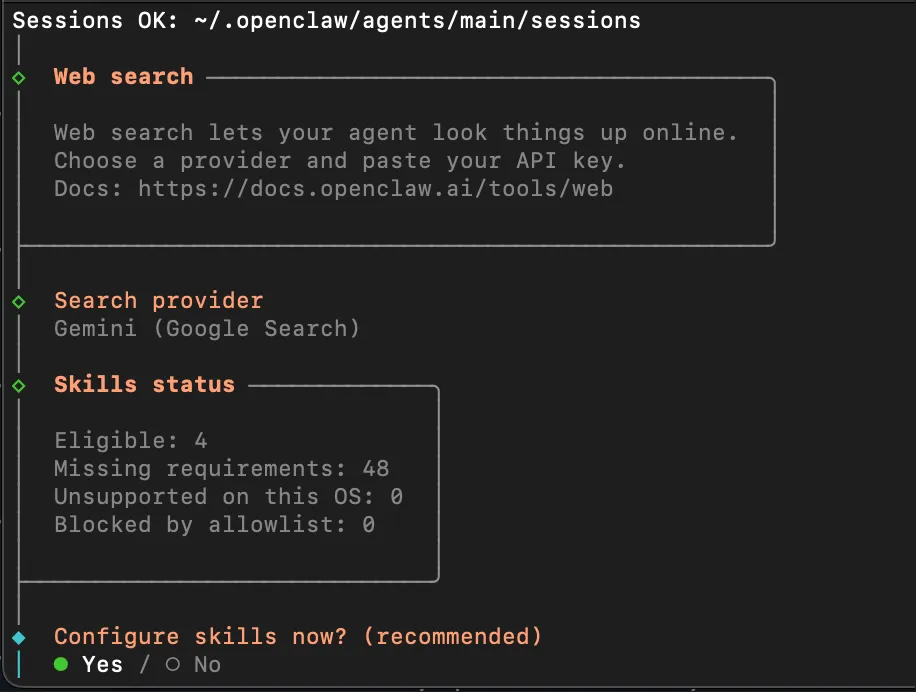
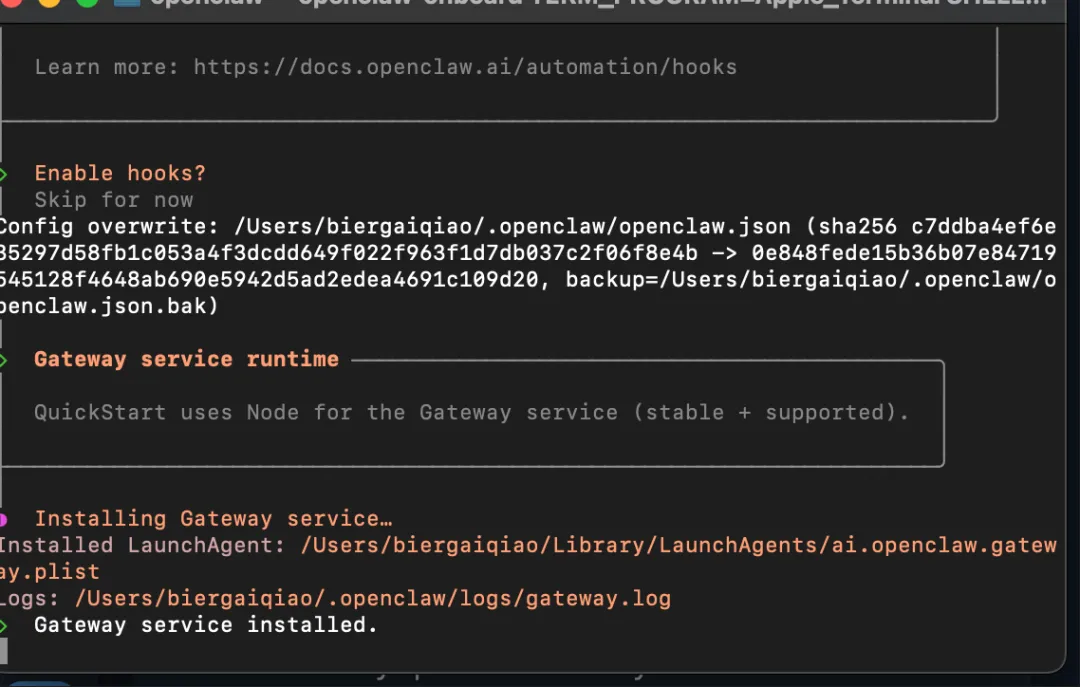
4.1 是否配置skill选项
选择yes
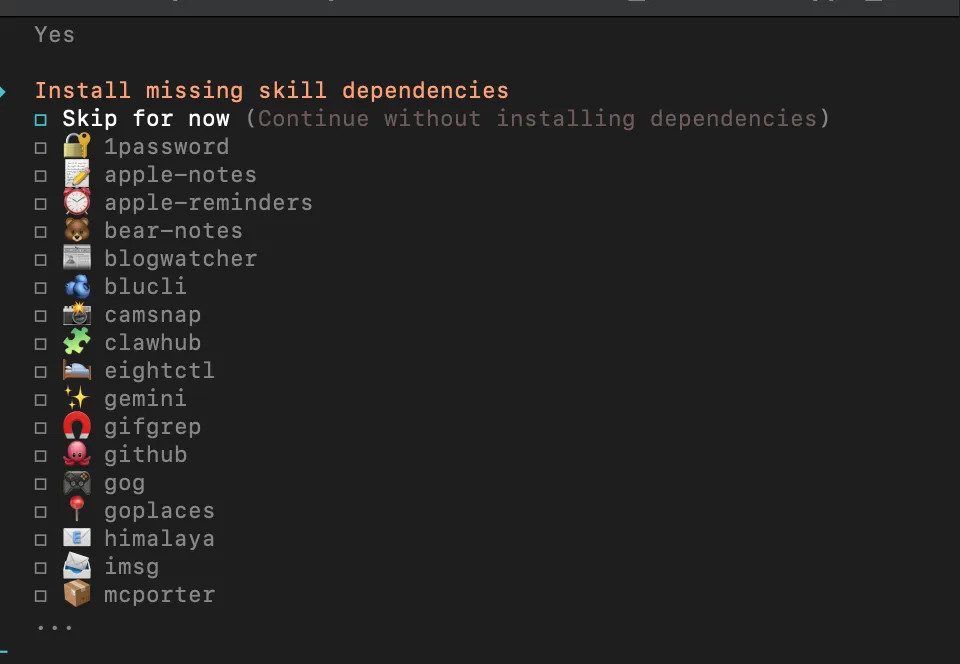
4.2 定制好skills安装
选择所需的skills,如果不需要可以跳过,后续添加
第5步:激活openclaw的方式
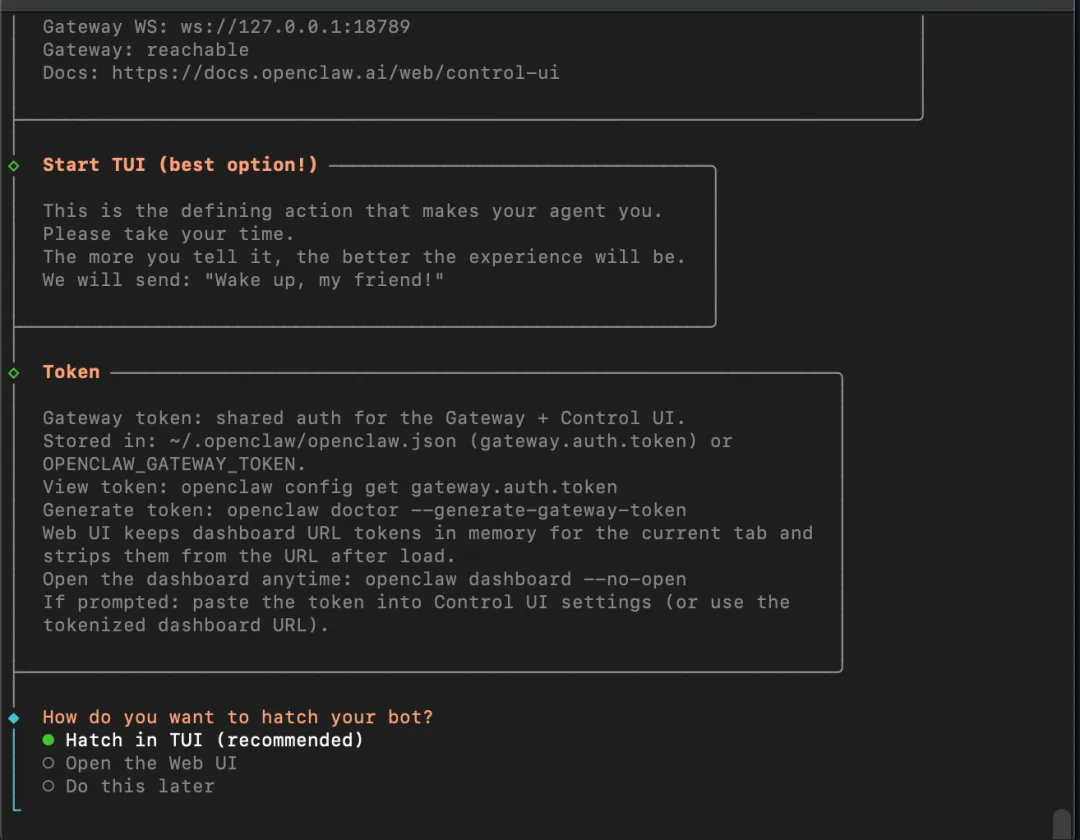
5.1 openclaw的孵化方式
推荐选择Hatch in TUI的方式
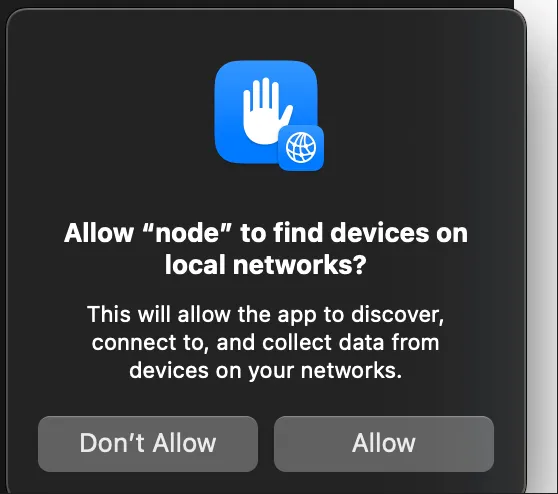
如果弹出网络连接,选择是。
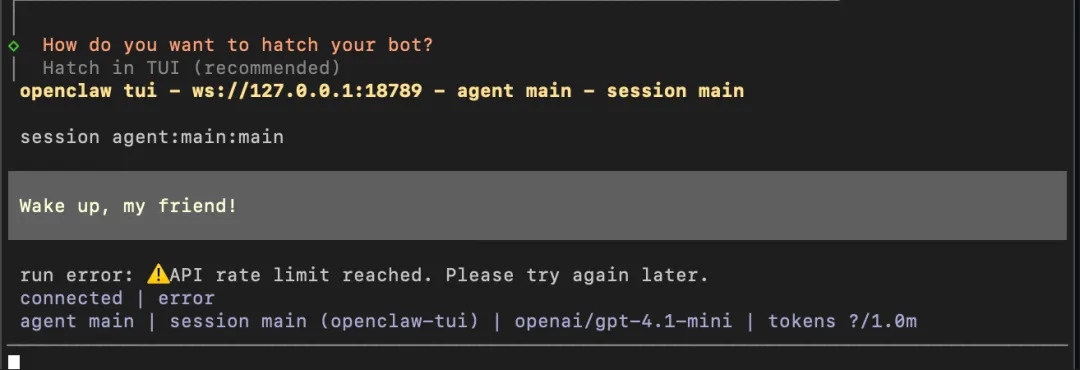
5.2 激活成功
激活成功可以交互
第6步:结果显示
6.1 终端交互
终端可以进行对话,如输入“给我一个五一计划”
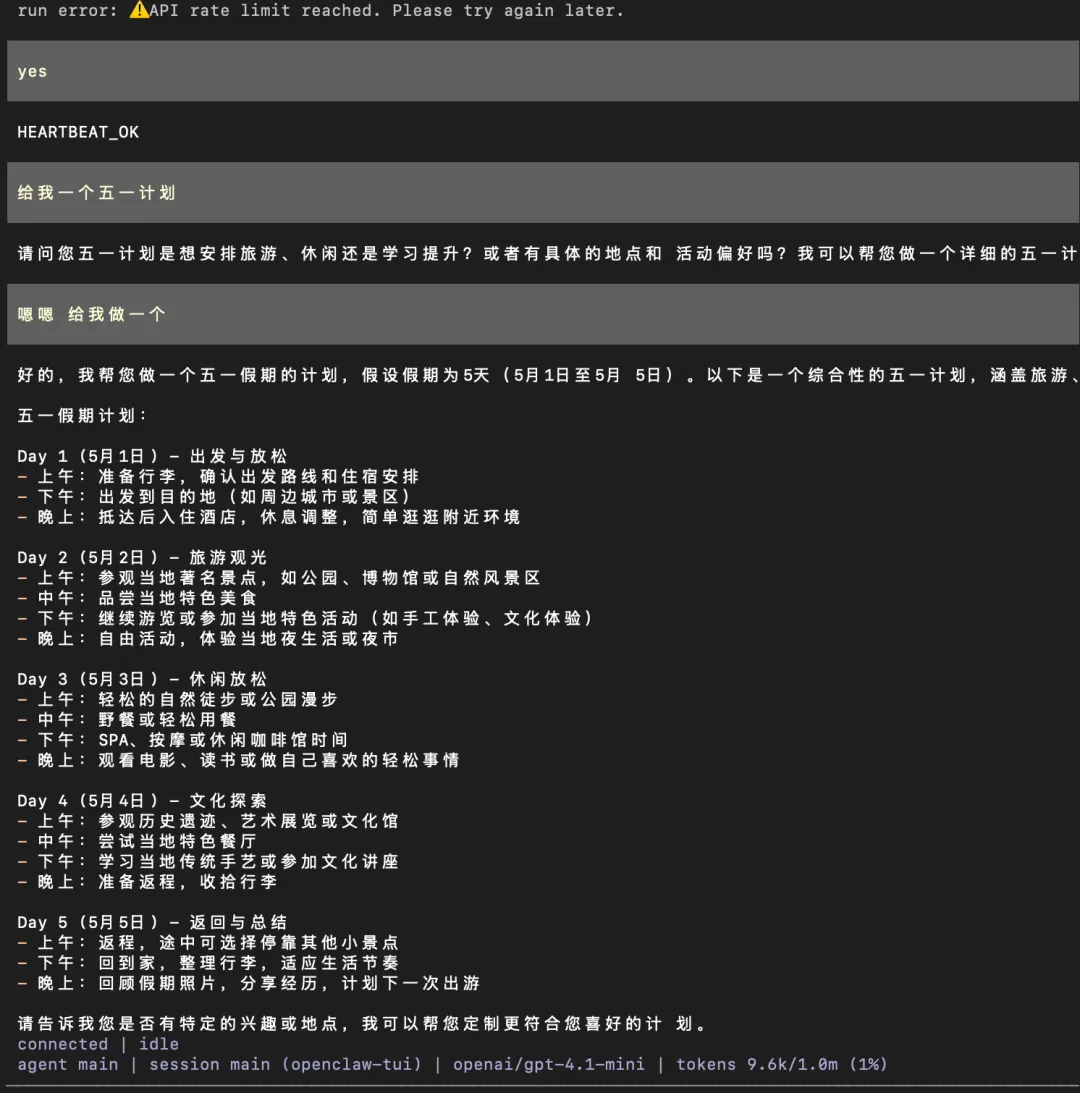
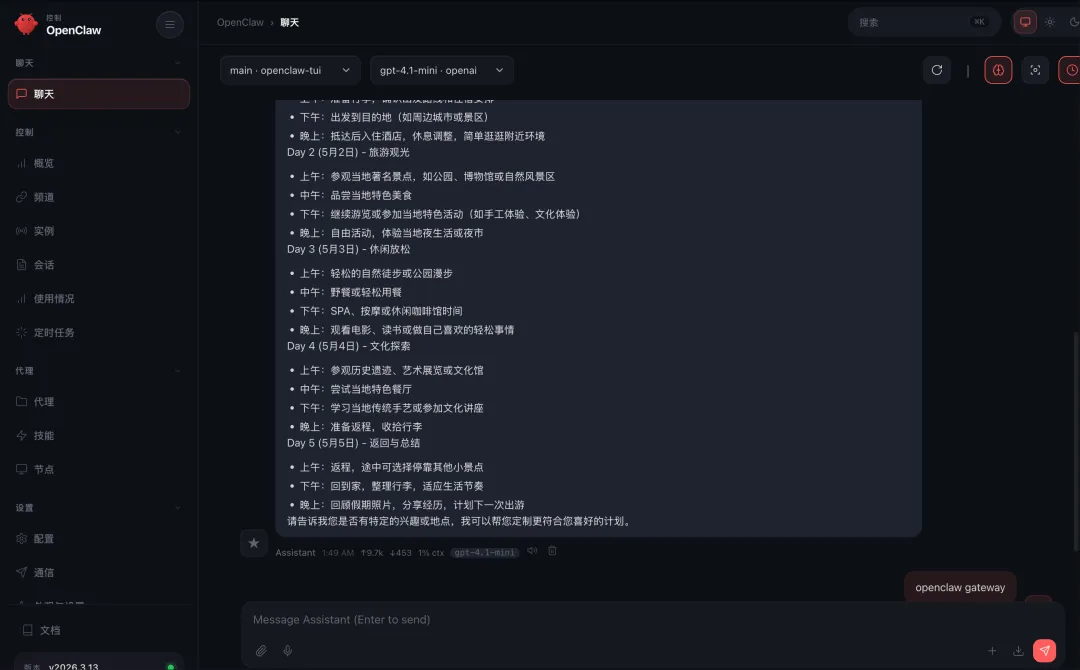
6.2 运行检查&网页端打开
openclaw gateway statusopenclaw gateway run
openclaw dashboard --no-open
第7步:后续skills安装
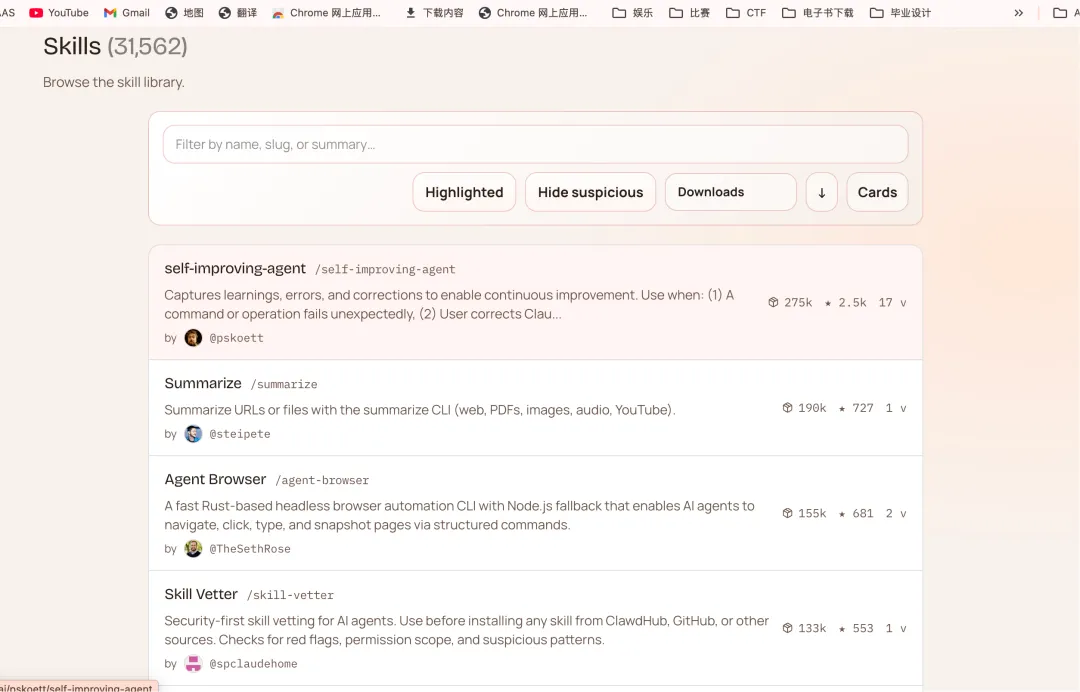
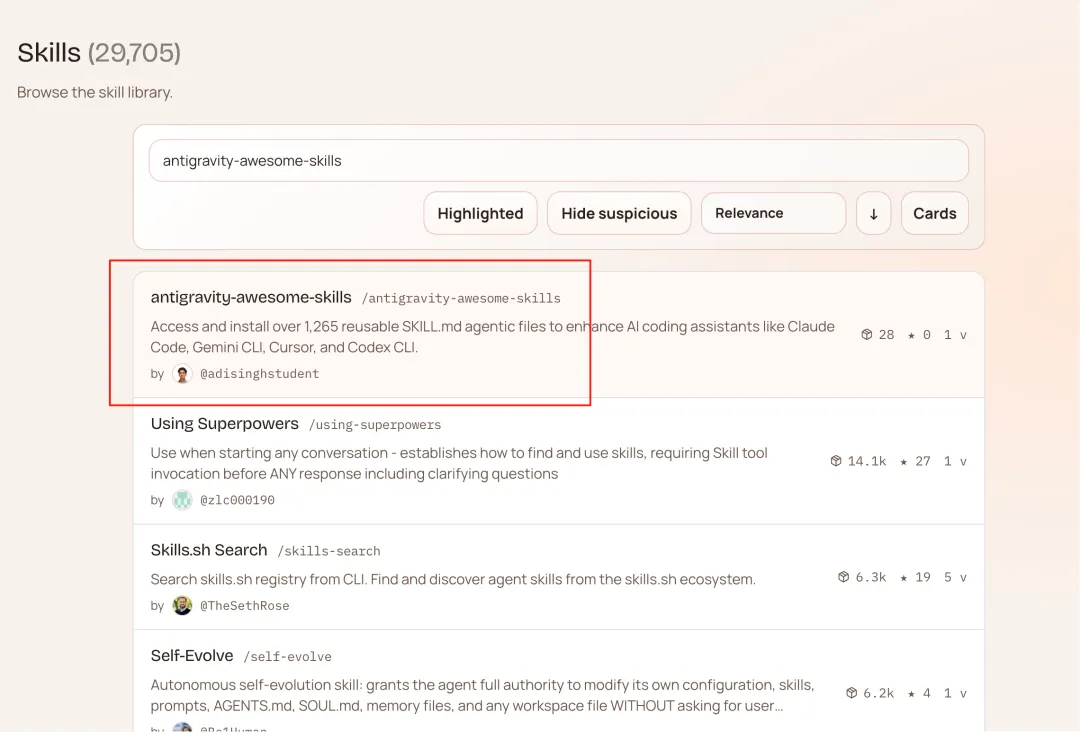
7.1 skills下载地址
下载网站:https://clawhub.ai/skills?sort=downloads
下载之后将zip的压缩包放置到worksp/skills下解压,重修刷新启动即可使用。
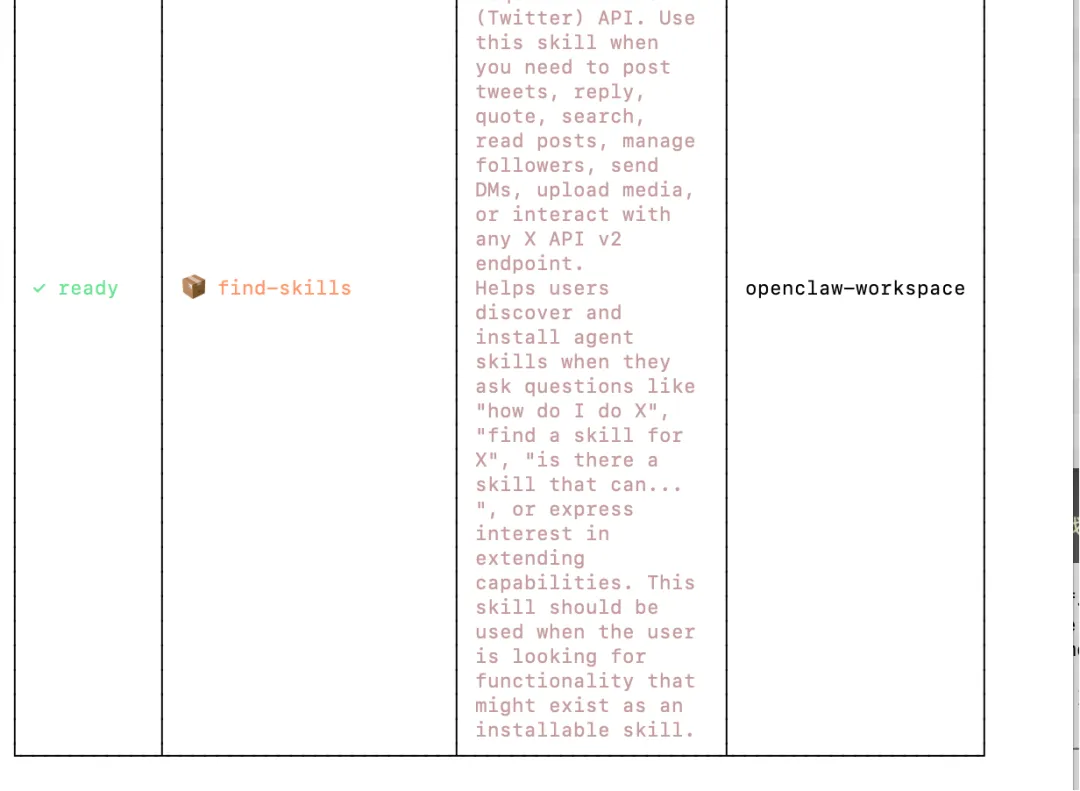
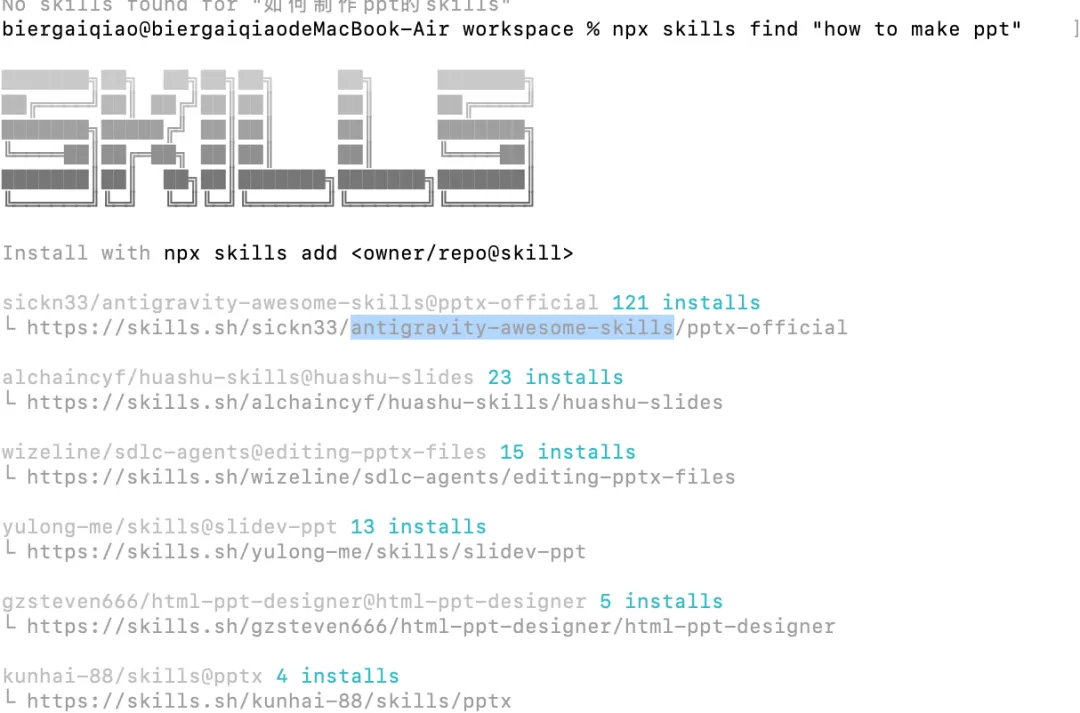
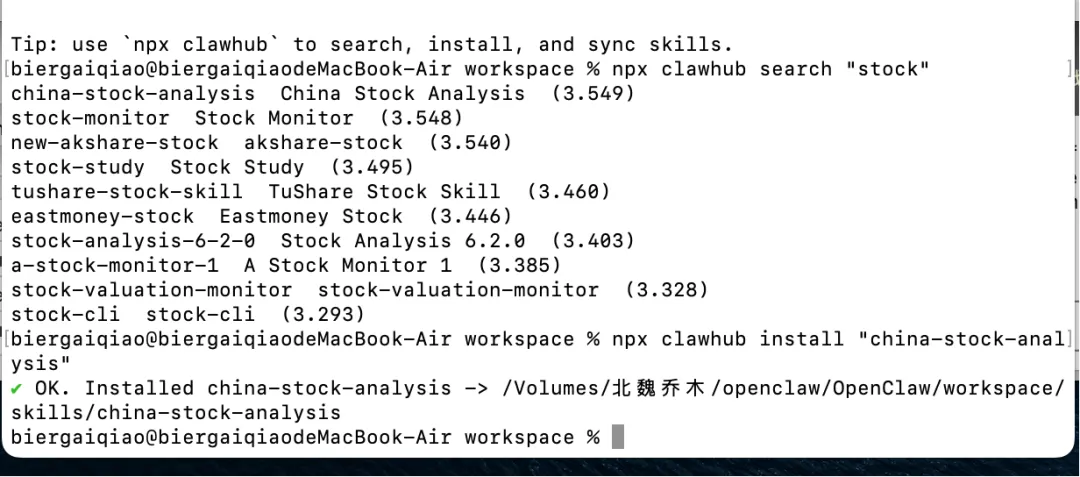
7.2 skills搜索
7.3 skills安装命令
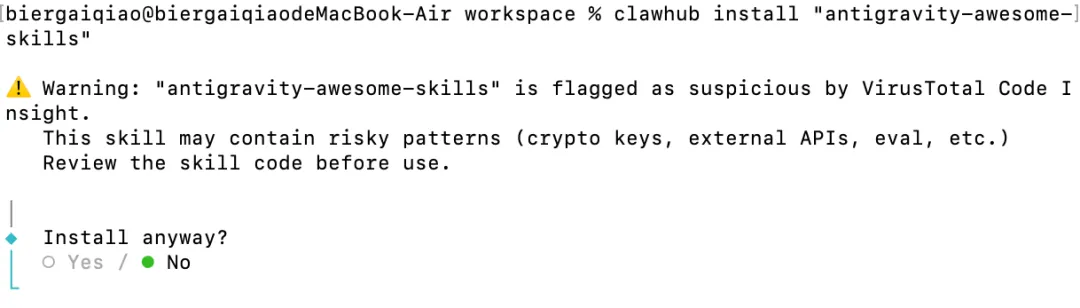
检查对应的worksp/skills如下:
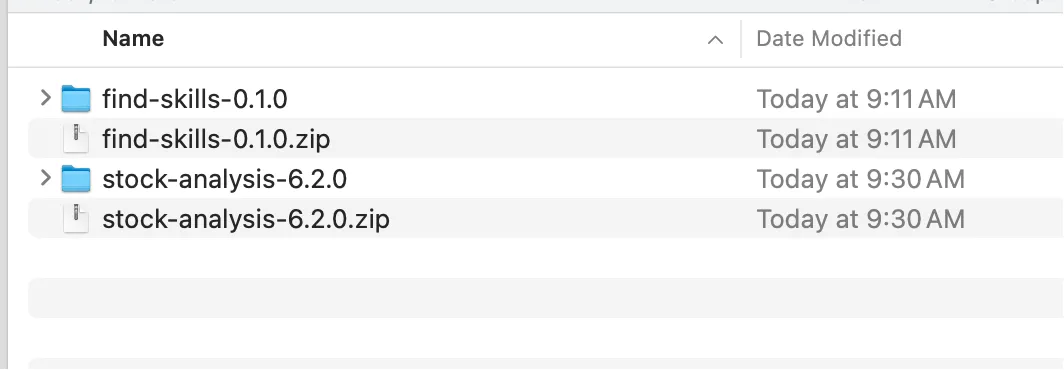
安装第二个股票检测skills
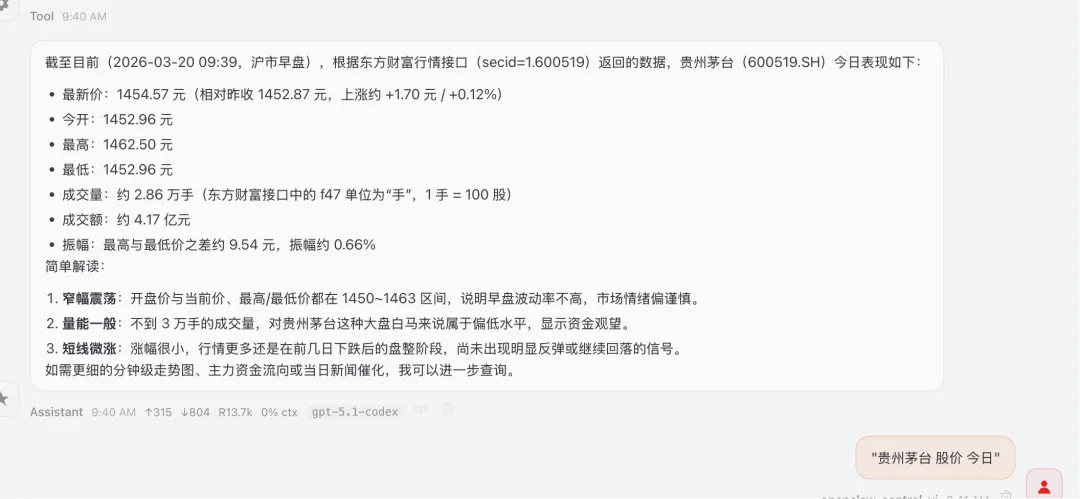
7.4 功能测试
常用命令
# OpenClaw 常用核心命令# 1. 安装curl -fsSL https://openclaw.ai/install.sh | bash# 2. 初始化 workspaceopenclaw setup# 3. 启动引导配置openclaw onboard# 4. 启动 Gatewayopenclaw gateway# 5. 查看 Gateway 状态openclaw gateway status# 6. 打开 Dashboardopenclaw dashboard# 7. 打开 Dashboard(不自动打开浏览器)openclaw dashboard --no-open# 8. 查看当前 workspaceopenclaw config get agents.defaults.workspace# 9. 设置 workspaceopenclaw config set agents.defaults.workspace "/你的路径/workspace"# 10. 查看已加载的 skillsopenclaw skills list# 11. 查看实时日志openclaw logs --follow# 12. 运行诊断openclaw doctor