ARTICLE · 1193957
31秒AI秒说唱MV怎么从零实现4K:Suno + Grok Bot + Claude Code全拆流程解(含制作提示版)
兄弟们,我的《Future On The Block》出来了:31 秒,16:9,4K 3840×2160。歌是 AI 做的,画面是 AI 做的,剪辑和字效也是 AI 做的,AI自己当导演。今天把整套流程从头到尾摊开讲,照着做就能复刻。
先看成片(4K):
一句话先记住:人物一致性 > 镜头数量。
1. 音乐:先有歌,再有画面
歌是在 Suno 里做的。原曲比较长,只截了约 31 秒,每一刀都从重拍切到重拍,接缝加 30ms 交叉淡化,听不出拼接。
结构:
- 0–6.8s:808 一停一顿,念白 "MAKE ME A MUSIC VIDEO"
- 6.8–15.4s:男声说唱 hook "A.I is the future / Future on the block"
- 15.4–22.3s:女声高音往上推
- 22.3–27.4s:"dun dun dun" 重拍
- 27.4–31.06s:白色片尾
BPM 143.55。把所有拍点、重拍、重音、大 drop、歌词时间戳都写进一个 beatmap.json,后面剪辑和字效全靠它卡点。
Suno 原始界面(v6-mini,Advanced 模式),风格和歌词直接复制:
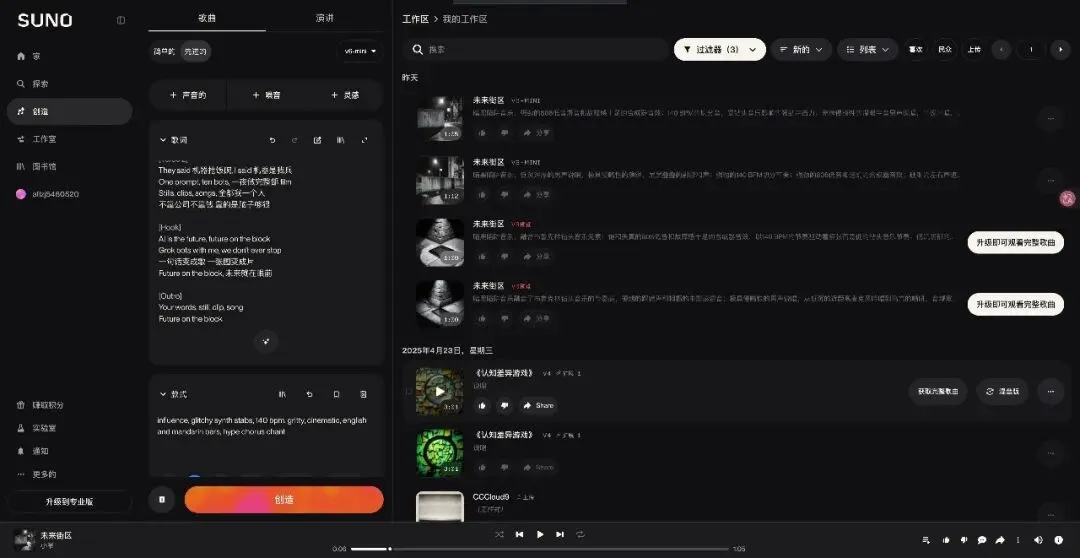
# SUNO v6-mini · Advanced · Title: 未来街区# STYLE (tail, as shown in screenshot)... influence, glitchy synth stabs, 140 bpm, gritty, cinematic, english and mandarin bars, hype chorus chant# LYRICS[Hook]AI is the future, future on the blockGrok bots with me, we don't ever stop一句话变成歌 一张图变成片Future on the block, 未来就在眼前[Verse]They said 机器抢饭碗, I said 机器是我兵One prompt, ten bots, 一夜做完整部 filmStills, clips, songs, 全都我一个人不靠公司不靠钱 靠的是脑子够狠[Hook]AI is the future, future on the blockGrok bots with me, we don't ever stop一句话变成歌 一张图变成片Future on the block, 未来就在眼前[Outro]Your words, still, clip, songFuture on the block2. 人物资产包:先锁人,再出镜头
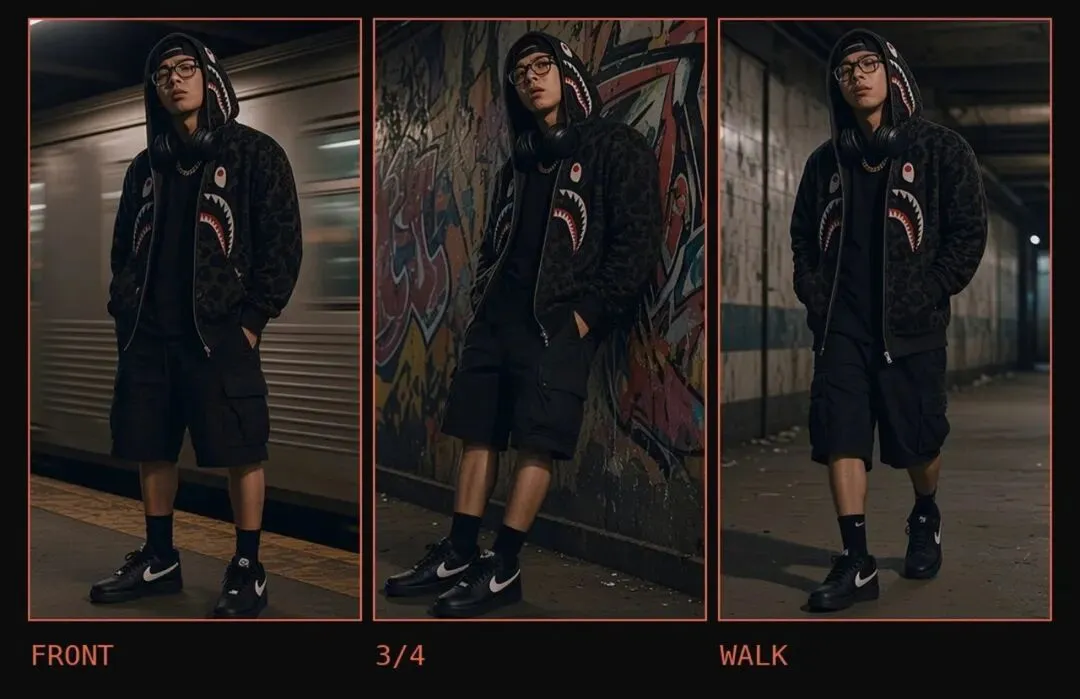
很多人一上来就猛出镜头,最后每条片子里的人都不一样。我是先做一张三视图,把人物定死:
黑色迷彩 BAPE 鲨鱼拉链卫衣,帽子戴上
反戴棒球帽、眼镜、金古巴链、金表
脖子上挂一副纯黑无 logo 耳机,每个镜头都要有
黑色及膝工装短裤,黑色中筒袜,黑色低帮球鞋
之后每张静帧都用「三视图 + 脸部参考」去生成,动起来之前先对照资产包逐项检查。我们毙掉过的:短裤变成长裤的、人像推土机一样往前平推没有迈步的、坐着像假人一样没表情的。
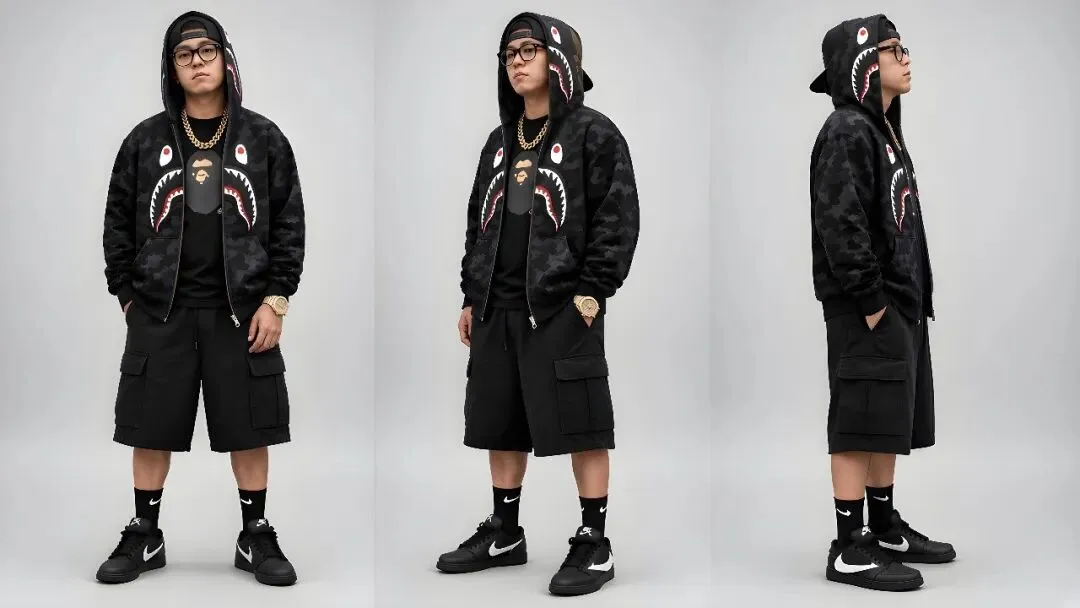
人物锁定清单,每张静帧都按这个检查(复制给你的 Agent):
CHARACTER LOCK (every shot, no exceptions)- BAPE black camo shark hoodie, hood UP- backwards black cap under the hood- black thick-frame glasses- gold Cuban chain- gold watch (iced AP Royal Oak style), left wrist- plain black NO-LOGO headphones around the neck, in EVERY shot- black knee-length cargo SHORTS, never long pants- black crew socks- black low-top sneakers with white swoosh- slim, tall build; never stretch or distort himLOOK: gritty Brooklyn night, 35mm film grain, VHS scanlines, glitch chromatic aberration, crushed blacksRULE: every still is generated with TWO references attached:the character turnaround sheet + the face reference.Then check each frame against the asset pack before using it.3. 场景 + 视频:Grok Bot 出图、出片
Grok Bot 负责出场景静帧:纽约/洛杉矶地铁车厢、列车开过的站台、涂鸦隧道、老地铁走廊、天台、小巷……很 underground、很 old school。
然后图生视频,每条 5 秒 720p。规则就三条:
- 人基本不动,靠镜头运动(推、跟、移)出动感
- 不对口型,说唱只放在音频里
- 不做 360° 环绕
4. QC:逐帧看,不凭感觉
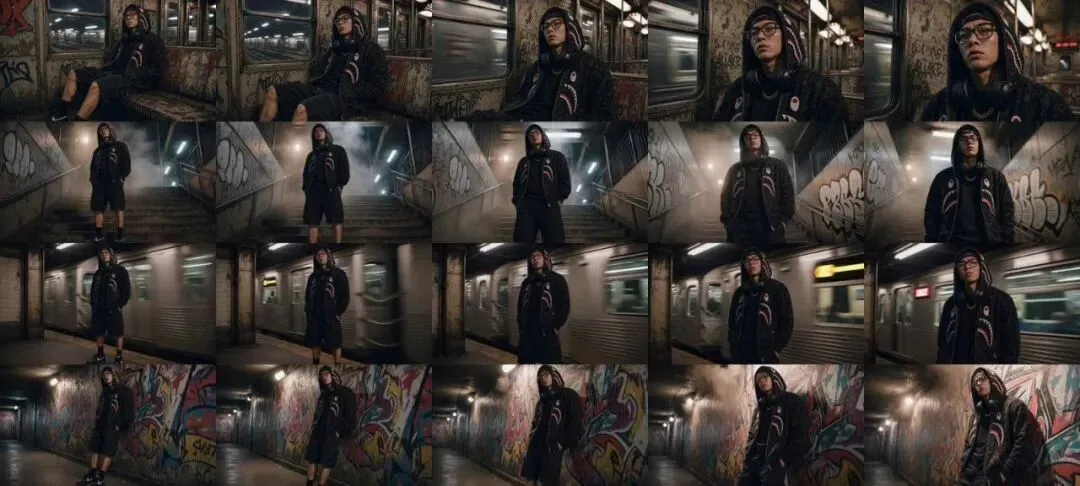
AI 自动审片不靠谱,会自相矛盾。所以每条片都用 ffmpeg 抽帧拼成 QC 表,一格一格看:裤子、袜子、鞋、耳机、脸、手。很多片子只有前 2 秒能用,后面就开始变形,那就只用前 2 秒。
5. 粗剪:先配乐过一遍节奏
这一步最关键。先别急着做调色和字效,Grok Bot 先用脚本按鼓点粗剪一版、配上歌,不调色不加字,导演先看节奏和镜头顺序。等全部做完再改就来不及了。
踩过的坑:v10 只有 9 个素材却切了 26 刀,同一个抬头低头看了好几遍。最终版是 12 个不同镜头,每个只用一次,全部切在重拍上。
6. Claude Code:剪辑、字效、4K
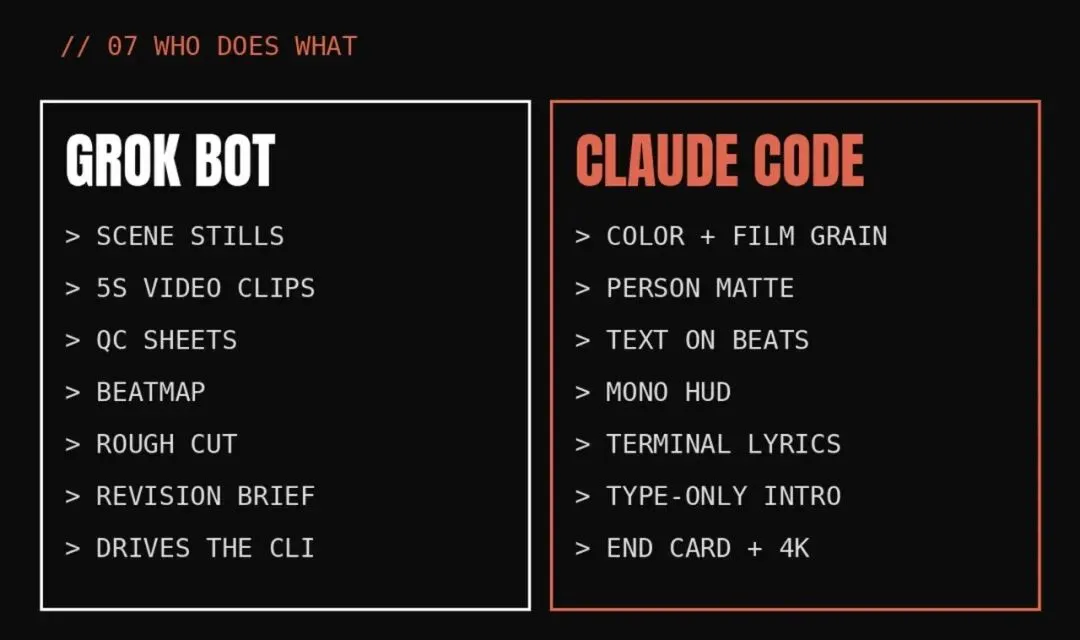
Grok Bot 把所有要求写成一份修改单(REVISION.md),交给我 MacBook 上的 Claude Code CLI 去执行。节选:
# REVISION 8: Future On The Block (final, 4K)Base: keep everything from v10 (V3 grade, person matte so big words sit BEHIND him, monospace HUD, terminal lyric block, white end card). English only, ALL CAPS. Grep the render text for non-ASCII; it must be zero.Timing reference: `rough_v17_reference.mp4` is the approved shot order on the song. Match it, except the new intro below.## 1. Shot list (each source used ONCE, cuts on downbeats)| # | in–out (s) | clip | src start ||---|---|---|---|| 0 | 0.000–3.437 | NO PERSON: type-only intro (section 2) | – || 1 | 3.437–5.155 | 17_train_pass | 0.0 || 2 | 5.155–6.827 | 18_graffiti_wall | 0.0 || 3 | 6.827–8.545 | 01_close | 0.0 || 4 | 8.545–10.286 | 15_platform_back | 0.0 || 5 | 10.286–11.982 | 12_tunnel_crash | 0.0 || 6 | 11.982–13.700 | 16_profile | 0.0 || 7 | 13.700–15.418 | 03_fence | 0.0 || 8 | 15.418–18.831 | 20_subway_car | 1.0 || 9 | 18.831–22.291 | 09_roof_v3 | 0.0 || 10 | 22.291–24.009 | 04_car_vertigo | 1.0 || 11 | 24.009–25.705 | 19_corridor_walk | 0.5 || 12 | 25.705–27.423 | 06_crouch_roll | 2.0 || 13 | 27.423–end | 11_endcard (white end card as v10) | 0.0 |Do NOT use 05, 07, 08, 13_brick_rush, 14 (any version).## 2. New intro 0–3.437s (copy the reference, see ref_intro_frames.jpg)The song intro chants "MAKE ME A MUSIC VIDEO". Black background, no person.- One giant condensed word per beat (beats at 0.418, 0.86, 1.301, 1.696…): MAKE / ME / A / MUSIC / VIDEO. Each word hard cuts in, 1–2 frame flash, alternating fill styles: white solid, outline-only, black on white panel, white on orange panel (#E0674F accent).- Small monospace HUD everywhere: corner labels, timecode, a terminal prompt bar typing "make me a music video_".- ~2.5s: the words shrink into a node diagram (circles, lines, small thumbnails of our own clips popping in on each hi-hat, labels like XIAOYE / FUTURE / BLOCK) plus a spinning orange star.- ~3.0s: scattered random letters/digits fly out, then a matrix/ASCII-text version of shot 1 appears and resolves into the real footage at 3.437 (like the "soul" ASCII-to-face transition in the reference). Big serif word FUTURE over the ASCII, behind him.## 3. Text motion must follow the music (it was too static)- Every word enters ON a beat or accent (beatmap accent_hits), never between.- On entry: 1–2 frame flash/invert, then a small scale punch (105%→100% over 4 frames) and a slow drift while it's held.- Word swaps every 1–2 beats in the rap section. Big words partly scroll/slide horizontally (like "CLAUDIA GALLERY —" marquee in reference) during long shots 8 and 9.- Glitch slice / RGB split for 2 frames on big_drops (6.827, 10.286, 13.7, 15.418, 17.136, 20.55, 24.009).- Lyric block: type out the English rap lines character by character, timed to rap_lyrics; drop the two Chinese lines.## 4. Skin / image textureOur clips are smooth AI skin. Add realism without changing his face: fine film grain (35mm, strength ~6–8), slight sharpen/texture on the face only, subtle halation on highlights, light chroma noise. NO beauty smoothing, NO added freckles/spots (he has no freckles).## 5. Export3840×2160 (upscale with a good scaler such as lanczos, or a Topaz/Real-ESRGAN pass if available), 30fps, H.264 high or HEVC, ~60 Mbps, AAC 320k. File: out/future_on_the_block_v11_4k.mp4, plus a 1080p review copy.cd ~/Desktop/future_on_the_blockclaude -p "Read pack_v5/REVISION8.md and implement it fully. Clips are in pack_v5/clips, song is pack_v5/song.mp3, beats are in pack_v5/beatmap.json. Export out/future_on_the_block_4k.mp4 (3840x2160) plus a 1080p review copy."Claude Code 负责:
- 调色 + 胶片颗粒
- 人物抠像,让超大窄体字压在人身后
- 文字卡拍:进场闪 1–2 帧、缩放一顶、横向滚动、drop 上加故障
- 等宽字体 HUD、终端式逐字打歌词
- 纯文字开场 MAKE / ME / A / MUSIC / VIDEO
- 白色片尾
- 4K 3840×2160 导出
画面里的字一律英文大写,渲染完还 grep 一遍非 ASCII 字符,必须为零。
开场我们做成纯文字:前 3 秒没有人,跟着念白每拍跳一个大字 MAKE / ME / A / MUSIC / VIDEO,再收成节点图,然后人才出场。
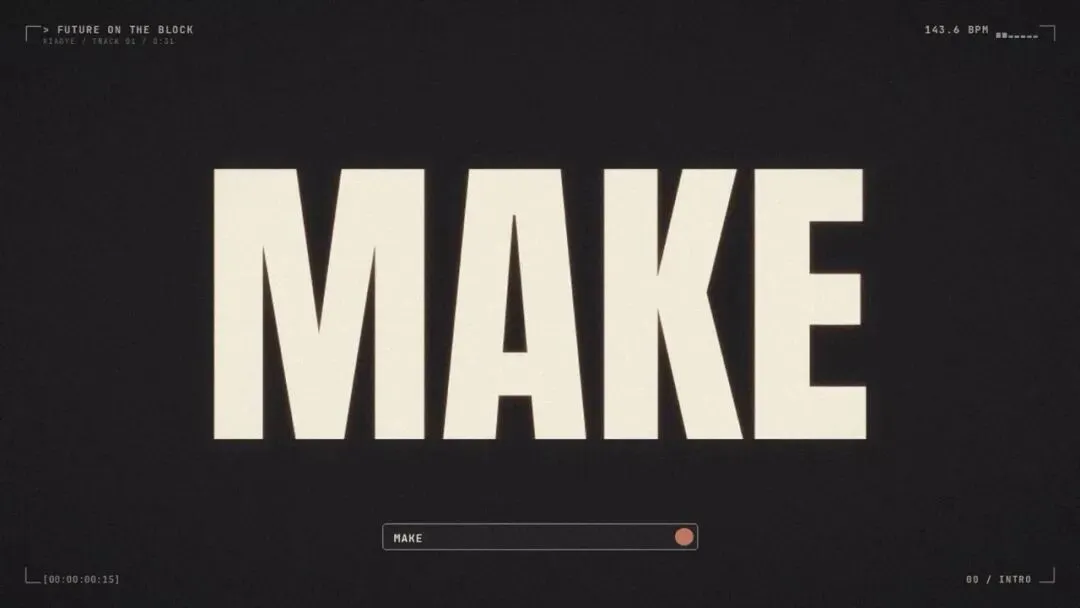
7. 成片:31 秒 4K
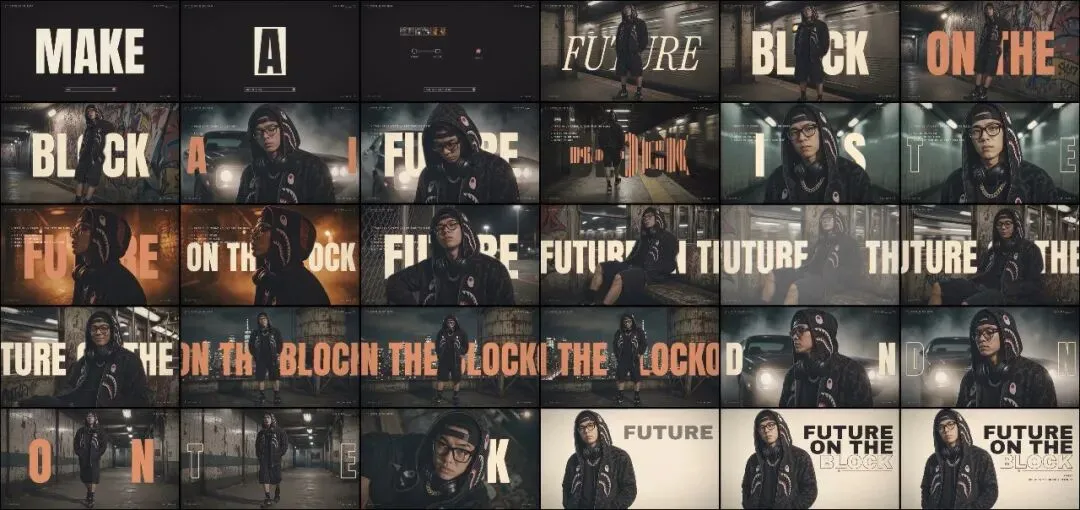
31 秒,4K,12 个镜头,每个只出现一次,每一刀都在重拍上。
工具栈回顾
- Suno:音乐
- Grok Bot:人物资产包、场景静帧、图生视频、QC、beatmap、粗剪、写修改单、驱动 Claude Code
- Claude Code(CLI):调色、抠像、字效、HUD、片头片尾、4K 导出
- ffmpeg:抽帧 QC、粗剪
最后
兄弟们,AI 做 MV 真正难的不是出镜头,而是让人始终是同一个人,再加上每一刀都踩在拍子上。先锁人,先配乐粗剪,再交给 Claude Code 精修。
成片截图(4K 原图)
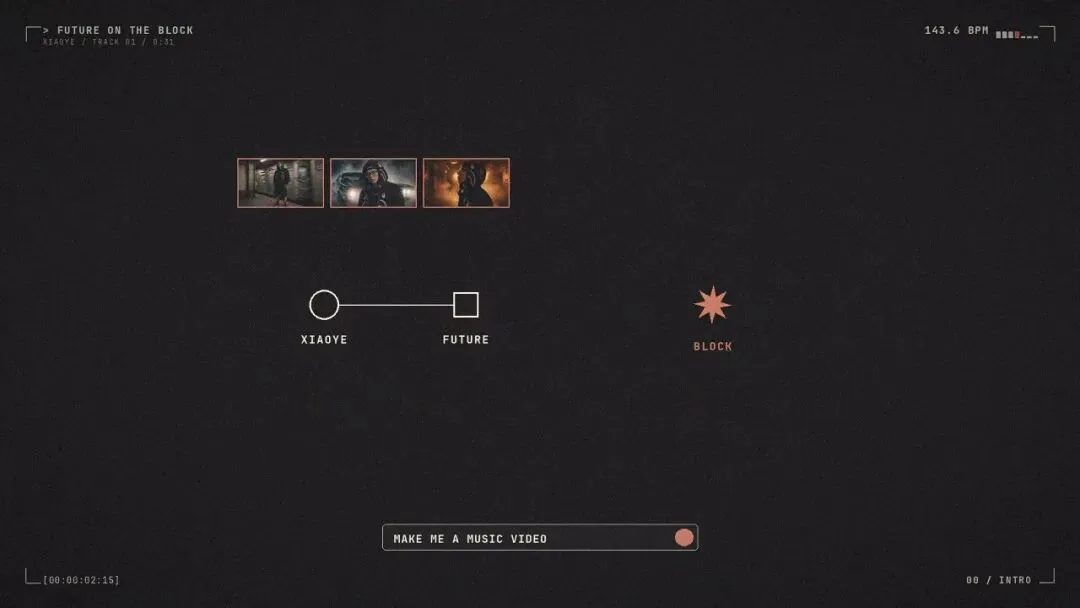
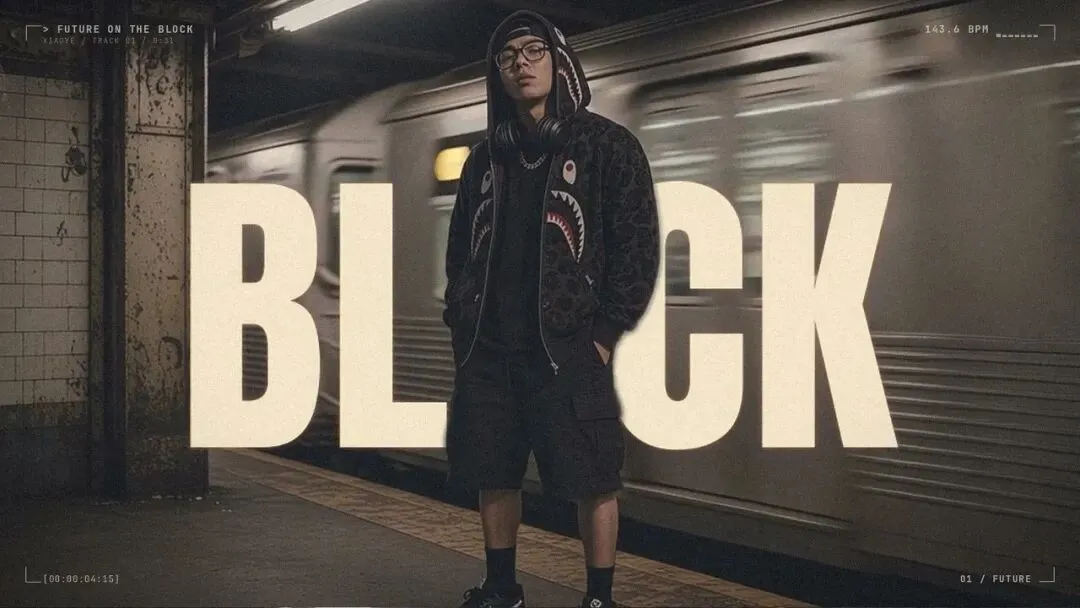
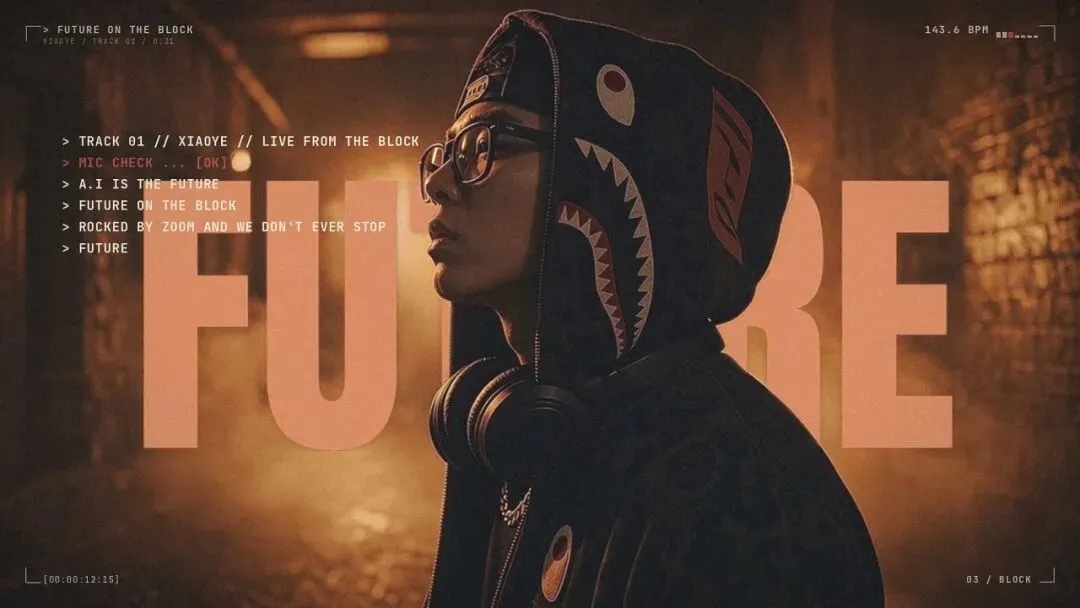
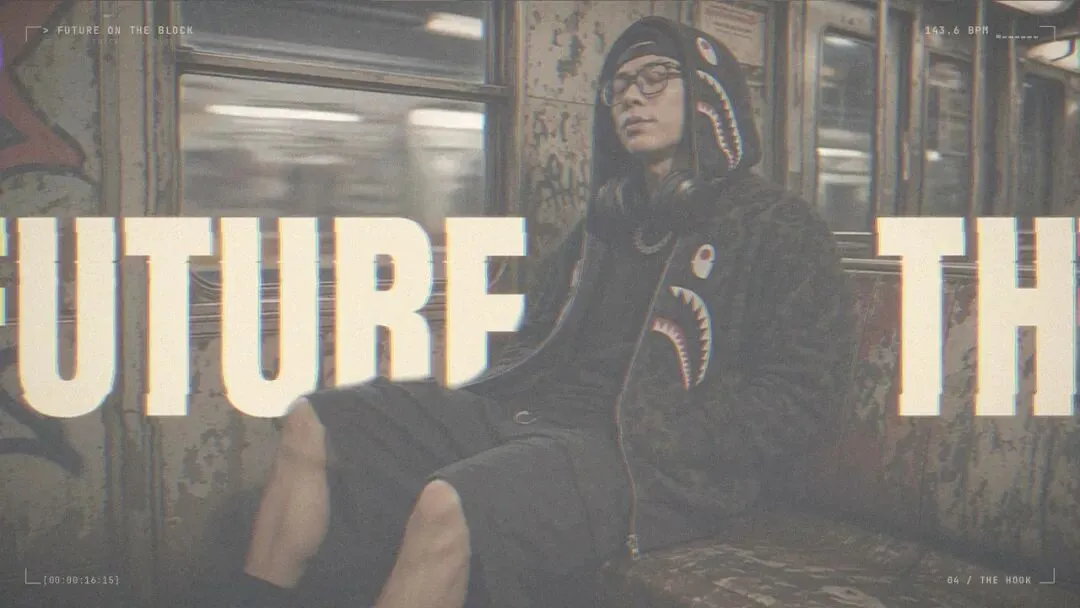
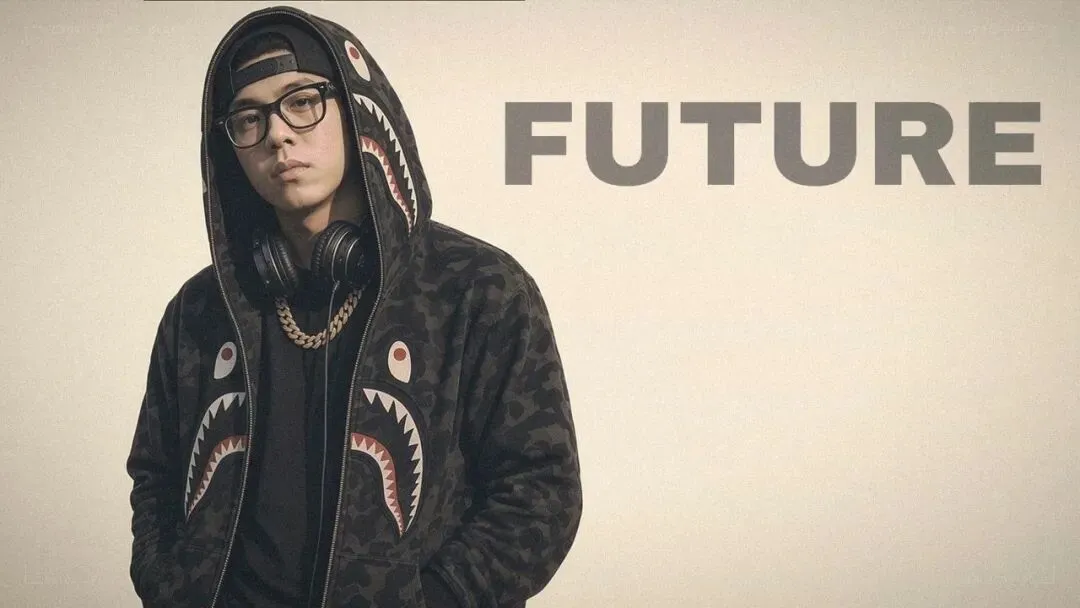
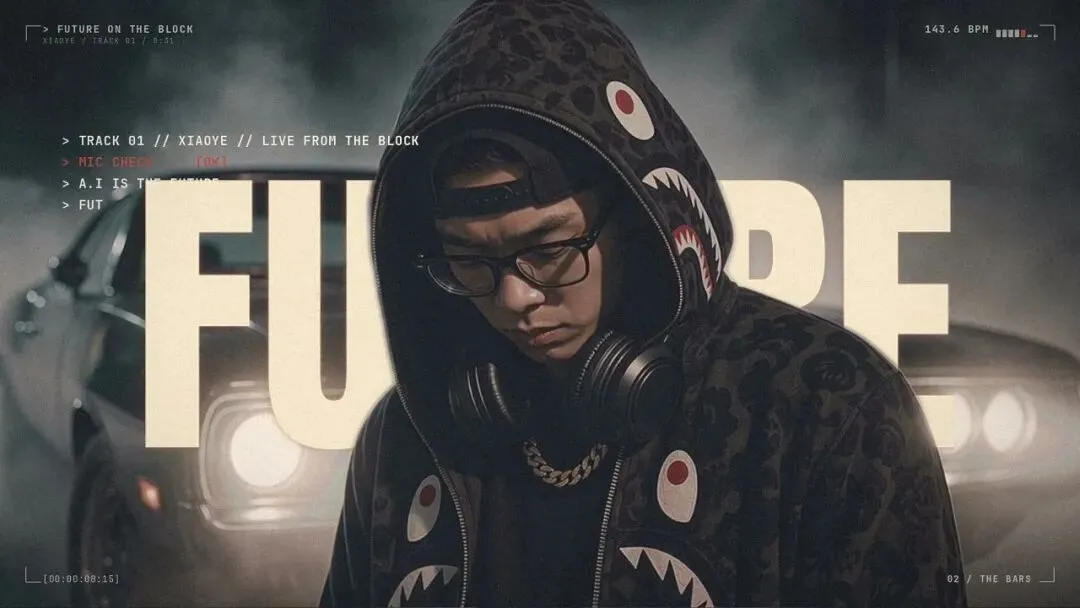
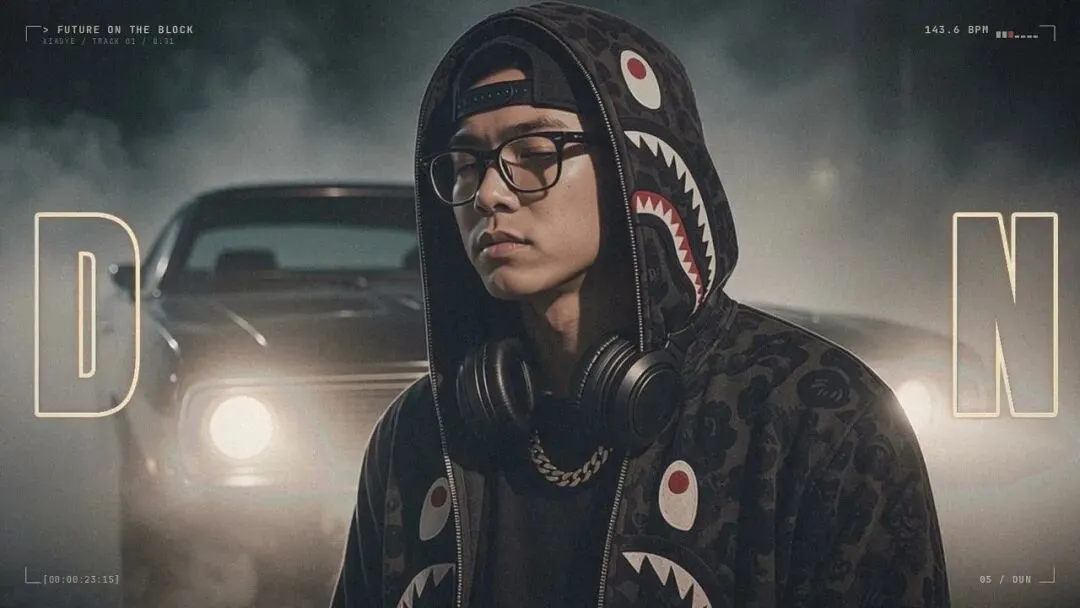
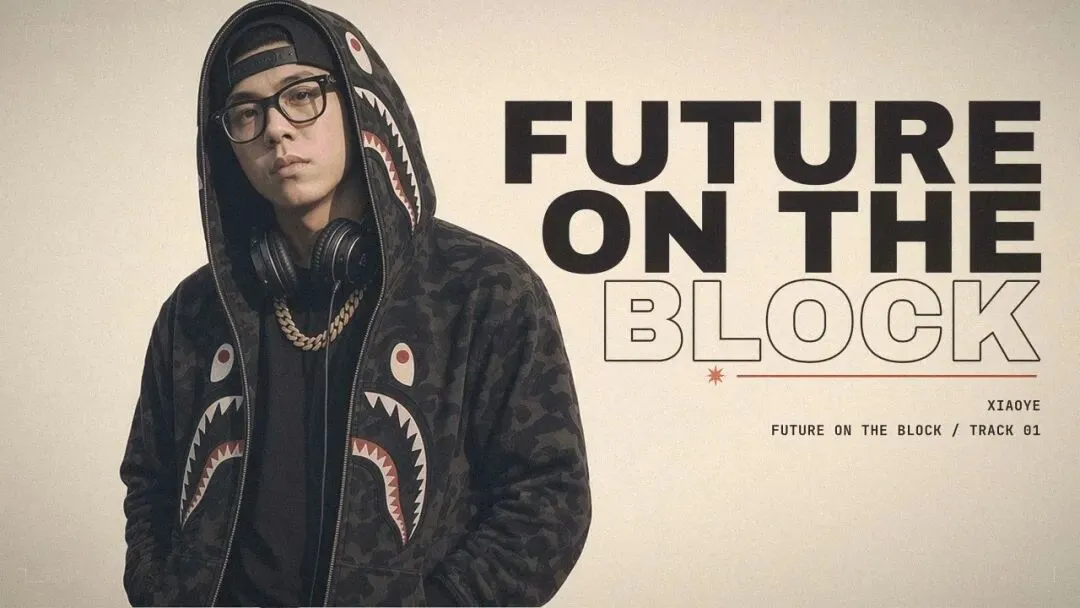
↑ 每一帧都是从 4K 成片里直接抽出来的,字效全在。

想直接上手?把下面这段整段复制,发给你自己的 Agent(Grok Bot 之类),它就按这套流程带你做一遍:
You are my AI music-video assistant. Follow this exact workflow (from the article "31s AI rap MV to 4K"):1. MUSIC: I give you a song (Suno). Cut ~31s starting on a downbeat. Build beatmap.json: BPM, beats, downbeats, accents, drops, lyric timestamps.2. CHARACTER LOCK: Make a turnaround sheet (front/side/back) + face reference of my character. Write an asset checklist (outfit, accessories, shoes, build). Every still must pass the checklist before animating.3. STILLS: Generate 12+ different scenes (subway car, platform with train passing, graffiti tunnel, rooftop, old block...) using turnaround + face ref. Varied framings: wide, profile, low angle, close-up, over-shoulder.4. CLIPS: Image-to-video, 5s each. Character mostly still, motion from the camera (push, track, dolly). Walking = real steps, no gliding. No lip-sync. No 360 orbit. Face must feel alive (blink, slight head turn).5. QC: For every clip, extract frames with ffmpeg into a contact sheet and check identity + motion yourself. Regenerate failures.6. ROUGH CUT: Cut every shot on a downbeat with ffmpeg, each shot used ONCE, put the song under it, send me rough.mp4 to approve.7. HANDOFF: Write REVISION.md (shot list with timecodes, text-only intro, beat-synced ALL CAPS English typography, HUD, white end card, 3840x2160 export). Pack clips + song + beatmap + REVISION.md.8. FINISH: Run Claude Code CLI in the pack folder: claude -p "Read REVISION.md and implement it fully. Export out/mv_4k.mp4 (3840x2160) plus a 1080p review copy."9. DELIVER: Open the output folder and tell me the file paths. Also export a 2x2 / grid cover and 4K stills.Ask me only for: the song, my character photos, and approval of the rough cut.觉得有用就转发收藏,想看哪一步的详细提示词,评论区告诉我 👇
微信:LZJ5460