 夜雨聆风
夜雨聆风


安装OpenClaw微信插件 难道我是第一个踩坑的?
OpenClaw 微信插件安装记录
(在安装过程中,出现了配置不完整不能对话的问题,见后半部分的故障排查)
适用场景:已安装 OpenClaw,需接入微信插件,通过扫码让 OpenClaw 在微信中收发消息。
参考资料:
• 官方插件说明: ~/.openclaw/extensions/openclaw-weixin/README.zh_CN.md• OpenClaw 官方文档:https://docs.openclaw.ai • 入门文章:https://www.runoob.com/ai-agent/openclaw-weixin.html
一、前提条件
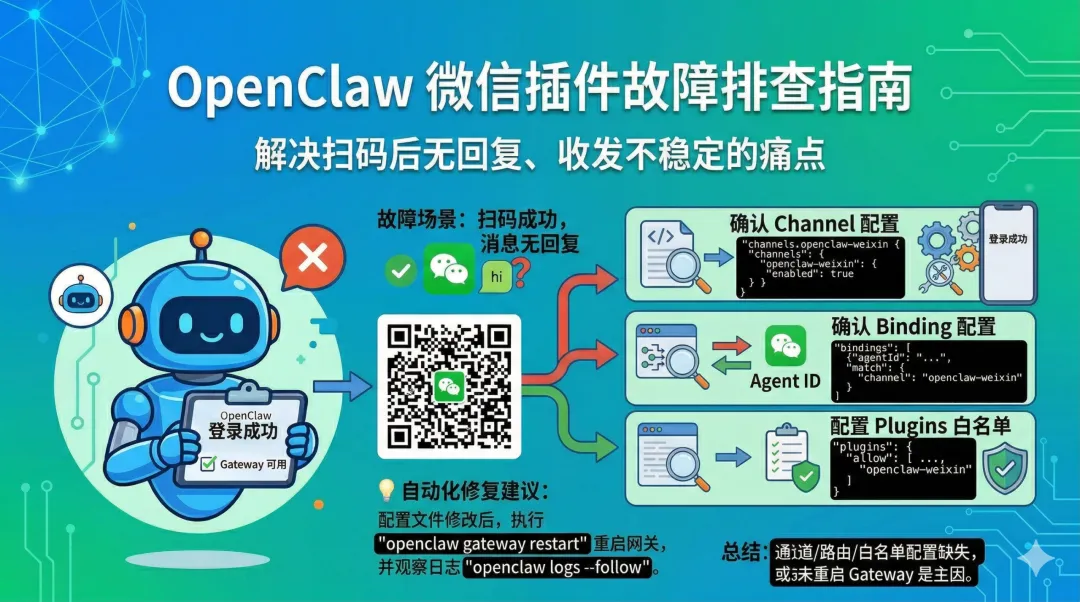
安装微信插件前,请确认:
-
• [ ] 已安装 OpenClaw, openclaw命令可用 -
• [ ] 已完成至少一种模型配置,OpenClaw 本体可正常回复 -
• [ ] Gateway 可正常启动
建议自检:
openclaw statusopenclaw models status⚠️ 若上述命令返回异常,请先解决 OpenClaw 本体问题,再配置微信插件。
二、标准安装流程
1. 安装微信插件
方式一:自动安装(推荐)
npx -y @tencent-weixin/openclaw-weixin-cli install方式二:手动安装
openclaw plugins install "@tencent-weixin/openclaw-weixin"2. 启用插件
openclaw config set plugins.entries.openclaw-weixin.enabled true3. 扫码登录微信
openclaw channels login --channel openclaw-weixin执行后,终端将显示二维码:
-
1. 使用微信扫码 -
2. 在手机端确认授权
登录凭证将自动保存至本地。
4. 重启 Gateway
🔴 重要:扫码登录后必须重启 Gateway,官方文档明确要求此步骤。
openclaw gateway restart5. 验证状态
openclaw status --deep预期输出:
-
• openclaw-weixin状态为ON/OK -
• 无 fatal级别错误
6. 功能测试
在微信中向机器人发送:
hi若能正常收到回复,说明安装完成 ✅
三、模型配置说明
微信插件无需单独配置模型。
微信插件仅作为消息通道,实际回复由 OpenClaw 当前 Agent 使用的模型处理。
确认模型状态:
openclaw models status若默认模型和认证均正常,但微信无回复,请优先排查:
-
• 通道配置 -
• 路由绑定 -
• Gateway 重启状态 -
• 权限设置
四、故障排查
若出现以下情况:
-
• 扫码成功但消息无回复(我遇到了这个问题) -
• 能收消息但无法回复 -
• 行为不稳定 -
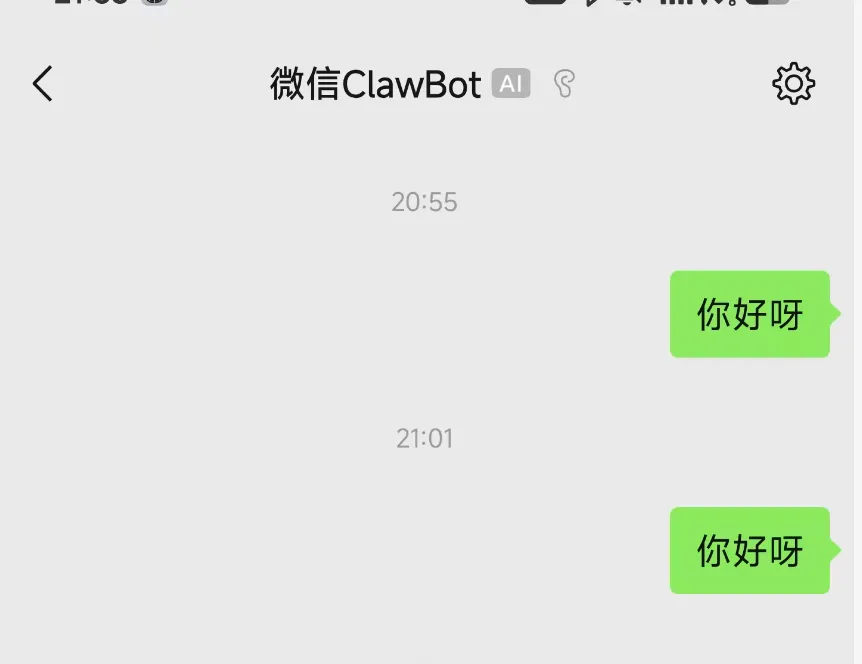
openclaw并没有回复 -
请检查 ~/.openclaw/openclaw.json的以下三个关键配置项。
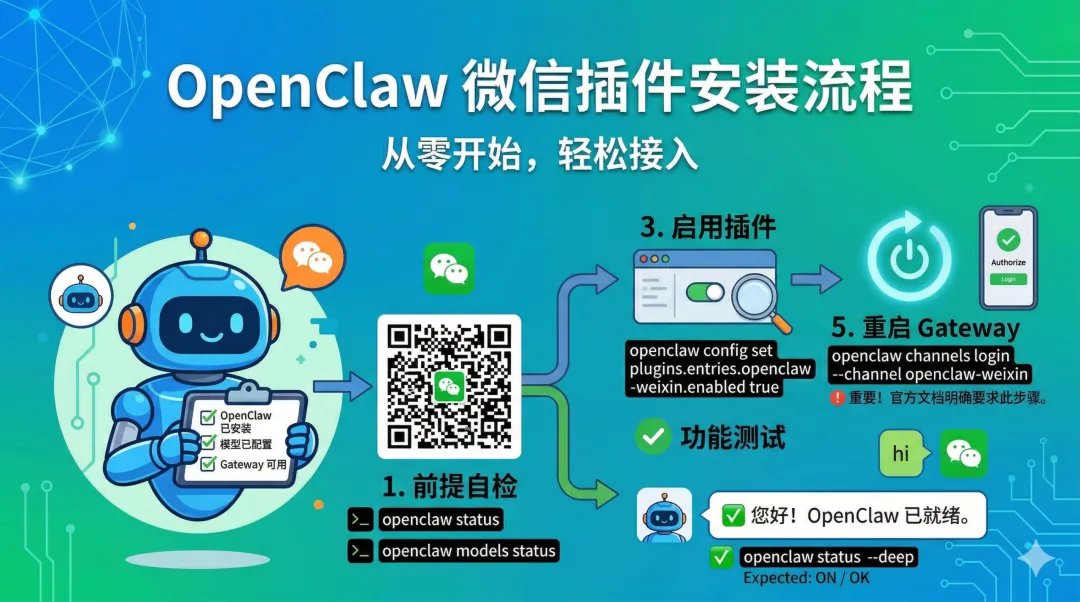
排查点 1:确认 Channel 配置
检查是否存在 channels.openclaw-weixin 段:
"channels":{"telegram":{"enabled":true},"feishu":{"enabled":true},"openclaw-weixin":{"enabled":true,"baseUrl":"https://ilinkai.weixin.qq.com"}}排查点 2:确认 Binding 配置
若无微信通道绑定,消息可能无法路由至正确 Agent。
建议添加兜底绑定:
{"bindings":[{"agentId":"tg-admin-dm","match":{"channel":"openclaw-weixin","peer":{"kind":"dm","id":"*"}}}]}说明:所有来自微信插件的私聊消息,均由 tg-admin-dm Agent 处理(可替换为您的专用 Agent ID)。
排查点 3:配置 Plugins 白名单
若 plugins.allow 为空,可能导致:
-
• 自动发现非内置插件 -
• 加载残留扩展 -
• 重复 Plugin ID 或安装残留干扰
建议配置:
"plugins":{"allow":["telegram","feishu","openclaw-weixin"],"entries":{"telegram":{"enabled":true},"feishu":{"enabled":true},"openclaw-weixin":{"enabled":true}}}五、最小可用配置参考
{"channels":{"openclaw-weixin":{"enabled":true,"baseUrl":"https://ilinkai.weixin.qq.com"}},"bindings":[{"agentId":"tg-admin-dm","match":{"channel":"openclaw-weixin","peer":{"kind":"dm","id":"*"}}}],"plugins":{"allow":["telegram","feishu","openclaw-weixin"],"entries":{"telegram":{"enabled":true},"feishu":{"enabled":true},"openclaw-weixin":{"enabled":true}}}}💡 注意:以上为关键配置片段,需合并至您的完整
openclaw.json文件中。
六、配置验证流程
|
|
|
|
|---|---|---|
|
|
openclaw gateway restart |
|
|
|
openclaw status --deep |
|
|
|
openclaw logs --follow |
|
|
|
hi |
|
七、快速命令速查
# 1. 安装插件npx -y @tencent-weixin/openclaw-weixin-cli install# 2. 启用插件openclaw config set plugins.entries.openclaw-weixin.enabled true# 3. 扫码登录openclaw channels login --channel openclaw-weixin# 4. 检查配置文件 ~/.openclaw/openclaw.json# - 确认 channels.openclaw-weixin# - 确认 openclaw-weixin binding# - 确认 plugins.allow# 5. 重启 Gatewayopenclaw gateway restart# 6. 深度检查openclaw status --deep# 7. 跟踪日志测试openclaw logs --follow八、自动化修复建议
若已参照教程操作但微信仍无法正常工作:
-
1. 打开配置文件 cat ~/.openclaw/openclaw.json -
2. 检查缺失项 -
◦ channels.openclaw-weixin -
◦ 微信 bindings -
◦ plugins.allow -
3. 补齐配置后重启 Gateway openclaw gateway restart -
4. 观察日志定位问题
💡 协作排障技巧:向助手提供您的
~/.openclaw/openclaw.json文件内容,可快速定位配置缺失项。
九、总结
|
|
|
|---|---|
|
|
|
|
|
openclaw.json 三处配置 + 重启 Gateway |
|
|
|
核心要点:微信插件问题多源于 openclaw.json 中的 Channel / Binding / Plugins 配置缺失,或修改后未重启 Gateway。