 夜雨聆风
夜雨聆风


Word文档的上传、编辑、清空&保存
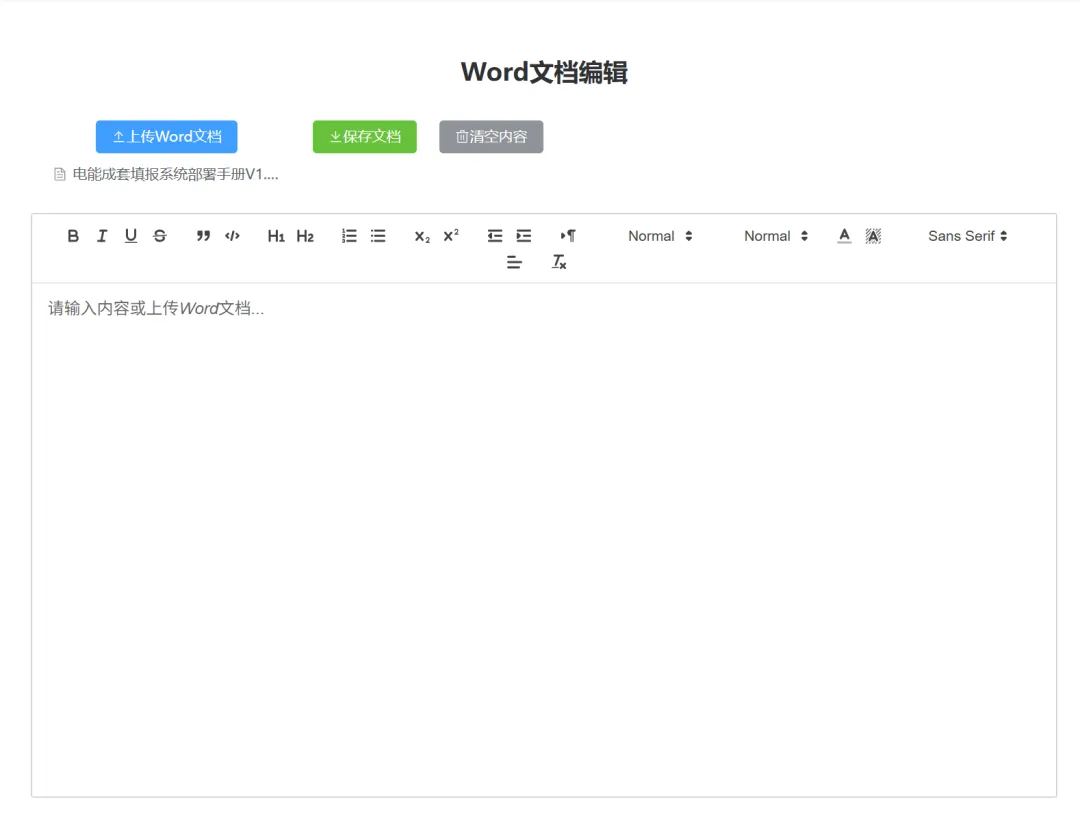

npm install mammoth quill file-saver<!-- 操作按钮区 --><divclass="action-buttons"><el-uploadclass="upload-document"action="":auto-upload="false":on-change="handleFileUpload"accept=".docx"><el-buttontype="primary"><el-icon><Upload /></el-icon> 上传Word文档</el-button></el-upload><el-buttontype="success" @click="saveDocument"><el-icon><Download /></el-icon> 保存文档</el-button><el-buttontype="info" @click="clearContent"><el-icon><Delete /></el-icon> 清空内容</el-button></div><!-- 编辑器区域 --><divclass="editor-container"><divid="editor"ref="editorRef"></div></div>
import * as mammoth from 'mammoth';import Quill from 'quill';import 'quill/dist/quill.snow.css';import { saveAs } from 'file-saver';// 编辑器实例const editorRef = ref(null);let quill = null;// 初始化编辑器const initEditor = () => {quill = new Quill('#editor', {theme: 'snow',modules: {toolbar: [['bold', 'italic', 'underline', 'strike'],['blockquote', 'code-block'],[{ 'header': 1 }, { 'header': 2 }],[{ 'list': 'ordered' }, { 'list': 'bullet' }],[{ 'script': 'sub' }, { 'script': 'super' }],[{ 'indent': '-1' }, { 'indent': '+1' }],[{ 'direction': 'rtl' }],[{ 'size': ['small', false, 'large', 'huge'] }],[{ 'header': [1, 2, 3, 4, 5, 6, false] }],[{ 'color': [] }, { 'background': [] }],[{ 'font': [] }],[{ 'align': [] }],['clean']]},placeholder: '请输入内容或上传Word文档...'});// 监听内容变化quill.on('text-change', function() {console.log('内容已更改');});};// 处理文件上传const handleFileUpload = async (file) => {try {message.value = '正在解析文档...';messageType.value = 'info';const result = await mammoth.convertToHtml({ arrayBuffer: file.raw.arrayBuffer() });quill.root.innerHTML = result.value;message.value = '文档解析成功';messageType.value = 'success';} catch (error) {console.error('解析文档失败:', error);message.value = '文档解析失败: ' + error.message;messageType.value = 'error';}};// 保存文档const saveDocument = () => {try {const htmlContent = quill.root.innerHTML;const blob = new Blob([htmlContent], { type: 'text/html;charset=utf-8' });saveAs(blob, 'document.html');message.value = '文档保存成功';messageType.value = 'success';} catch (error) {console.error('保存文档失败:', error);message.value = '文档保存失败: ' + error.message;messageType.value = 'error';}};// 清空内容const clearContent = () => {quill.setText('');message.value = '内容已清空';messageType.value = 'info';};// 组件挂载时初始化onMounted(() => {initEditor();});// 组件卸载时清理onUnmounted(() => {if (quill) {// 清理编辑器实例quill = null;}});
代码解释
- 引入库
使用 import mammoth from "mammoth"引入Mammoth.js库。 - 转换文件
定义 convertDocxToHtml函数,接受文件对象作为参数,将文件转换为ArrayBuffer后调用mammoth.convertToHtml方法。 - 处理结果
在转换成功后,将生成的HTML内容插入到页面的指定元素中。