 夜雨聆风
夜雨聆风


安卓应用安全防护逆向分析报告:平安安全线
声明本技术报告仅用于网络安全防护技术教学,内容聚焦安全防御体系构建、漏洞识别与修复等正向教学目标。报告中涉及的技术分析、工具使用等相关内容,均限定于合法授权的教学实验环境内开展;撰写目的旨在助力学习者提升安全防护实战能力,树立合法合规的网络安全观。特别声明:使用者需严格遵守《中华人民共和国网络安全法》等相关法律法规,严禁将本报告内容用于任何非法攻击、入侵等违规违法活动,坚决抵制危害网络安全、侵犯用户隐私的行为。若因违规使用本报告内容产生任何法律责任与不良后果,均由使用者自行承担,与本人无关。
一、脱壳与反编译
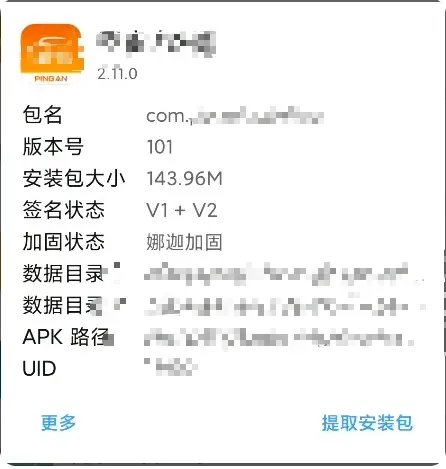
鉴于目标应用采用娜迦加固方案,静态分析难以突破防护获取原始业务代码,因此本方案提出 ART环境下基于主动调用的脱壳技术,以实现原始Dex文件的完整提取,通过 adb 拉取到本地进行下一步处理。
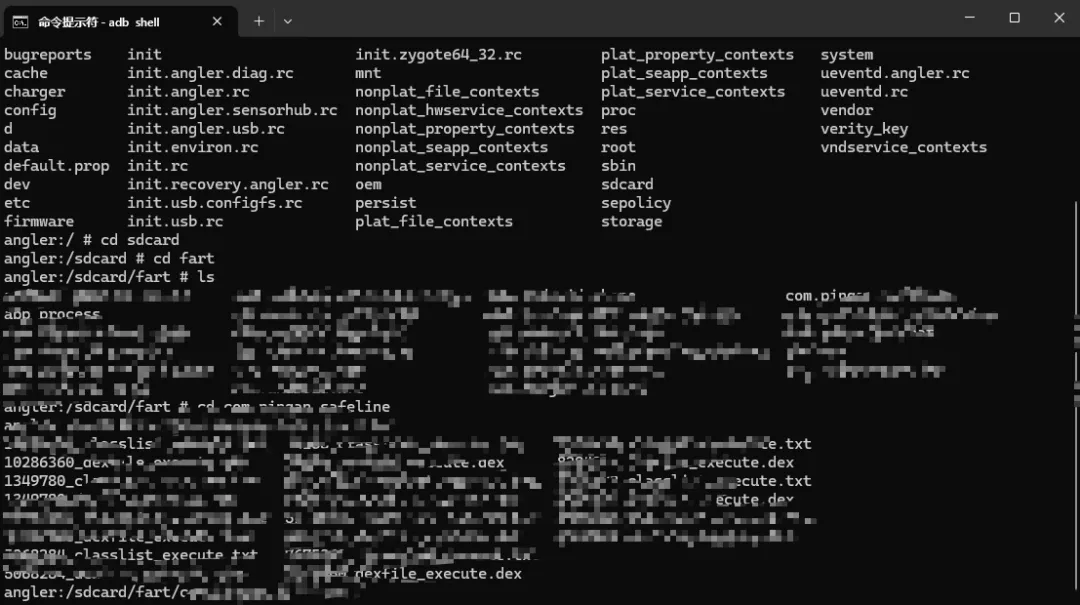
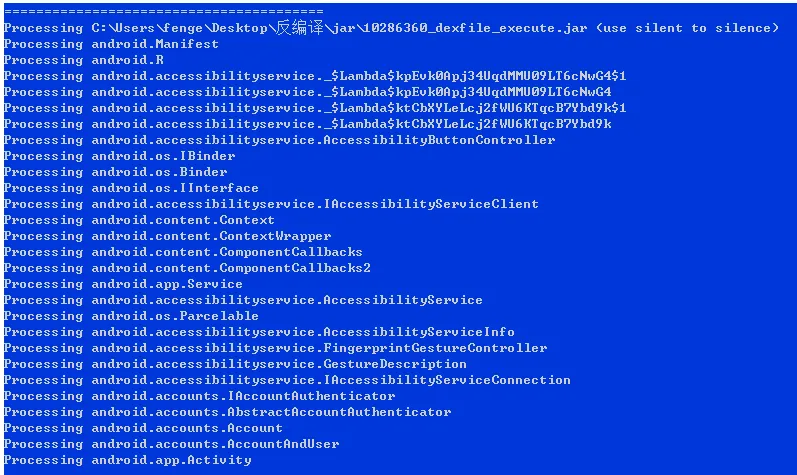
随后通过 dex2jar 编写脚本批量反编译,再使用 cfr 工具将 dex2jar 处理生成的 jar 文件进一步反编译。
二、抓包环境绕过
在搭建的抓包环境中,该应用会主动检测当前运行环境是否处于 VPN 状态;若识别到 VPN 或代理环境,应用可能对特定请求执行拦截、拒绝响应等防护操作。同时,应用还会对抓包工具导入的证书进行合法性校验,通过验证机制的限制来阻断非信任证书的通过,以此规避流量被第三方抓包工具捕获分析。
2.1 Java层检测
通过 OkHttpClient.Builder.proxy() 方法设置 Proxy.NO_PROXY 强制禁用代理,即使系统已配置代理也会被忽略。
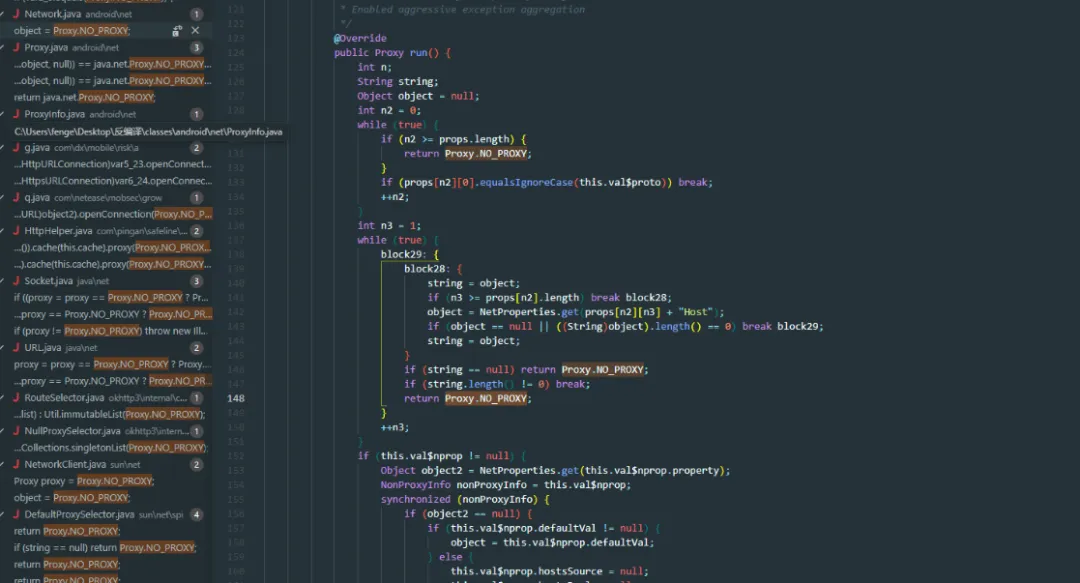
// Hook OkHttpClient.Builder.proxy()OkHttpClientBuilder.proxy.overload('java.net.Proxy').implementation = function(proxy) {if (proxy && proxy.equals(Proxy.NO_PROXY.value)) {returnthis.proxy(null); // 改为null,使用系统代理 }returnthis.proxy(proxy);};// Hook OkHttpClient.Builder.build(),通过反射强制修改OkHttpClientBuilder.build.implementation = function() {var proxyField = this.getClass().getDeclaredField("proxy"); proxyField.setAccessible(true);var currentProxy = proxyField.get(this);if (currentProxy && currentProxy.equals(Proxy.NO_PROXY.value)) { proxyField.set(this, null); // 强制设置为null }returnthis.build();};2.2 Native层检测
libxloader.so 中的 isWifiProxy、wifiDetect 函数通过读取系统属性检测WiFi代理设置,但实际实现不在Native层。Native层中的字符串可能仅作为常量存储,用于日志输出或错误提示,实际的检测逻辑都在Java层。
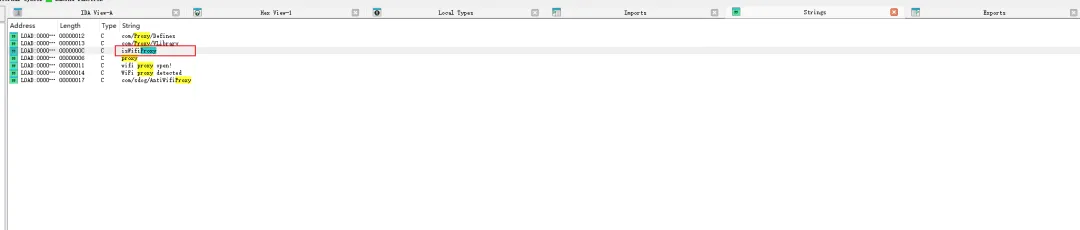
wifiDetect
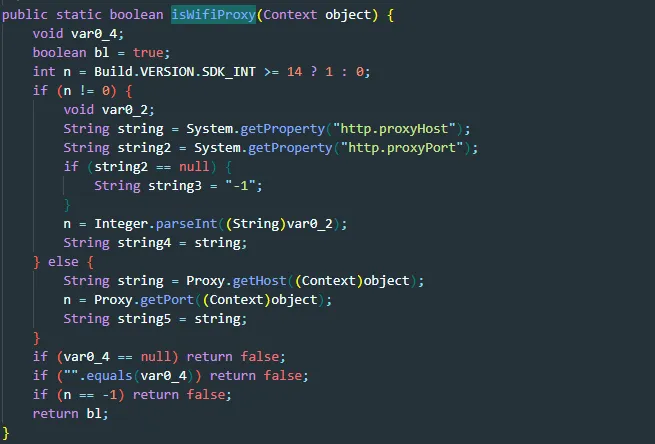
2.3 VPN检测绕过
Tools.isRunningVpn() 方法检测当前是否运行在VPN环境,如果检测到VPN,可能拒绝某些请求或采取保护措施。通过Hook强制返回 false 以绕过VPN检测。
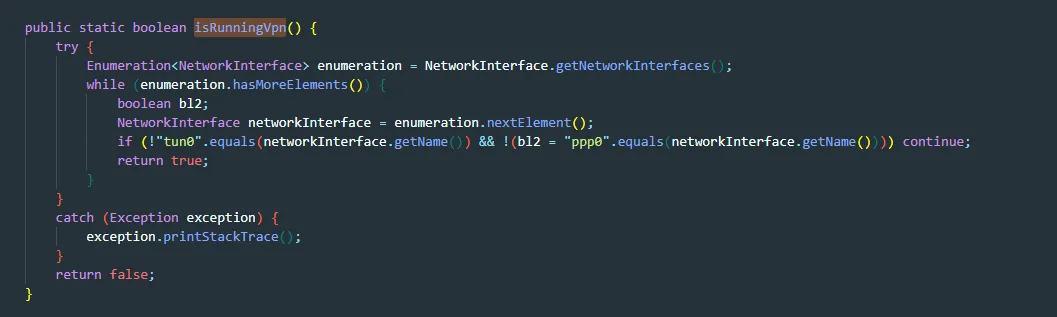
// Hook Tools.isRunningVpn()var Tools = Java.use("com.pingan.safeline.utils.Tools");Tools.isRunningVpn.implementation = function() {returnfalse;};2.4 证书固定(SSL Pinning)绕过
应用主要通过 check() 方法实现证书固定,遍历证书链中的每个证书,计算SHA256/SHA1哈希并与预设的Pin哈希值比较。如果所有证书都不匹配,抛出 SSLPeerUnverifiedException。Hook check() 方法直接返回即可绕过。
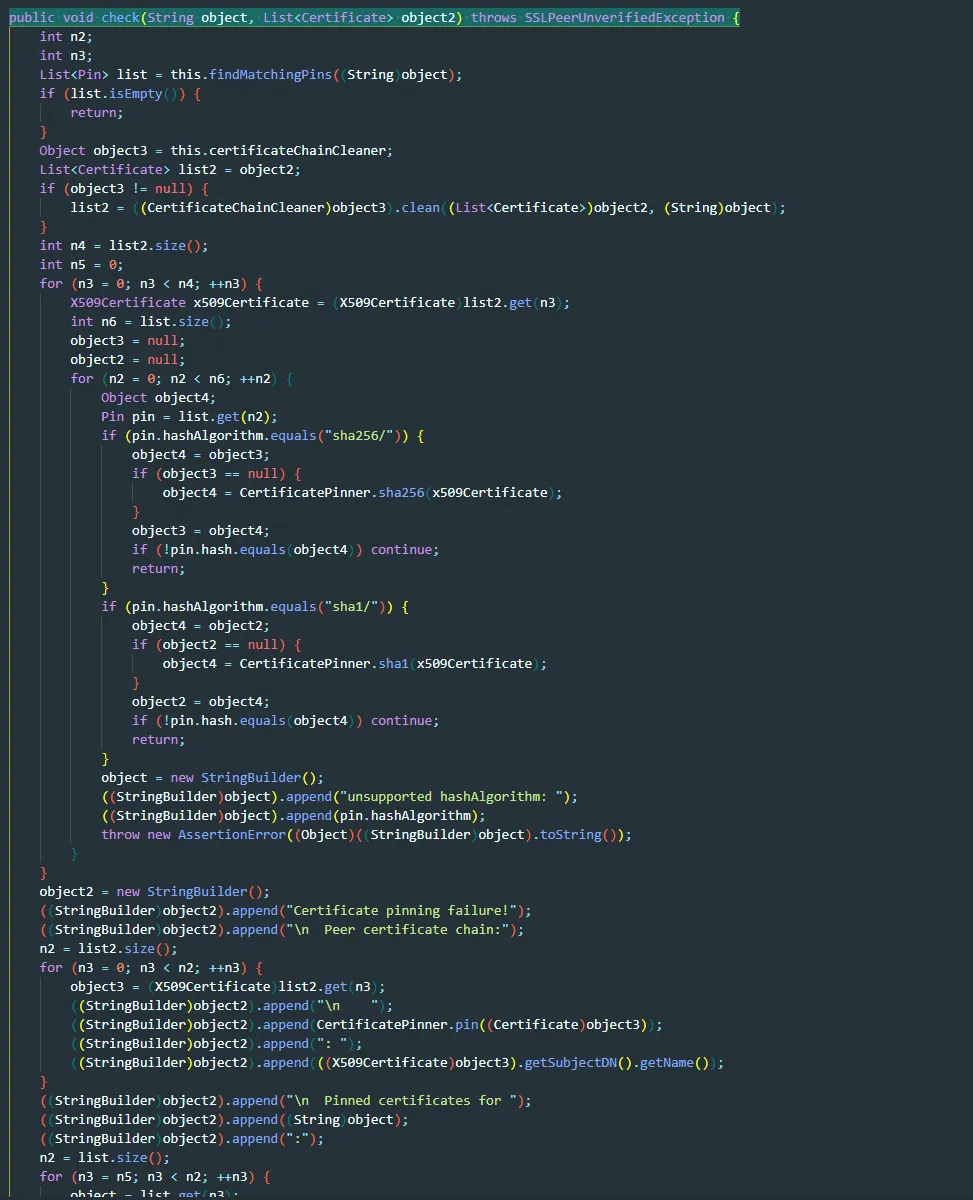
使用 OkHttp 的 CertificatePinner.check() 方法,在SSL握手时验证服务器证书是否与预设的证书匹配,不匹配则抛出异常。
// Hook CertificatePinner.check()var CertificatePinner = Java.use("okhttp3.CertificatePinner");CertificatePinner.check.overload('java.lang.String', 'java.util.List').implementation = function(hostname, peerCertificates) {console.log("[证书固定] 已禁用: " + hostname);return; // 直接返回,不执行证书检查};2.5 完整抓包绕过脚本
/* * 平安安全线应用 - 最小化抓包绕过脚本 * 只包含最核心的功能,避免任何可能导致崩溃的代码 */console.log("========================================");console.log("[*] 平安安全线 - 最小化抓包绕过脚本");console.log("[*] 只Hook核心功能");console.log("========================================");// 延迟执行,确保应用完全启动setTimeout(function() {try { Java.perform(function() {console.log("[*] Java层Hook开始...");// ===== 1. 绕过Proxy.NO_PROXY设置(核心功能) =====try {var OkHttpClientBuilder = Java.use("okhttp3.OkHttpClient$Builder");varProxy = Java.use("java.net.Proxy"); OkHttpClientBuilder.proxy.overload('java.net.Proxy').implementation = function(proxy) {try {if (proxy && proxy.equals(Proxy.NO_PROXY.value)) {console.log("[✓] 拦截NO_PROXY设置,改为null");returnthis.proxy(null); } } catch(e) {// 静默失败 }returnthis.proxy(proxy); }; OkHttpClientBuilder.build.implementation = function() {try {var proxyField = this.getClass().getDeclaredField("proxy"); proxyField.setAccessible(true);var currentProxy = proxyField.get(this);if (currentProxy && currentProxy.equals(Proxy.NO_PROXY.value)) {console.log("[✓] build()时检测到NO_PROXY,强制设置为null"); proxyField.set(this, null); } } catch(e) {// 静默失败 }returnthis.build(); };console.log("[+] OkHttpClient.Builder Hook成功"); } catch(e) {console.log("[-] OkHttpClient.Builder Hook失败: " + e); }// ===== 2. 禁用证书固定 =====try {var CertificatePinner = Java.use("okhttp3.CertificatePinner"); CertificatePinner.check.overload('java.lang.String', 'java.util.List').implementation = function(hostname, peerCertificates) {console.log("[证书固定] 已禁用: " + hostname);return; };console.log("[+] CertificatePinner.check() Hook成功"); } catch(e) {console.log("[-] CertificatePinner Hook失败: " + e); }// ===== 3. 绕过VPN检测 =====try {var Tools = Java.use("com.pingan.safeline.utils.Tools"); Tools.isRunningVpn.implementation = function() {returnfalse; };console.log("[+] Tools.isRunningVpn() Hook成功"); } catch(e) {console.log("[-] Tools.isRunningVpn() Hook失败: " + e); }console.log("========================================");console.log("[*] Java层Hook完成");console.log("========================================"); }); } catch(e) {console.log("[-] Java VM 初始化失败: " + e); }}, 20000); // 延迟20秒,确保应用完全启动console.log("========================================");console.log("[*] Hook脚本加载完成");console.log("[*] 等待应用初始化...");console.log("========================================");三、数据加密与解密
3.1 加密机制分析
通过 ReqHttpEncryptInterceptor.intercept() 拦截器对 POST 请求进行拦截,并将原始 JSON 字符串传入 Native 层 libJniCipher.so 中的 JniCipherUtils.encryptInC(String data) 加密函数处理,最终输出 Base64 编码格式的加密字符串。
Java层拦截器
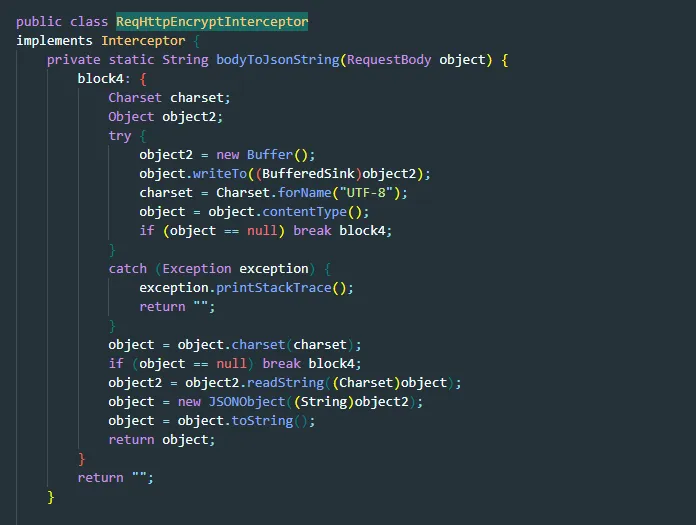
加密函数
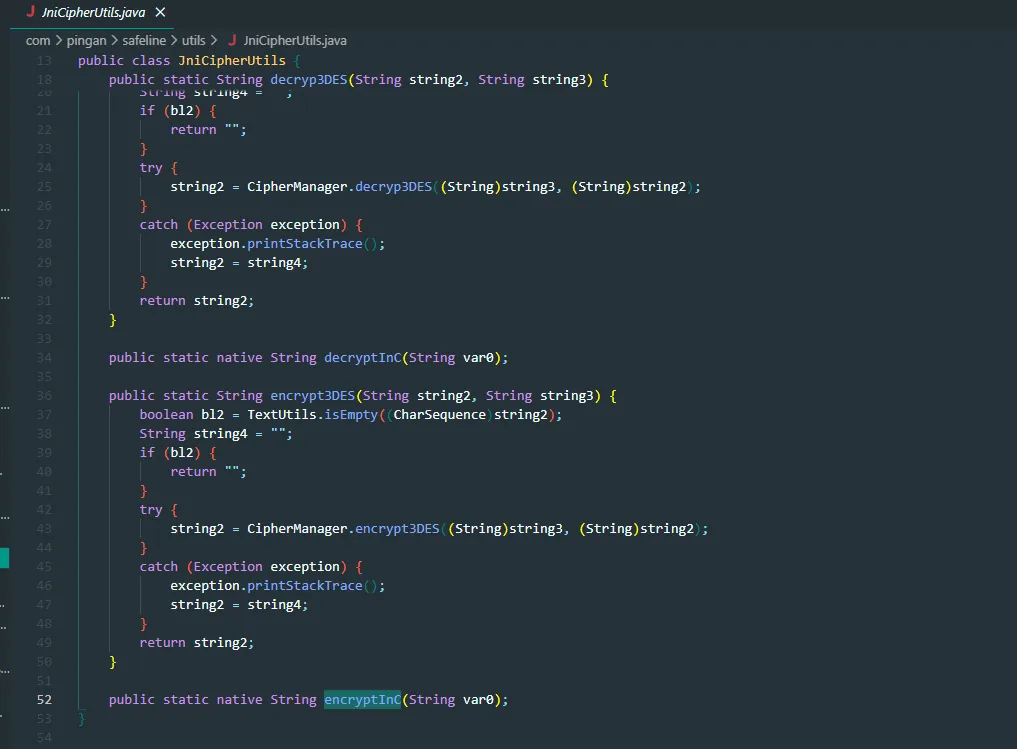
加载的库名:JniCipher

3.2 解密Hook脚本
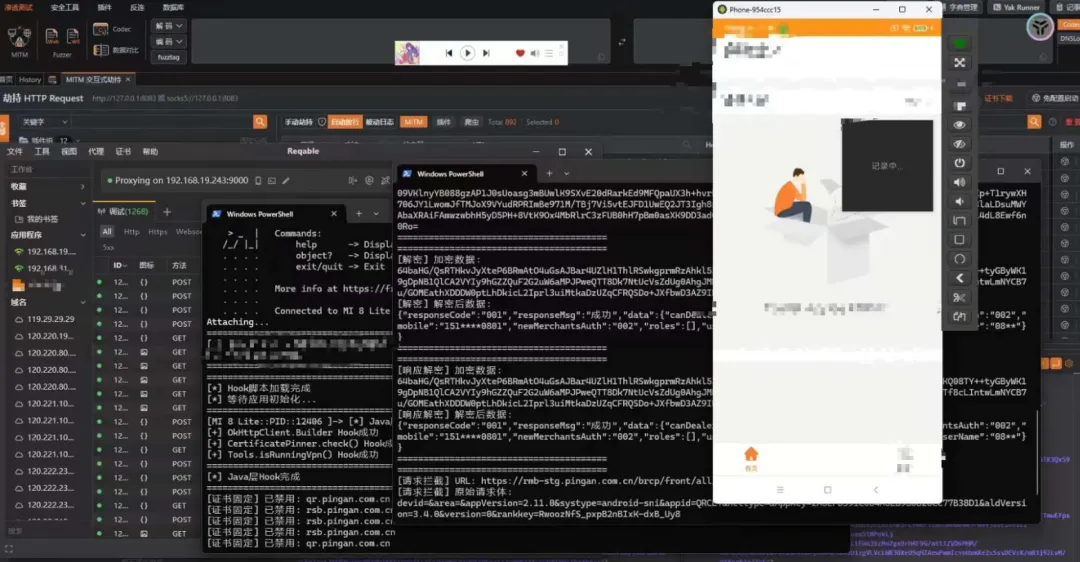
通过Hook响应解密入口(Tools.decodeResponse),首先Hook JniCipherUtils 类的 encryptInC 与 decryptInC 方法,打印请求加密的原始JSON数据与加密后的Base64字符串,以及响应解密的密文输入与明文输出;同时Hook ReqHttpEncryptInterceptor 请求拦截器,借助 Okio 框架读取拦截的POST请求原始请求体,并抓取包含 encryptData 字段的加密响应数据,最终直接拿到解密数据。
console.log("========================================");console.log("[*] 平安安全线 - 数据解密脚本");console.log("[*] Hook 加密/解密函数");console.log("========================================");// 延迟执行,确保应用完全启动setTimeout(function() {try { Java.perform(function() {console.log("[*] 开始 Hook 加密/解密函数...");// ===== 1. Hook JniCipherUtils.encryptInC() - 加密函数 =====try {var JniCipherUtils = Java.use("com.pingan.safeline.utils.JniCipherUtils"); JniCipherUtils.encryptInC.implementation = function(data) {try {var encrypted = this.encryptInC(data);console.log("========================================");console.log("[加密] 原始数据:");console.log(data);console.log("[加密] 加密后数据:");console.log(encrypted);console.log("========================================");return encrypted; } catch(e) {console.log("[-] encryptInC Hook失败: " + e);returnthis.encryptInC(data); } };console.log("[+] JniCipherUtils.encryptInC() Hook成功"); } catch(e) {console.log("[-] JniCipherUtils.encryptInC() Hook失败: " + e); }// ===== 2. Hook JniCipherUtils.decryptInC() - 解密函数 =====try {var JniCipherUtils = Java.use("com.pingan.safeline.utils.JniCipherUtils"); JniCipherUtils.decryptInC.implementation = function(encryptedData) {try {var decrypted = this.decryptInC(encryptedData);console.log("========================================");console.log("[解密] 加密数据:");console.log(encryptedData);console.log("[解密] 解密后数据:");console.log(decrypted);console.log("========================================");return decrypted; } catch(e) {console.log("[-] decryptInC Hook失败: " + e);returnthis.decryptInC(encryptedData); } };console.log("[+] JniCipherUtils.decryptInC() Hook成功"); } catch(e) {console.log("[-] JniCipherUtils.decryptInC() Hook失败: " + e); }// ===== 3. Hook Tools.decodeResponse() - 响应解密 =====try {var Tools = Java.use("com.pingan.safeline.utils.Tools"); Tools.decodeResponse.implementation = function(encryptedData) {try {var decrypted = this.decodeResponse(encryptedData);console.log("========================================");console.log("[响应解密] 加密数据:");console.log(encryptedData);console.log("[响应解密] 解密后数据:");console.log(decrypted);console.log("========================================");return decrypted; } catch(e) {console.log("[-] decodeResponse Hook失败: " + e);returnthis.decodeResponse(encryptedData); } };console.log("[+] Tools.decodeResponse() Hook成功"); } catch(e) {console.log("[-] Tools.decodeResponse() Hook失败: " + e); }// ===== 4. Hook ReqHttpEncryptInterceptor.intercept() - 请求加密拦截器 =====try {var ReqHttpEncryptInterceptor = Java.use("com.pingan.safeline.common.ReqHttpEncryptInterceptor"); ReqHttpEncryptInterceptor.intercept.implementation = function(chain) {try {var request = chain.request();var requestBody = request.body();if (requestBody != null) {// 读取原始请求体var buffer = Java.use("okio.Buffer").$new(); requestBody.writeTo(buffer);var originalBody = buffer.readUtf8();console.log("========================================");console.log("[请求拦截] URL: " + request.url());console.log("[请求拦截] 原始请求体:");console.log(originalBody);console.log("========================================"); }// 继续执行原始逻辑var response = this.intercept(chain);// 检查响应if (response != null && response.body() != null) {try {var responseBody = response.body();var source = responseBody.source(); source.request(Java.vm.getJNIEnv().getLongMaxValue());var responseString = source.buffer().clone().readUtf8();if (responseString.indexOf("encryptData") >= 0) {console.log("========================================");console.log("[响应拦截] URL: " + request.url());console.log("[响应拦截] 响应数据:");console.log(responseString);console.log("========================================"); } } catch(e) {// 忽略错误 } }return response; } catch(e) {console.log("[-] ReqHttpEncryptInterceptor.intercept() Hook失败: " + e);returnthis.intercept(chain); } };console.log("[+] ReqHttpEncryptInterceptor.intercept() Hook成功"); } catch(e) {console.log("[-] ReqHttpEncryptInterceptor.intercept() Hook失败: " + e); }console.log("========================================");console.log("[*] 所有 Hook 完成");console.log("[*] 开始监控加密/解密操作...");console.log("========================================"); }); } catch(e) {console.log("[-] Java VM 初始化失败: " + e); }}, 15000); // 延迟15秒,确保应用完全启动console.log("========================================");console.log("[*] 解密脚本加载完成");console.log("[*] 等待应用初始化...");console.log("========================================");3.3 密钥提取与解密验证
通过Hook输出获得加密数据与解密结果:
提取的密钥片段:
-
[第一部分] 3DB626E9908711C5E05 -
[第二部分] 4000B5DE0B7FC -
[完整密钥] 3DB626E9908711C5E054000B5DE0B7FC
算法特征:先经过 PKCS5 填充(填充到8字节对齐),使用 3DES-ECB 加密模式,然后 Base64 编码。根据该密钥通过AI生成独立的解密脚本。
独立解密脚本(Python)
#!/usr/bin/env python3# -*- coding: utf-8 -*-"""平安安全线应用 - encryptData字段独立解密工具(修复版)基于libJniCipher.so逆向分析结果实现算法: 3DES-CBC 或 3DES-ECB(需要测试)密钥: DES_KEY + HALF_KEYIV: {0, 1, 2, 3, 4, 5, 6, 7} (CBC模式使用)"""import base64from Crypto.Cipher import DES3from Crypto.Util.Padding import unpadimport json# ===== 密钥(从Frida Hook验证中提取) =====# 注意:实际拼接顺序是 HALF_KEY + DES_KEY(与IDA分析相反)DES_KEY = "4000B5DE0B7FC"# 14字符HALF_KEY = "3DB626E9908711C5E05"# 19字符FULL_KEY = HALF_KEY + DES_KEY # "3DB626E9908711C5E054000B5DE0B7FC" (32字符,已验证)# IV(固定值,从DES3.java中确认)IV = bytes([0, 1, 2, 3, 4, 5, 6, 7])defbuild_3des_key(key_string):""" 构建24字节3DES密钥(与Java的build3DesKey函数一致) Args: key_string: 密钥字符串 Returns: 24字节的密钥字节数组 """ key_bytes = key_string.encode('utf-8')# 如果长度小于24字节,补零到24字节if len(key_bytes) < 24: key_bytes = key_bytes + b'\x00' * (24 - len(key_bytes))# 如果长度大于24字节,截取前24字节elif len(key_bytes) > 24: key_bytes = key_bytes[:24]return key_bytesdefdecrypt_encryptData_CBC(encrypted_data, key_string=FULL_KEY):"""使用3DES-CBC模式解密"""try: encrypted_bytes = base64.b64decode(encrypted_data) key = build_3des_key(key_string) cipher = DES3.new(key, DES3.MODE_CBC, IV) decrypted = cipher.decrypt(encrypted_bytes) decrypted = unpad(decrypted, 8)return decrypted.decode('utf-8')except Exception as e:returnNonedefdecrypt_encryptData_ECB(encrypted_data, key_string=FULL_KEY):"""使用3DES-ECB模式解密(测试用)"""try: encrypted_bytes = base64.b64decode(encrypted_data) key = build_3des_key(key_string) cipher = DES3.new(key, DES3.MODE_ECB) decrypted = cipher.decrypt(encrypted_bytes) decrypted = unpad(decrypted, 8)return decrypted.decode('utf-8')except Exception as e:returnNonedefdecrypt_encryptData(encrypted_data, verbose=True):"""解密encryptData字段(自动尝试不同模式)"""if verbose: print(f"\n[尝试解密] 数据长度: {len(encrypted_data)} 字符") print(f"[密钥] {FULL_KEY} (长度: {len(FULL_KEY)} 字符, {len(FULL_KEY.encode('utf-8'))} 字节)") encrypted_bytes = base64.b64decode(encrypted_data)if verbose: print(f"[加密数据字节长度] {len(encrypted_bytes)} 字节")# 方法1: CBC模式if verbose: print("\n[方法1] 尝试 3DES-CBC 模式(标准密钥处理)...") result = decrypt_encryptData_CBC(encrypted_data)if result:if verbose: print("✅ CBC模式解密成功!")return resultelif verbose: print("❌ CBC模式解密失败")# 方法2: ECB模式if verbose: print("\n[方法2] 尝试 3DES-ECB 模式(标准密钥处理)...") result = decrypt_encryptData_ECB(encrypted_data)if result:if verbose: print("✅ ECB模式解密成功!")return resultelif verbose: print("❌ ECB模式解密失败")# 方法3: 密钥截取+ECBif verbose: print("\n[方法4] 尝试密钥截取到24字节(ECB)...")try: key_bytes = FULL_KEY.encode('utf-8') key = key_bytes[:24] if len(key_bytes) >= 24else key_bytes.ljust(24, b'\x00') cipher = DES3.new(key, DES3.MODE_ECB) decrypted = cipher.decrypt(encrypted_bytes) decrypted = unpad(decrypted, 8) result = decrypted.decode('utf-8')if verbose: print("✅ 使用截取密钥方式(ECB)解密成功!")return resultexcept Exception as e:if verbose: print(f"❌ 失败: {e}")# 更多回退方法...(省略部分)returnNonedefmain(): print("=" * 60) print("平安安全线应用 - encryptData字段解密工具(修复版)") print("=" * 60) test_encrypted = input("\n请输入Base64加密数据: ").strip()ifnot test_encrypted:return decrypted = decrypt_encryptData(test_encrypted)if decrypted: print("\n✅ 解密成功!")try: json_data = json.loads(decrypted) print(json.dumps(json_data, indent=2, ensure_ascii=False))except: print(decrypted)if __name__ == "__main__": main()解密结果示例:

解密后得到的数据:
{"deviceId": "36c8a5f3fbed85f3972e9791c79b9e647","loginAccount": "15106540801","loginPassword": "XQIvZTTKgXLG4agbEn3gch5B0FL4/xib54iDtTkelBJd1NpMOWC5rRHAOOEr3bEVL06jYj8NdjfGvIChD+eJHLk76ywEnTNYgN3SXr62VxpsulTAPClUonum2UNAVhcE3rkJQEZ7ZUm7Gc8vi63a19W8noAgXZTxiIIA37ErKj4=","osType": "android","sign": "0590ec0f6c4f75e16d7c28ca6ee65eb530db8ef377169a80879292794a4f83a9"}3.4 loginPassword 二次加密分析
loginPassword 字段实际为 RSA加密:原始密码与当前时间戳(毫秒)拼接后,使用 RSA/ECB/PKCS1Padding 算法加密,密钥长度1024位。
RSA公钥(Base64):
MIGfMA0GCSqGSIb3DQEBAQUAA4GNADCBiQKBgQCHqeKaUOpktThp1IHyttyNWsbgDWGoOJZ7zOLrD8ziv3EAFSU0VQoYmcHMtjprCVVcMSCUHT4rAwdvKQ0uS3QIsnXfRYDW0CbbHwq4J6auy3umxwVvBEJP8RiAD2QfBrQLJsGlmyR2TZfYV+RKK4iIiRxBZse/OCkxBgxoAkHkWwIDAQAB3.5 sign 签名算法
签名生成流程:
-
获取对象的所有字段(使用反射) -
格式化: 字段名 + 字段值(例如:deviceId36c8a5f3fbed85f3972e9791c79b9e647) -
按字段名字典序排序( Arrays.sort) -
用 &连接所有格式化字段 -
对拼接后的字符串进行 SHA256 哈希,返回32字节十六进制字符串
3.6 sign与loginPassword生成脚本(Python)
#!/usr/bin/env python3# -*- coding: utf-8 -*-"""平安安全线应用 - sign和loginPassword生成工具功能:1. 生成loginPassword(RSA加密) 2. 生成sign(SHA256签名)"""import json, time, base64, hashlibfrom Crypto.PublicKey import RSAfrom Crypto.Cipher import PKCS1_v1_5RSA_PUBLIC_KEY_B64 = "MIGfMA0GCSqGSIb3DQEBAQUAA4GNADCBiQKBgQCHqeKaUOpktThp1IHyttyNWsbgDWGoOJZ7zOLrD8ziv3EAFSU0VQoYmcHMtjprCVVcMSCUHT4rAwdvKQ0uS3QIsnXfRYDW0CbbHwq4J6auy3umxwVvBEJP8RiAD2QfBrQLJsGlmyR2TZfYV+RKK4iIiRxBZse/OCkxBgxoAkHkWwIDAQAB"defencrypt_login_password(password, timestamp=None): timestamp = timestamp or int(time.time() * 1000) plaintext = f"{password}&{timestamp}" public_key = RSA.importKey(base64.b64decode(RSA_PUBLIC_KEY_B64)) cipher = PKCS1_v1_5.new(public_key) encrypted = cipher.encrypt(plaintext.encode('utf-8'))return base64.b64encode(encrypted).decode('utf-8')defgenerate_sign(data_dict): fields = [f"{k}{v}"for k, v in data_dict.items() if k != "sign"and isinstance(v, str)] fields.sort() sign_string = "&".join(fields)return hashlib.sha256(sign_string.encode('utf-8')).hexdigest()defgenerate_login_request(account, password, device_id, os_type="android", timestamp=None): login_password = encrypt_login_password(password, timestamp) request_data = {"deviceId": device_id,"loginAccount": account,"loginPassword": login_password,"osType": os_type } request_data["sign"] = generate_sign(request_data)return request_datadefmain():# 测试验证提供的sign test_data = {"deviceId": "36c8a5f3fbed85f3972e9791c79b9e647","loginAccount": "15106540801","loginPassword": "XQIvZTTKgXLG4agbEn3gch5B0FL4/xib54iDtTkelBJd1NpMOWC5rRHAOOEr3bEVL06jYj8NdjfGvIChD+eJHLk76ywEnTNYgN3SXr62VxpsulTAPClUonum2UNAVhcE3rkJQEZ7ZUm7Gc8vi63a19W8noAgXZTxiIIA37ErKj4=","osType": "android","sign": "0590ec0f6c4f75e16d7c28ca6ee65eb530db8ef377169a80879292794a4f83a9" } print("验证sign:", generate_sign(test_data) == test_data["sign"])# 生成新请求 result = generate_login_request("15106540801", "test123", "36c8a5f3fbed85f3972e9791c79b9e647") print(json.dumps(result, indent=2))if __name__ == "__main__": main()输出示例:
sign 验证通过(由于时间戳动态变化,loginPassword 每次不同,但 sign 逻辑正确)。
四、总结
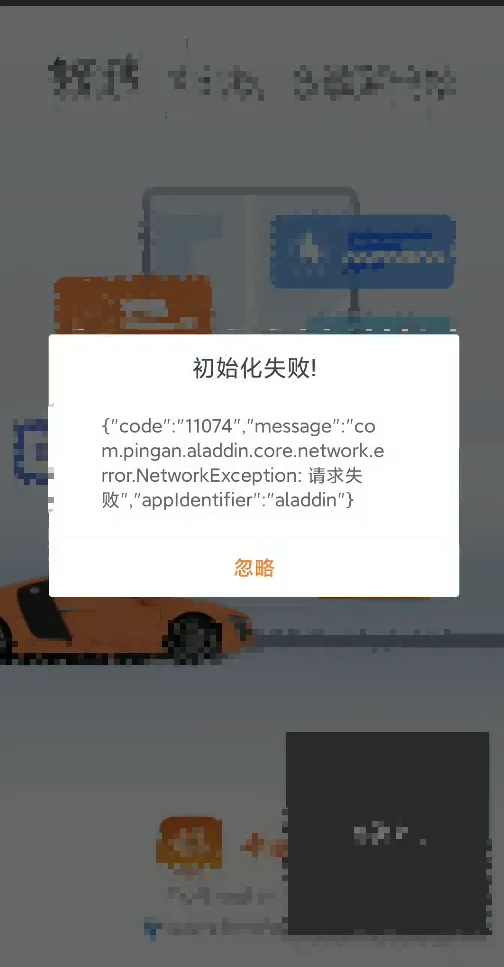
本文详细分析了目标应用的加密通信机制,发现应用通过 ReqHttpEncryptInterceptor 拦截器对 POST 请求数据进行加密,加密算法实现在 Native 层(libJniCipher.so)中,采用 Base64 编码的 encryptData 字段传输加密数据。同时定位并分析了错误码 11074(UPGRADE_DATA_NOT_FOUND) 的触发原因,发现是 Aladdin 框架初始化时无法获取升级数据导致的网络请求失败。
最终,通过优化 Hook 脚本的 Hook 范围及异常处理机制,开发出了稳定的抓包绕过和数据解密方案,成功实现了应用网络流量的捕获与分析。