 夜雨聆风
夜雨聆风


如何将在英伟达白嫖的模型接入 OpenClaw:文本模型 + FLUX 生图完整教程
这篇文章只讲两件事:
-
1. 如何把 NVIDIA 的文本模型接进 OpenClaw(通过 LiteLLM) -
2. 如何把 flux.2-klein-4b图像模型接进 OpenClaw(通过 skill)
目标很明确:
-
• 读者能看懂 -
• 跟着做能落地
1. 先看整体方案
本次接入分两条链路:
1)文本模型链路
OpenClaw → LiteLLM → NVIDIA OpenAI-compatible API适用模型:
-
• DeepSeek V3.2 -
• Qwen 3.5 397B -
• Llama 3.3 70B -
• GLM 5.1 -
• Mistral Large 3
这些模型是 OpenAI 兼容接口,适合进入 LiteLLM,再由 OpenClaw 统一管理。
2)图像模型链路
OpenClaw → flux-klein-image skill → NVIDIA GenAI API适用模型:
-
• black-forest-labs/flux.2-klein-4b
这个模型不是 chat/completions,而是独立 GenAI 图像接口,且有固定 ratio / size 规则和 base64 输出,所以更适合做成 skill。
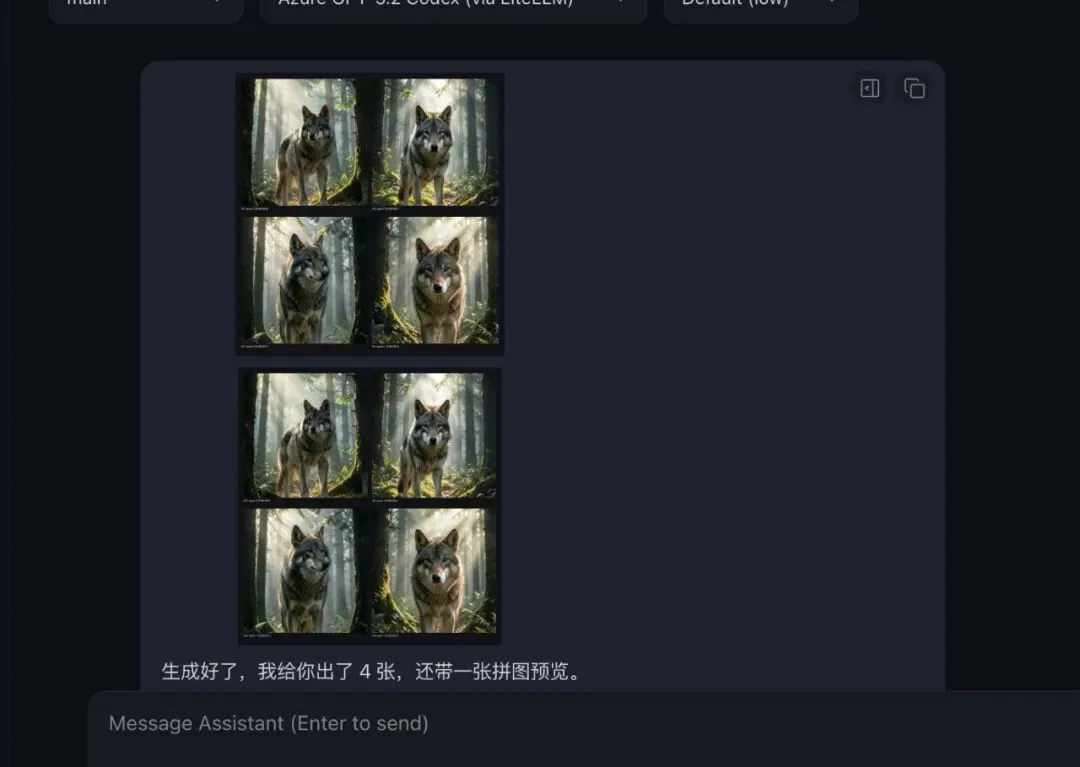
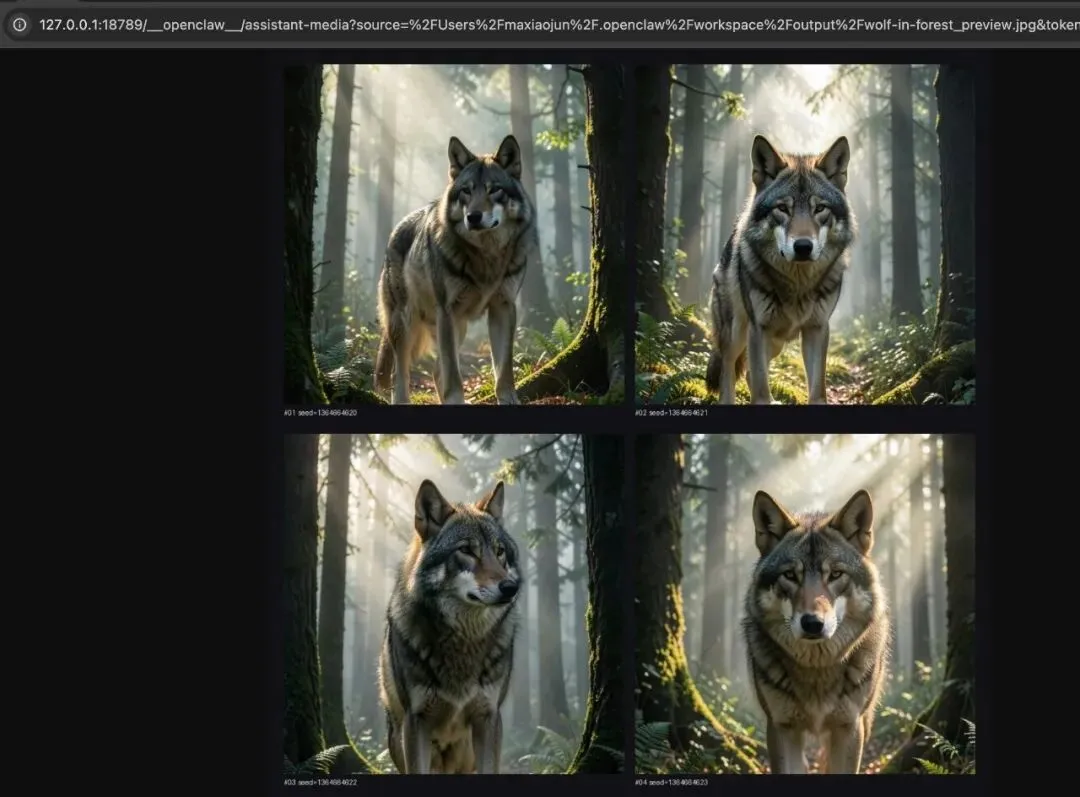
3)接入案例(提示词: 帮我生成在森林里的大灰狼图片)
2. 文本模型接入 OpenClaw(LiteLLM)
第一步:验证 NVIDIA API 是否可用
curl -s https://integrate.api.nvidia.com/v1/models \ -H "Authorization: Bearer $NVIDIA_API_KEY"确认模型列表中包含:
-
• deepseek-ai/deepseek-v3.2 -
• qwen/qwen3.5-397b-a17b -
• meta/llama-3.3-70b-instruct -
• z-ai/glm-5.1 -
• mistralai/mistral-large-3-675b-instruct-2512
第二步:把模型加入 LiteLLM
编辑文件:
~/.openclaw/litellm_config.yaml加入模型配置(示例):
-model_name:nvidia-deepseek-v3.2litellm_params:model:openai/deepseek-ai/deepseek-v3.2api_base:https://integrate.api.nvidia.com/v1api_key:nvapi-xxxx-model_name:nvidia-qwen3.5-397blitellm_params:model:openai/qwen/qwen3.5-397b-a17bapi_base:https://integrate.api.nvidia.com/v1api_key:nvapi-xxxx-model_name:nvidia-llama-3.3-70blitellm_params:model:openai/meta/llama-3.3-70b-instructapi_base:https://integrate.api.nvidia.com/v1api_key:nvapi-xxxx-model_name:nvidia-glm-5.1litellm_params:model:openai/z-ai/glm-5.1api_base:https://integrate.api.nvidia.com/v1api_key:nvapi-xxxx-model_name:nvidia-mistral-large-3litellm_params:model:openai/mistralai/mistral-large-3-675b-instruct-2512api_base:https://integrate.api.nvidia.com/v1api_key:nvapi-xxxx说明:
-
• model_name是本地别名 -
• model是 NVIDIA 实际模型 ID
第三步:注册到 OpenClaw
编辑文件:
~/.openclaw/openclaw.json1)添加模型元数据
(示例:Qwen 3.5)
{"id":"nvidia-qwen3.5-397b","name":"Qwen 3.5 397B (NVIDIA Build)","api":"openai-completions","reasoning":false,"input":["text"],"cost":{"input":0,"output":0,"cacheRead":0,"cacheWrite":0},"contextWindow":131072,"maxTokens":16384}2)添加 alias 映射
"litellm/nvidia-qwen3.5-397b":{"alias":"Qwen 3.5 397B (NVIDIA Build)"}其他模型按同样方式加进去。
第四步:重启 LiteLLM
kill <litellm-pid>nohup litellm --config ~/.openclaw/litellm_config.yaml --port 4000 > /tmp/litellm.log 2>&1 &第五步:验证模型是否生效
查看模型列表:
curl -s http://localhost:4000/v1/models \ -H "Authorization: Bearer sk-openclaw-litellm-key-12345"验证对话请求:
curl -s http://localhost:4000/v1/chat/completions \ -H "Authorization: Bearer sk-openclaw-litellm-key-12345" \ -H "Content-Type: application/json" \ -d '{ "model": "nvidia-qwen3.5-397b", "messages": [{"role":"user","content":"你好,测试一下"}], "max_tokens": 50, "stream": false }'跑通即完成。
3. 文本模型怎么选(快速版)
-
• 中文写作:Qwen 3.5 397B -
• 代码与技术分析:DeepSeek V3.2 -
• 复杂推理:GLM 5.1 -
• 英文内容:Llama 3.3 70B
4. 图像模型接入 OpenClaw(skill)
flux.2-klein-4b 不是标准 chat/completions,而是 NVIDIA GenAI 图像接口。它有固定 ratio / size 规则,返回 base64 图片数据,还需要本地落盘和多图批量能力。
因此采用 skill 来接入:
OpenClaw → flux-klein-image skill → NVIDIA GenAI API5. flux-klein-image skill 做了哪些事
这个 skill 不是简单的“调接口”,而是把模型的规则一次性封装好:
-
• ratio → size 映射(1:1、16:9、9:16…) -
• 中文风格别名(写实、电影感、赛博朋克…) -
• style prompt 扩展 -
• steps / count / seed / width / height 边界校验 -
• base64 图片解码并写入本地文件 -
• 多图批量生成与 preview 拼图 -
• .env自动加载(保证 NVIDIA_API_KEY 可读)
6. flux-klein-image skill 文件内容
1)SKILL.md
---name: flux-klein-imagedescription: Generate images with NVIDIA FLUX.2-Klein-4B via NVIDIA API. Use when the user wants to create images with FLUX, especially for fast text-to-image generation, aspect-ratio presets, style-guided prompting, multi-image batch generation, and contact-sheet previews.---# FLUX Klein ImageUse this skill when the user wants to generate images with NVIDIA's `black-forest-labs/flux.2-klein-4b` model.## What it does- Text-to-image generation- Aspect ratio presets like `1:1`, `16:9`, `9:16`, `4:5`, `5:4`, `3:2`, `2:3`- Style-guided prompting- Chinese style aliases- Multi-image batch generation via automatic seed variation- Optional 4-grid / contact-sheet preview image- Saves generated images to local files## Runtime requirements- Environment variable: `NVIDIA_API_KEY`- Binary: `python3`- Python package: `Pillow` (optional but recommended for preview grids)## UsageSingle image:python3 <SKILL_ROOT>/scripts/flux_klein.py '{"prompt":"a cinematic mountain landscape at sunrise","ratio":"1:1","style":"photorealistic","seed":0,"steps":4,"output":"./flux-output.jpg"}' Batch generation with preview grid:python3 <SKILL_ROOT>/scripts/flux_klein.py '{"prompt":"a cow grazing in a grassy field","ratio":"9:16","style":"电影感","count":4,"make_preview":true,"output":"./outputs/cow.jpg"}'## Parameters- `prompt` (required): text prompt- `ratio` (optional): one of `1:1`, `16:9`, `9:16`, `4:5`, `5:4`, `3:2`, `2:3`- `style` (optional): English or Chinese style name- `width` (optional): one of 768, 832, 896, 960, 1024, 1088, 1152, 1216, 1280, 1344- `height` (optional): one of 768, 832, 896, 960, 1024, 1088, 1152, 1216, 1280, 1344- `seed` (optional): integer, `0` means random for single image, batch mode auto varies seed- `steps` (optional): 1-4- `count` (optional): number of images to generate, `1-4`, default `1`- `make_preview` (optional): whether to generate a contact-sheet preview, default `false`- `output` (optional): output image path, default `./flux-klein-output.jpg`## Ratio mapping- `1:1` -> 1024x1024- `16:9` -> 1344x768- `9:16` -> 768x1344- `4:5` -> 896x1152- `5:4` -> 1152x896- `3:2` -> 1216x832- `2:3` -> 832x1216## Style presets### English- `photorealistic`- `illustration`- `anime`- `cinematic`- `minimalist`- `product`- `oil-painting`- `cyberpunk`### Chinese aliases- `写实` -> `photorealistic`- `插画` -> `illustration`- `动漫` -> `anime`- `电影感` -> `cinematic`- `极简` -> `minimalist`- `产品图` -> `product`- `油画` -> `oil-painting`- `赛博朋克` -> `cyberpunk`## Output behavior- If `count=1`, returns a single file path- If `count>1`, returns a list of generated files- Batch mode appends suffixes like `_01`, `_02`, `_03`, `_04`- If `make_preview=true`, also returns a preview image path like `_preview.jpg`## Notes- This skill calls NVIDIA's direct GenAI endpoint, not the standard OpenAI images API.- The response contains JPEG image data inbase64.- If both `ratio` and `width`/`height` are passed, `width`/`height` win.- If Pillow is unavailable, generation still works but preview grids are skipped.- If the user only asks for a concept or prompt, help refine the prompt before generation.2)flux_klein.py(核心结构)
import os, sys, json, base64, random, mathfrom pathlib import PathAPI_URL = "https://ai.api.nvidia.com/v1/genai/black-forest-labs/flux.2-klein-4b"ALLOWED_SIZES = {768, 832, 896, 960, 1024, 1088, 1152, 1216, 1280, 1344}RATIO_MAP = {"1:1": (1024, 1024),"16:9": (1344, 768),"9:16": (768, 1344),"4:5": (896, 1152),"5:4": (1152, 896),"3:2": (1216, 832),"2:3": (832, 1216),}STYLE_MAP = {"photorealistic": "realistic photography, natural light, lifelike details, high realism","illustration": "clean digital illustration, polished shapes, vivid colors, refined composition","anime": "anime style, expressive lines, stylized shading, vibrant character art aesthetics","cinematic": "cinematic lighting, dramatic atmosphere, film still, rich depth and mood","minimalist": "minimal composition, clean background, simple visual language, uncluttered design","product": "product photography, studio lighting, clean composition, premium commercial look","oil-painting": "oil painting, painterly texture, rich brush strokes, classic fine art feel","cyberpunk": "cyberpunk aesthetic, neon lighting, futuristic city mood, high contrast",}STYLE_ALIASES = {"写实": "photorealistic","插画": "illustration","动漫": "anime","电影感": "cinematic","极简": "minimalist","产品图": "product","油画": "oil-painting","赛博朋克": "cyberpunk",}7. 运行前的关键要求
1)准备 API key
将 NVIDIA API key 写入:
~/.openclaw/.env内容:
NVIDIA_API_KEY=nvapi-xxxx2)安装依赖
pip install requests pillow8. 示例调用
单图生成
python3 <SKILL_ROOT>/scripts/flux_klein.py '{"prompt":"a cinematic mountain landscape at sunrise","ratio":"1:1","style":"电影感","seed":0,"steps":4,"output":"./outputs/mountain.jpg"}'多图生成 + 预览拼图
python3 <SKILL_ROOT>/scripts/flux_klein.py '{"prompt":"a cow grazing in a grassy field","ratio":"9:16","style":"写实","count":4,"make_preview":true,"output":"./outputs/cow.jpg"}'9. 最后总结
-
• 文本模型适合走 LiteLLM,进入 OpenClaw 模型体系 -
• flux.2-klein-4b适合做成 skill,把规则一次性封装好 -
• skill 的价值不是“包一层”,而是把模型规则和输出能力收口成可复用动作
按照这篇文章的步骤操作,读者可以把 NVIDIA 的文本模型和 FLUX 图像模型完整接入 OpenClaw,并能真正投入工作流使用。
如果还不知道如何在英伟达官方免费领取模型API key,看我上篇文章:《零门槛白嫖194个AI模型!英伟达免费API保姆申请教程》。